MENU > Monitoring 119
These almost identical menus overlay the monitor, the viewfinder, and the SDI with
essential visual tools. Note: The illustration shows the menu for the viewfinder.
Frame lines: Sets frame lines On or Off. Used as a framing reference tool with typically
an image frame, a center mark, and aspect ratio.
Center mark: Sets the center mark (for use with frame lines) between Off, Small Dot,
Dot, or Cross.
Surround mask: Sets the type of overlay to mark the surround view area of the active
image. Either as Black line, Colored line, or semitransparent with 25*, 50 or 75*
percent opacity (* only on EVF). The surround view area is used for framing and is not
recorded.
Status info: Only for viewfinder and SDI. Sets camera status overlays between Off,
Overlay (status on active image), or Safe (status outside of active image).
Note: In Overlay mode, frame lines up to aspect ration 1.94:1 are not displayed
because they are covered by the status info.
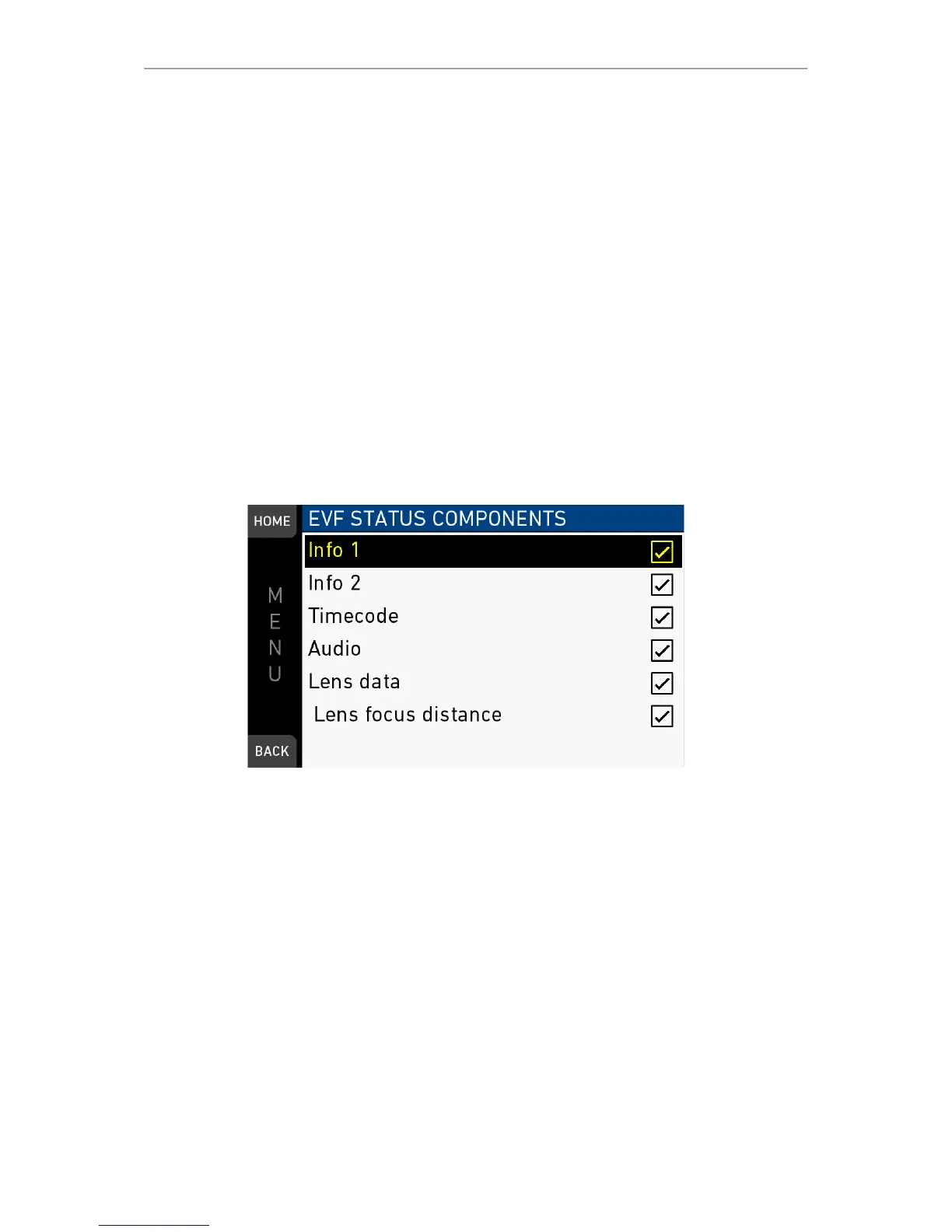
Status components: Only for viewfinder and SDI. Configures the status info overlay
components (see below).
MENU > Monitoring > EVF/Monitor > EVF overlays > EVF status components
MENU > Monitoring > SDI > SDI processing > Overlays > Status components
Info 1: Status areas above and below the image.
Info 2: Status areas on left and right side.
Timecode: Current TC in bottom right of status.
Audio: Audio levels, located on lower right side of the status.
Lens data: Focus distance, iris and focal length, if supported by the lens. Also
available for monitor (in Monitor overlays menu screen).
Lens focus: Sub-option of lens data setting. Focus distance value of lens, located on
the lower image center.



 To Next Page