EasyManua.ls Logo

ARRI ALEXA Mini - Page 34

ARRI ALEXA Mini
162 pages
Print Icon
To Next Page IconTo Next Page
To Previous Page IconTo Previous Page
Loading...
34 Lens mount/filters
1
2
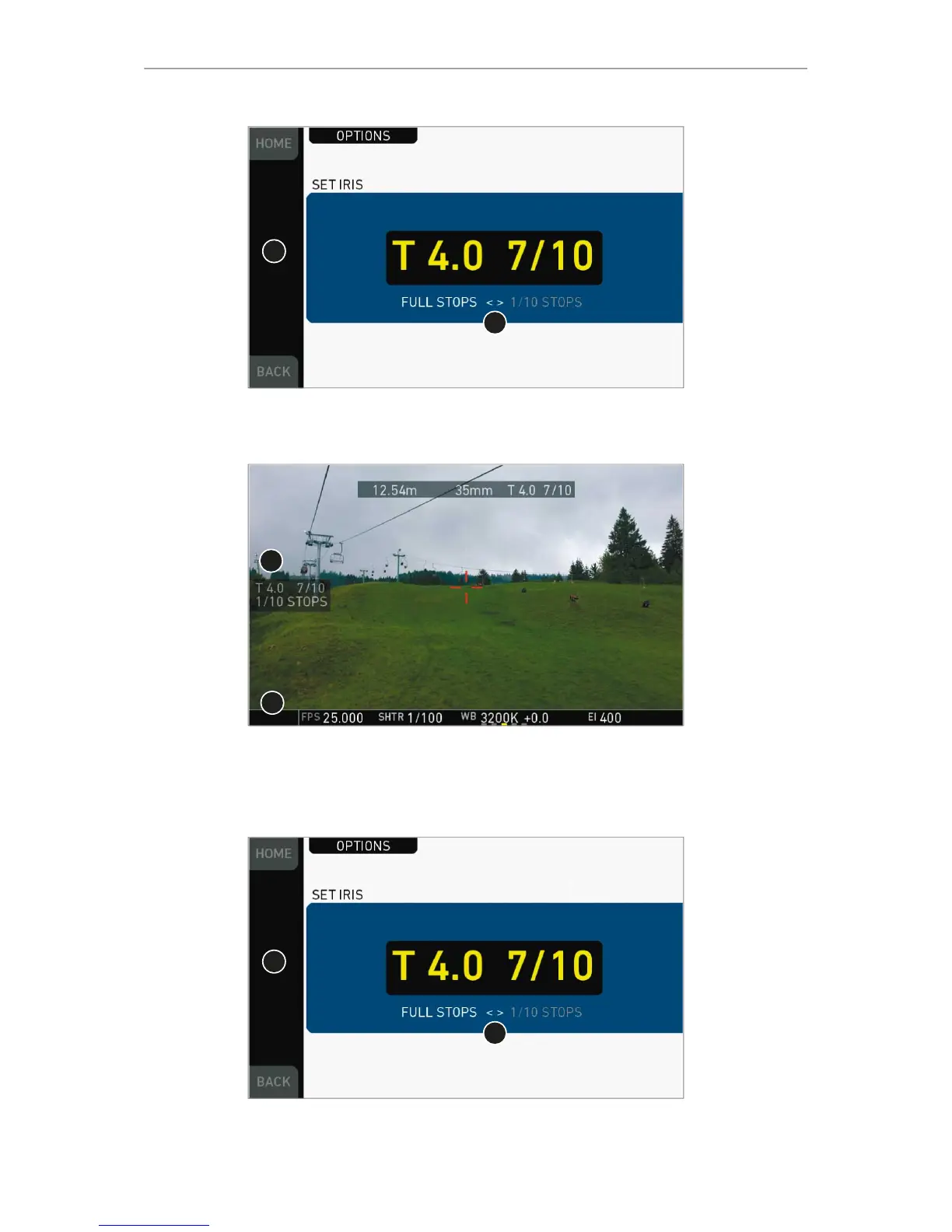
Pressing the wheel (1) changes the step size between full and sub-stops (2). Note:
Sub-stop precision depends on the lens type and is automatically set by the camera.
1
2
On the live screen, you can activate and deactivate iris adjustment (1) by short-
pressing the lower round (not oval!) button (2). Keeping the button pressed (2)
activates iris adjustment until it is released. (2). Note: Depending on the image flip, the
round buttons may appear on the right.
1
2
Pressing the wheel (1) changes the step size between full and sub-stops (2). Note:
Sub-stop precision depends on the lens type and is automatically set by the camera.

Table of Contents

Other manuals for ARRI ALEXA Mini

Related product manuals