60 Home screen
Camera icon
White camera icon: Grab is active.
Orange camera icon: Grab failed. Typically cause by
missing USB.
GEN icon
Visible if Genlock is activated via MENU > System >
Genlock. Icon color shows the Genlock status.
•
White: Genlock active
•
Orange: Genlock signal missing
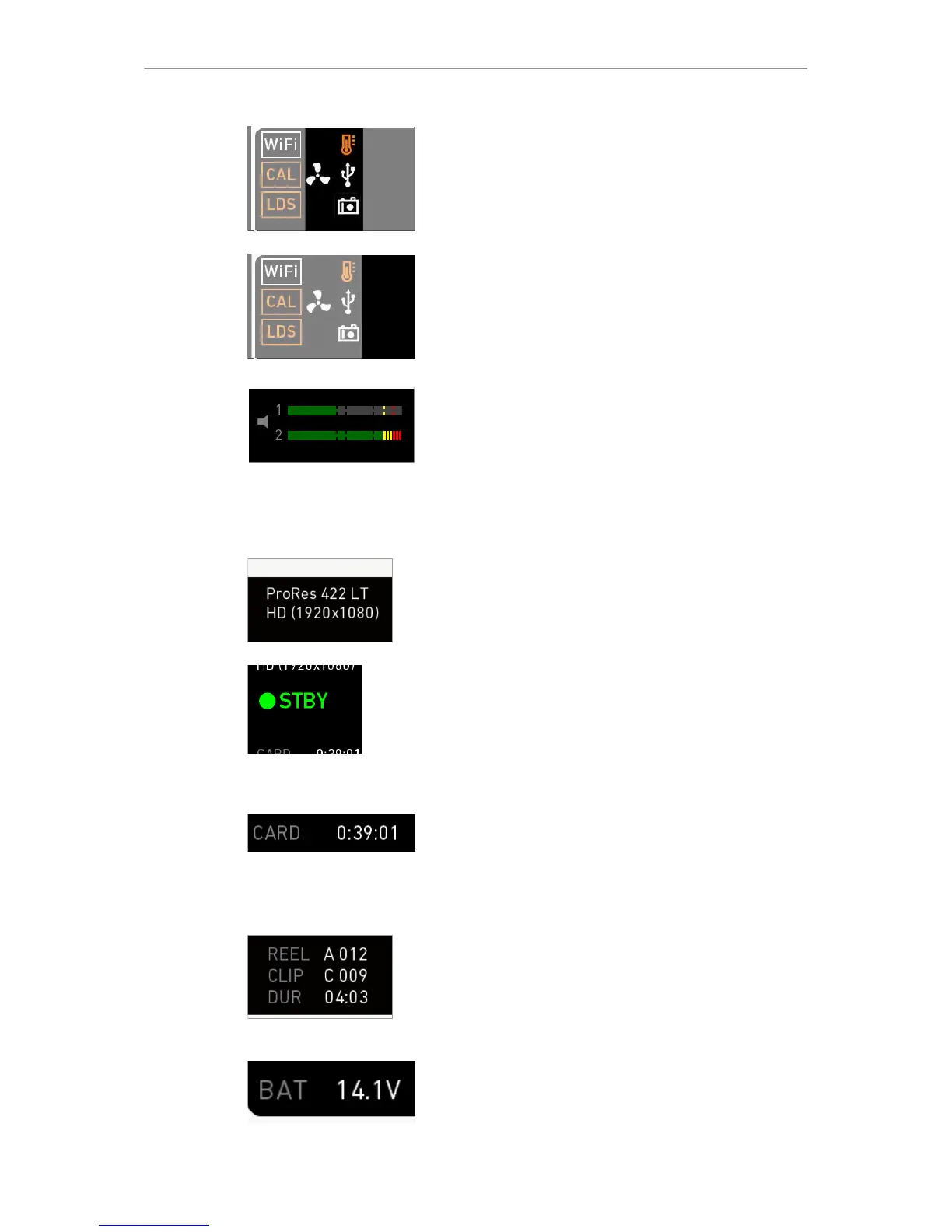
Audio meters
Show current level of camera audio channel signals. If
audio is disabled, an icon appears.
Black markers at signal levels -20, -18, -9 dBFS for
reference test tone. Yellow marker at -5 dBFS and red
marker at -2 dBFS indicate a signal close to clipping. A
red frame around the meter indicates a clipping at the A/D
stage.
Codec/Resolution
Currently active ProRes codec and recording resolution.
Camera status
STBY: Ready for recording.
REC: Recording.
ERASE: Erasing a CFast 2.0 card. Active erasure
disables recording.
None: Card missing/invalid/full.
Card status
Remaining capacity of CFast 2.0 card, at current FPS and
codec combination in real time.
When card capacity is less than 2 minutes, capacity
values starts flashing.
Recording status
REEL: Current reel of active recording medium.
CLIP: Current clip of current reel.
DUR: Duration of currently recorded clip (during REC) or
last recorded clip (during STBY).
BAT
Current battery supply level.



 To Next Page