Operation
Avaya 374x DECT Telephones - User Guide 02/2016
103
Configure Supplementary Services
The supplementary services determine how to handle a call if for example busy or not answered
by the user.
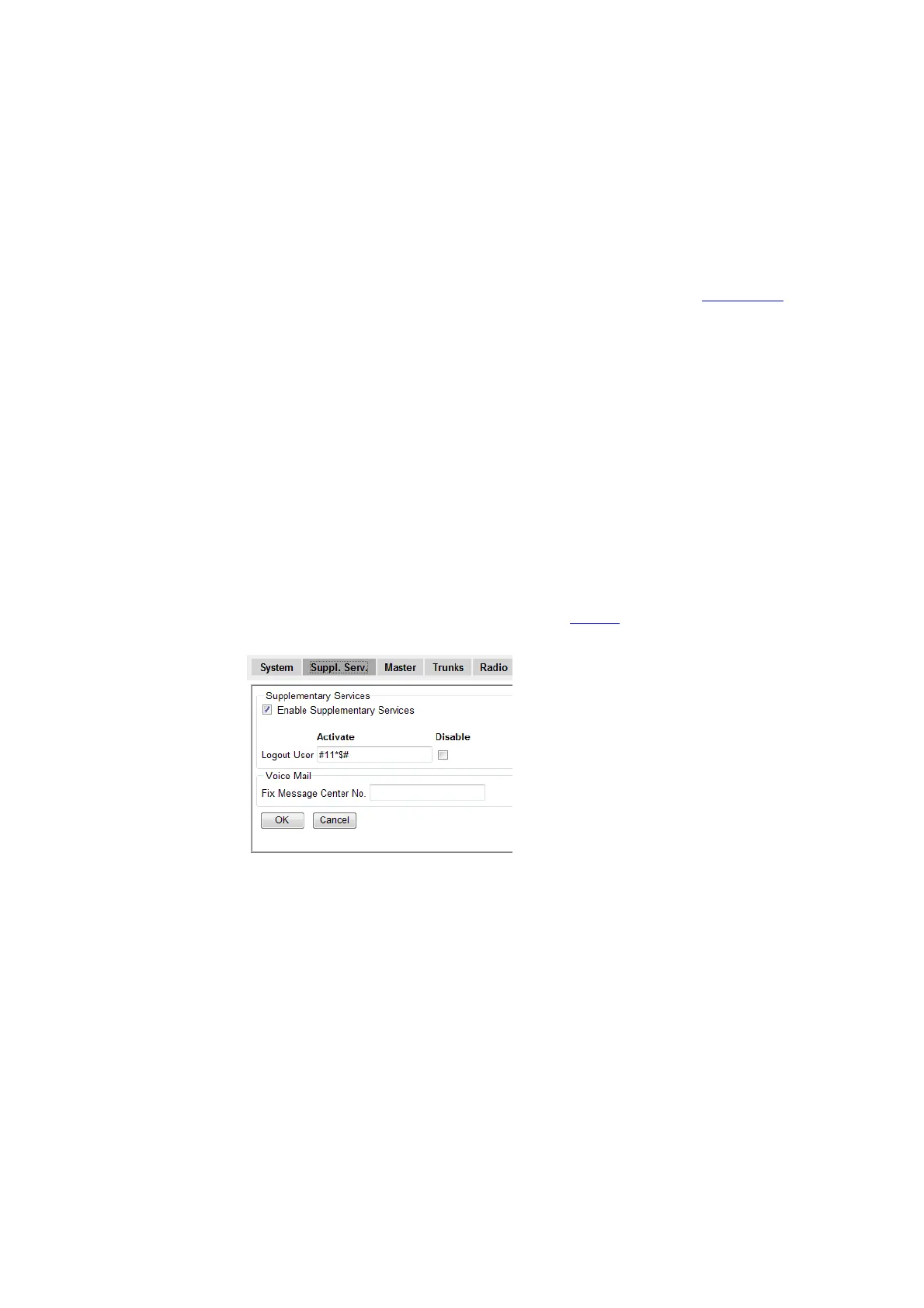
1. Select DECT > Suppl. Serv.
Note: To access the Suppl. Serv. tab, the Master mode has to be activated, see Select Mode on
page 103.
2. Select the Enable Supplementary Services check box to activate the supplementary
services below. The default Activate feature code is preset.
Explanation of feature code syntax:
$ - Placeholder for user provided digits, e.g. a phone number
$# - Number of digits decided by end indicator #
$(N) – Number of digits decided by N
Example: Default feature code for Logout User is #11*$#
Note: To disable a specific service, select the Disable check box to the right.
3. Click "OK".
4. Reset in order to make the changes take effect, see Reset
on page 141.
Select Mode
1. Select DECT > Master.
Note: The Master can be set to be inactive or active or for redundancy purposes, the Master can be set
to act in two other ways: As Standby or Mirror.
Select in the Mode drop-down list one of the following:
l "Off", if this IPBS/IPBL is not a Master.



 To Next Page