Operation
Avaya 374x DECT Telephones - User Guide 02/2016
135
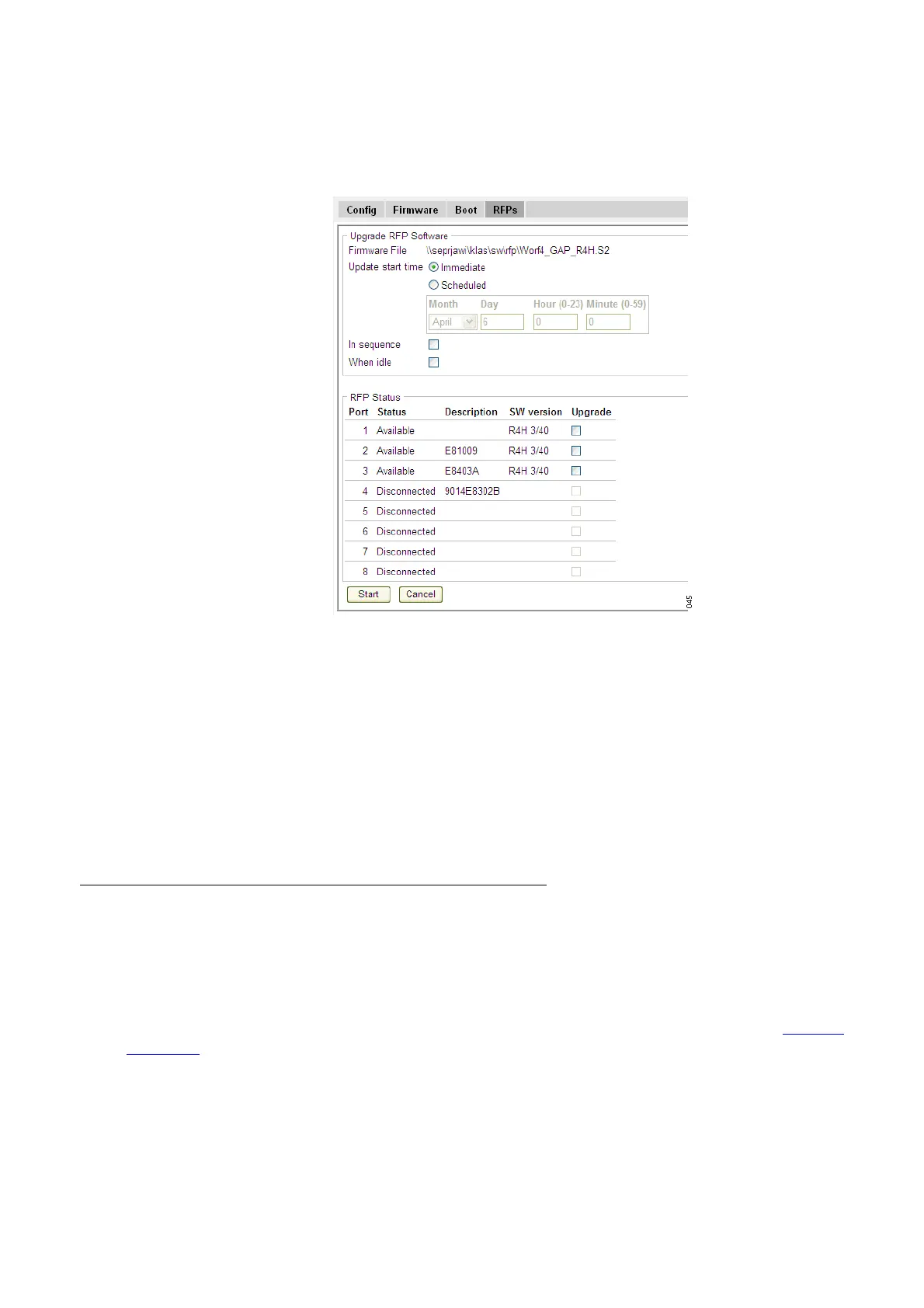
Figure 31. Upgrade the RFP.
4. Select "Immediate" or "Scheduled" update.
5. Select "In sequence" check box to update the selected RFPs one by one.
6. Select "When idle" check box to start the update when the RFP is idle.
7. Mark the applicable RFPs to be updated.
8. Click "Start" to upgrade the selected RFPs.
The RFP restarts after the upload is finished.
Diagnostics
Logging
The IPBS/IPBL can generate a number of logs which can be useful when supervising and
troubleshooting the IP-DECT system. For information on how to collect the log files, see Enable
the Radio on page 107. For a description of each log, see the table below.



 To Next Page