Description
Avaya 374x DECT Telephones - User Guide 02/2016
17
Overview
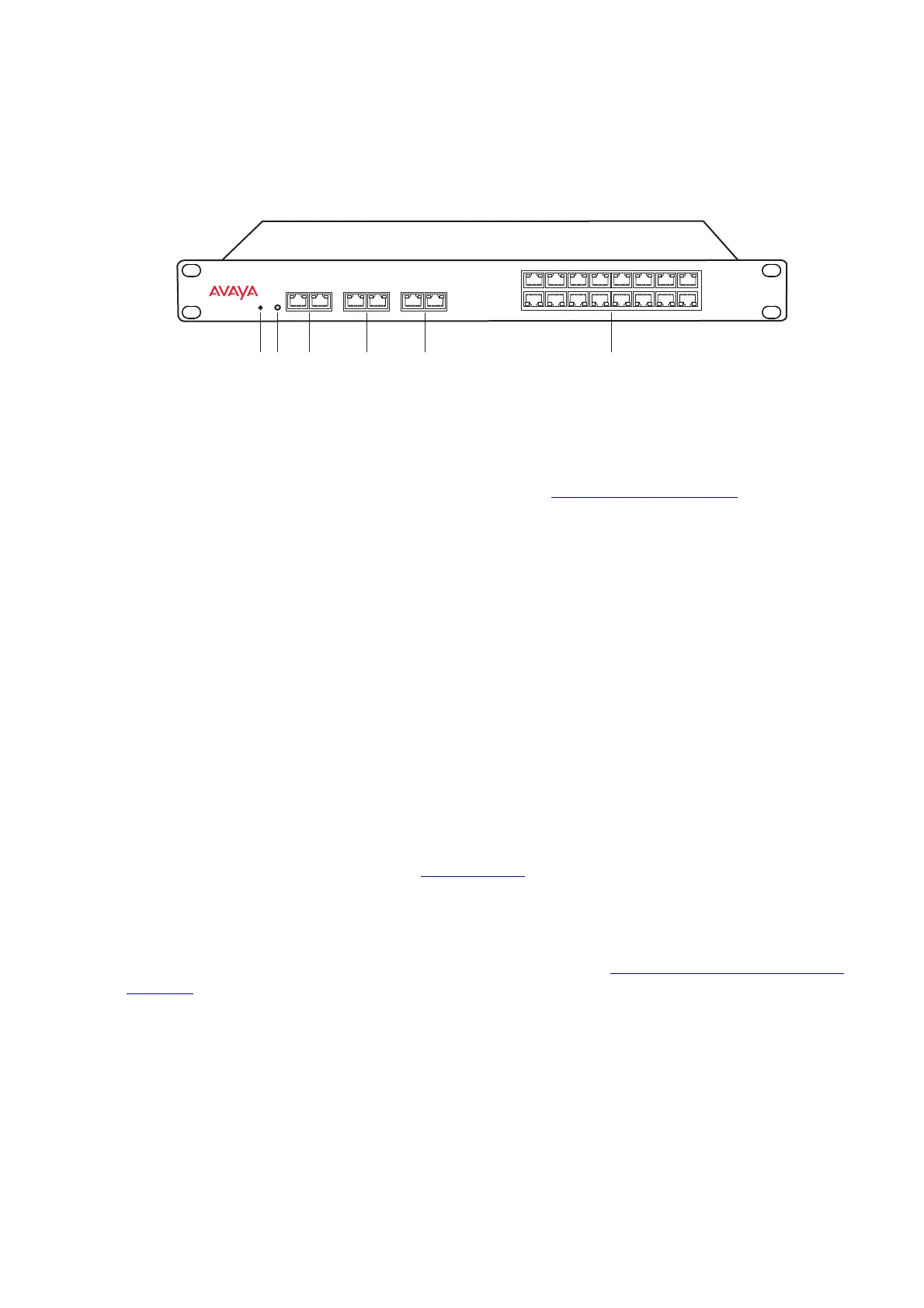
Figure 4. Overview of the IPBL
Power Supply
The power supply are located at the rear of the IPBL. The IPBL can be powered using the
following alternatives:
l 110/230 VAC (only IPBL IP-DECT Gateway VAC/VDC)
Note: For more information, see Power the IPBL on page 50.
Software
The software in the IPBL can be updated by downloading new software without disconnecting
the equipment. The new software is stored in flash memory. See System Downgrade for IPBS2
and DB1 on page 132 for information.
Pos. Name Function
1 Reset Resets the IPBL, see Reset Using the Reset Button
on
page 142 for more information.
2 Status LED Indicates the status on the IPBL.
3 Lan 10BASE-T/100BASE-T Ethernet interface.
LAN1 port must be used in the IP-DECT system (LAN2 port
is for administration only).
4 Synchronization Sync ring in and sync ring out interfaces.
5 Reference Reference sync in and reference sync out interfaces.
6 Base station 01-16 ISDN U
PN
DECT base station interfaces.
LAN Synchronization Reference
1 2 ring in ring out in out
Base Station 01 02 03 04 05 06 07 08
09 10 11 12 13 14 15 16
006
12 3 4 5 6
IP DECT Gateway



 To Next Page