Installation of the Base Station
Avaya 374x DECT Telephones - User Guide 02/2016
37
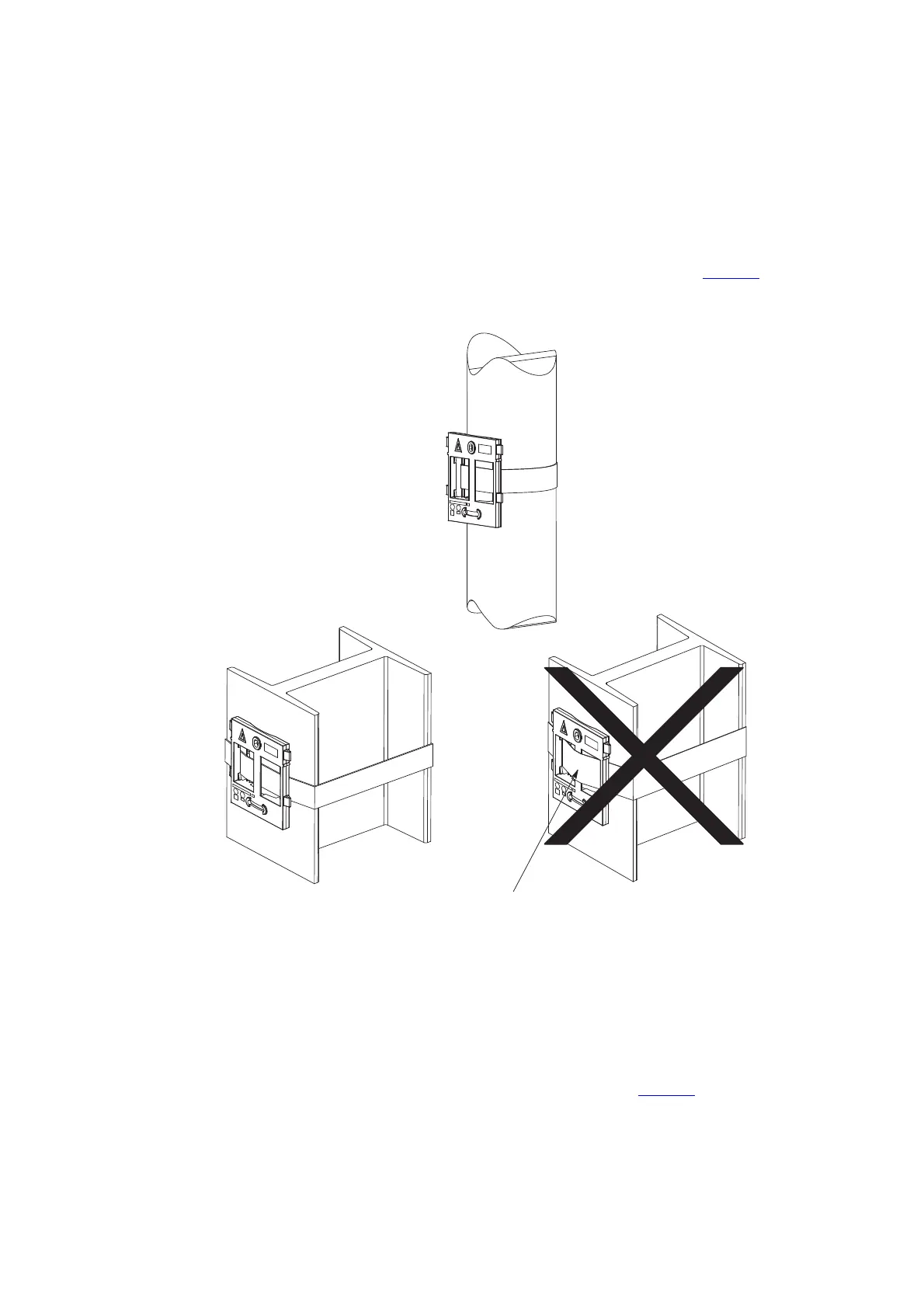
Fix the Mounting Bracket to a Pole or Beam
The mounting bracket can be fixed to a pole (diameter 45 mm) or a beam (wider than 50 mm)
by means of a strap or flexible metal band less than 30 mm wide. The strap or flexible metal
band is not included in the box.
1. Fix the mounting bracket to a pole or beam using the metal band, see figure 7
on page 37.
Figure 9. Fixing the mounting bracket to a pole or beam.
Use the Cable Ducts for IPBS1
When the base station IPBS1 is mounted to the wall, cable ducts can be used to route the wiring
through.
1. Fix the cable duct to the wall in one of the positions shown in figure 8
on page 38.
Figure 7.



 To Next Page