Installation of the Base Station
Avaya 374x DECT Telephones - User Guide 02/2016
43
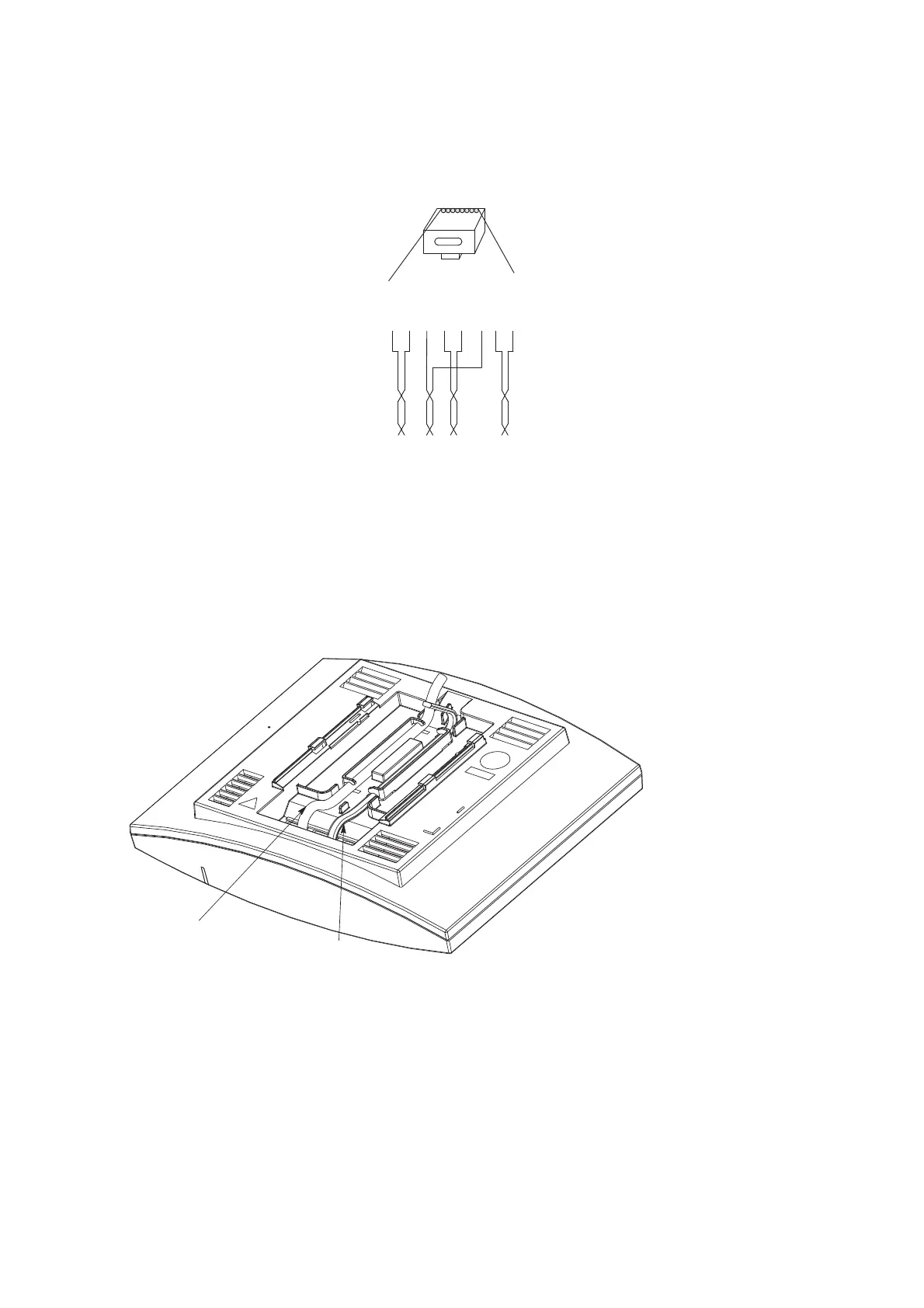
Pin the BS3x0/DB1 Cable
Figure 14. Connector pinning of the Data connector
IMPORTANT:If local power supply is used, the EPP cable pair must NOT be connected.
Connect the Base Station Cables
1. Only for IPBS1: If it is required that the cables enter the base station centrally from above,
guide the cables through the recess in the middle of the base station as shown below.
2. Plug the modular jack of the data cable into one of the data/power connectors.
3. When an AC-adapter is used:
l Plug the modular jack of the AC-adapter in one of the data/power connectors.
l Plug the AC-adapter into a wall-outlet.
Figure 11.
RJ45
modular jack
EPP-b
EPP-a
SC1-a
SC0-a
SC0-b
SC1-b
NC
NC
NC
=
Not Connected
EPP
=
Express Power Pairs
SC = Serial Channel
008
15432678



 To Next Page