Operation
Avaya 374x DECT Telephones - User Guide 02/2016
129
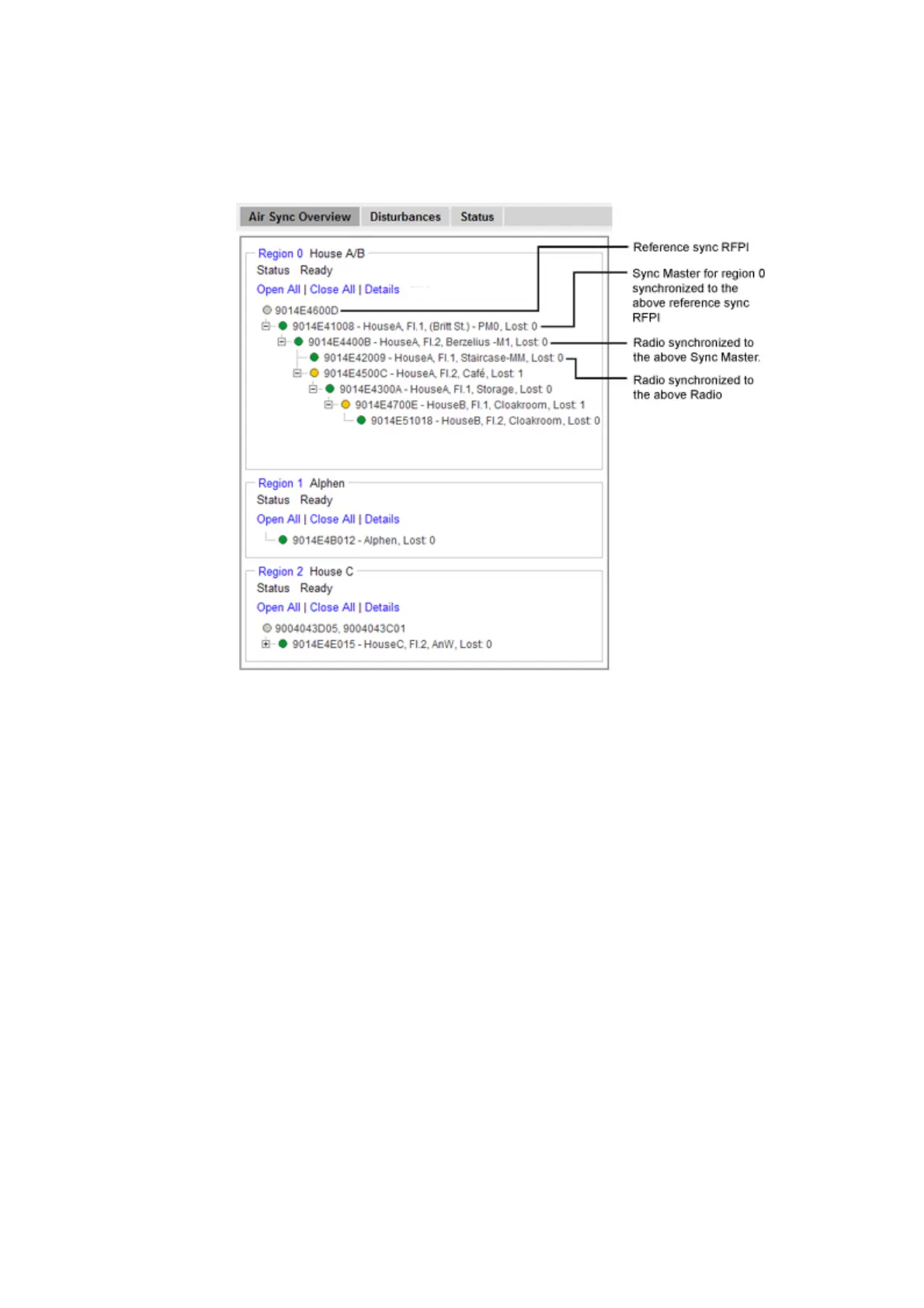
Figure 30. The sync trees for region 0, 1 and 2 where region 0 is fully expanded.
Region Details
1. Select DECT Sync > Air Sync Overview.
2. Click on the region ID text at top above the sync tree.
3. If this has not already been done: In the Region Details window, enter a name for the
region.
4. In section Statistics, there are three counters:
- Calculations: Is incremented each time the sync tree is calculated.
- Configurations: Is incremented when an IPBS has received a new sync instruction.
- Sync Lost: Is incremented when an IPBS stops to handle radio traffic for a while and after
that restarts the synchronization procedure.
To clear the counters, click "Clear".
Reference Synchronization
To get the Sync Master to resynchronize to the reference sync, do as follows:



 To Next Page