Configuration
Avaya 374x DECT Telephones - User Guide 02/2016
59
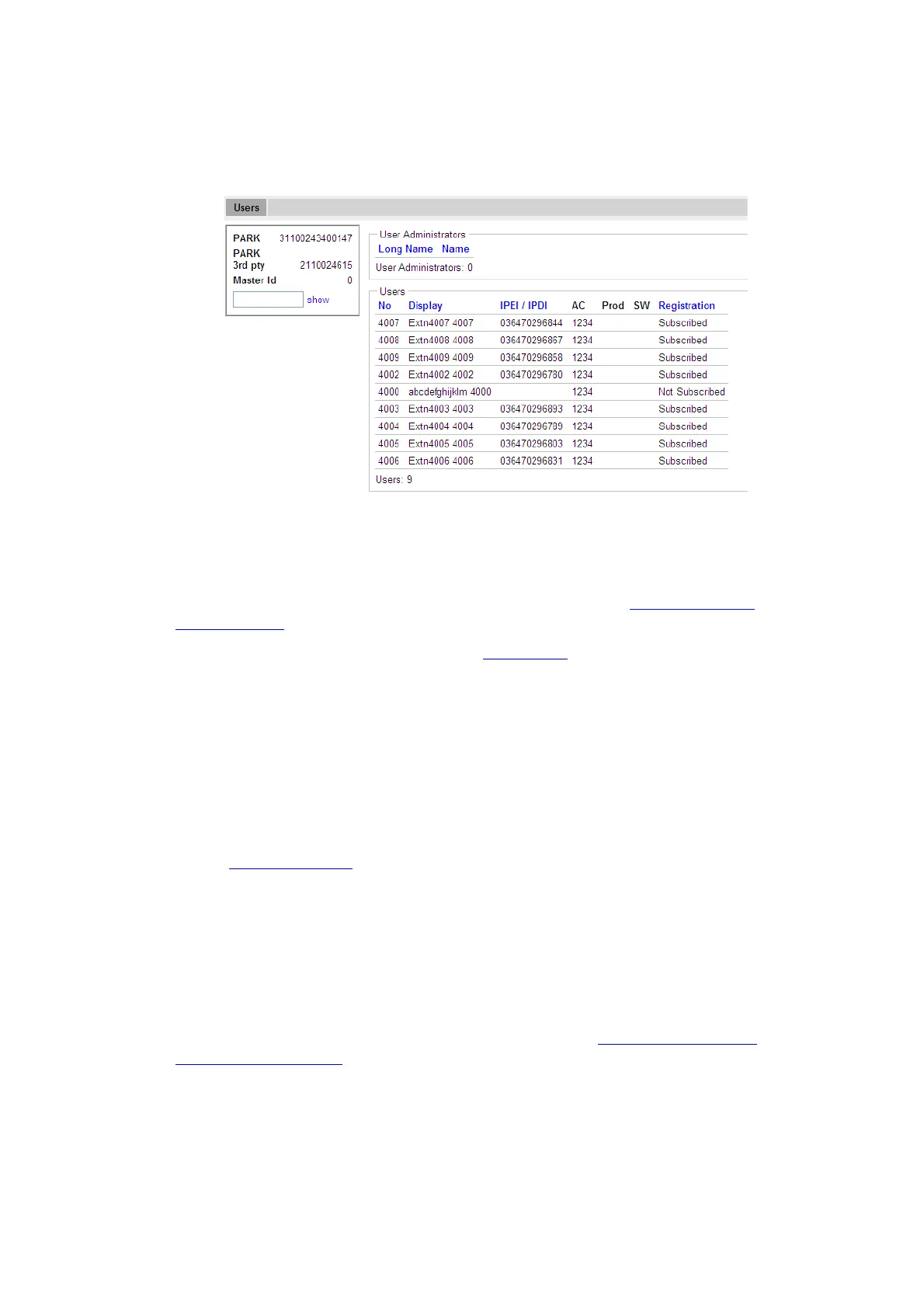
Figure 20. User Administration Sample.
The right side of the page consists of two list sections:
l User Administrators in the upper right section. Note: this section is read-only since a user
administrator cannot manage other user administrators. See Managing User
Administrators on page 61.
l Users in the lower right section. Refer to Add Users on page 68.
System Administrators
IPBS/IPBL devices are factory delivered with a default system administrator account.
Log in as System Administrator
To login as a system administrator:
l Follow Access the GUI on page 53 and access the device using a web browser.
l Click the link labelled System Administration.
l A login window is opened.
l Enter user name and password for a system administrator.
l Click "OK" to login.
Following tasks can be done:
l Managing the default system administrator account, see The Default System
Administrator Account on page 60.



 To Next Page