Operation
Avaya 374x DECT Telephones - User Guide 02/2016
73
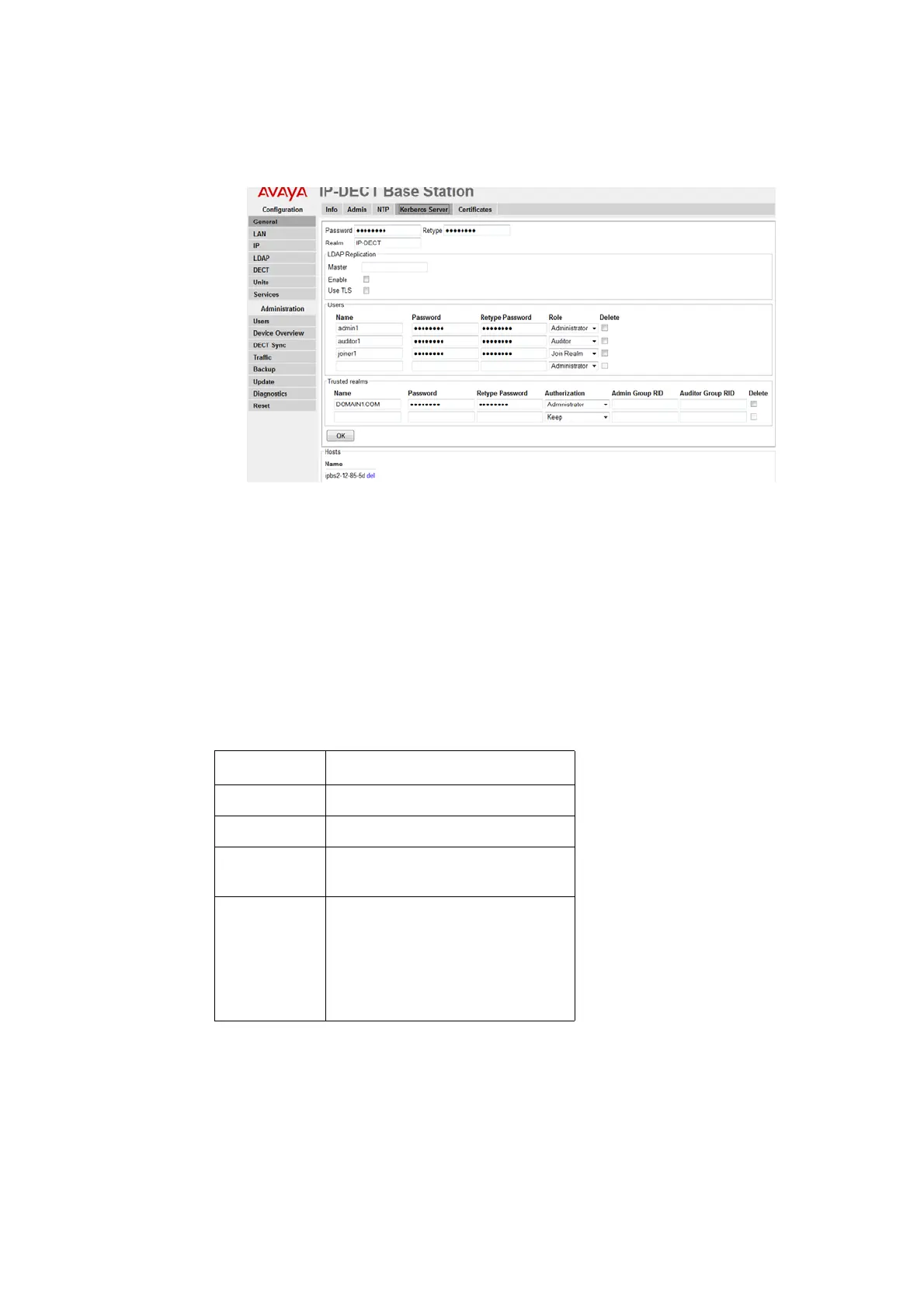
Figure 22. Configure the Kerberos server.
1. Make sure that the IP address of a NTP time server is specified. Select General > NTP.
2. Select General > Kerberos Server.
3. Enter a root password for the Kerberos server. This password is used to encrypt the
information stored on the server.
4. Click "OK".
5. The Kerberos server is enabled. Enter the realm name of your choice in the Realm field.
The Kerberos realms are typically written in upper-case letters.
6. Select/Enter the following information for the users of the realm.
7. Click "OK".
2008-09-22/ Ver. PA2
Field Name Description
Name
Enter a login user name
Password Enter a password
Retype
Password
Confirm password
Role • Administrator: Write access to all
device parameter settings
• Auditor: Read access to device
parameter settings
• Join Realm: Add devices to the
realm



 To Next Page