PAGE 102
Windows PC Software
4.9.3 Submenu Audio Mixer
Via Extras
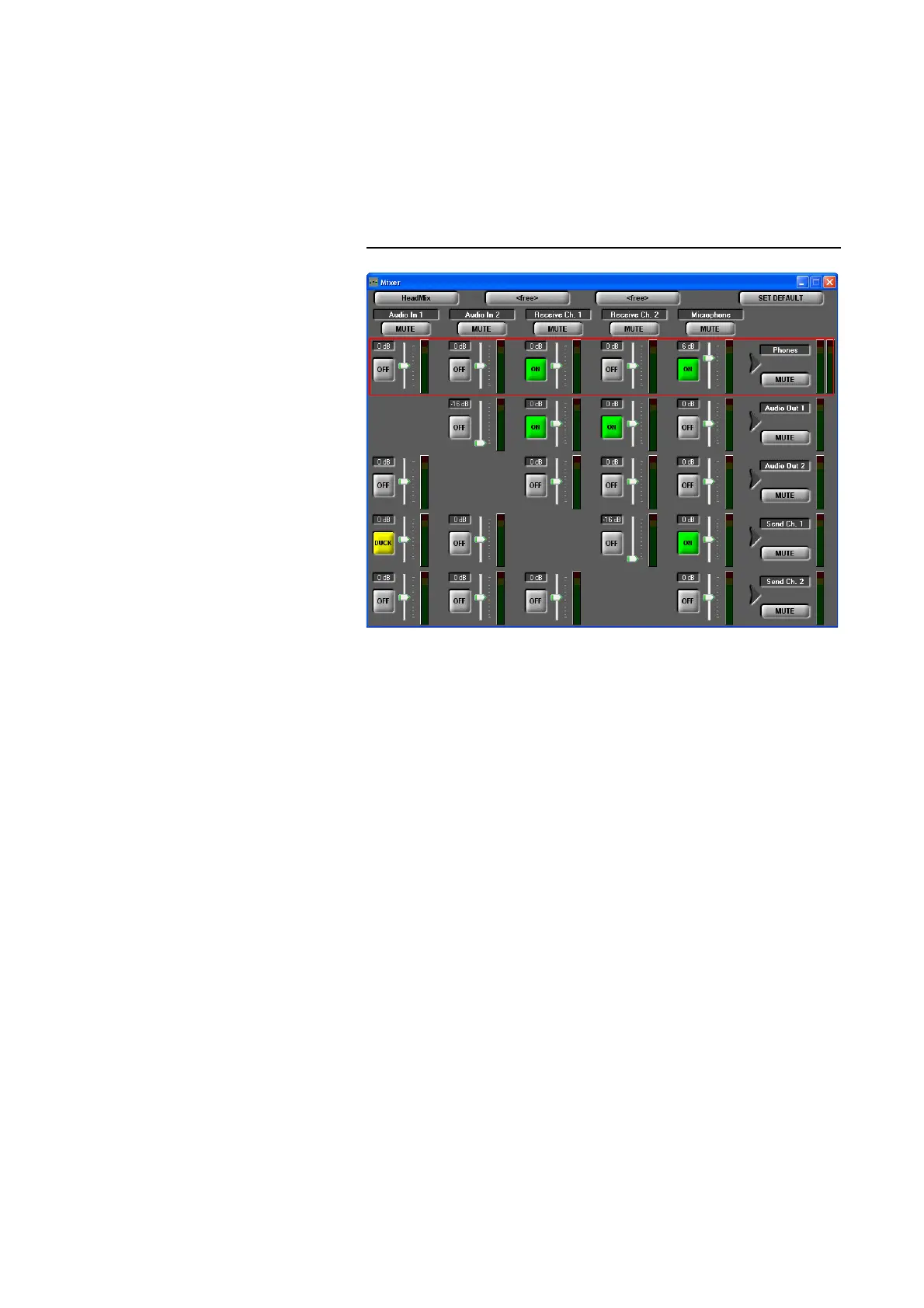
→ Audio Mixer you can display an overview of the Audio mixer
settings. The settings are displayed as matrix. All Audio sources in one line
which are marked with ON are mixed to the desired Audio output equipment.
For each source the Audio level can be adjusted individually within the range
of -16...+16 dB.
FIG. 77 AUDIO MIXER - GENERAL OVERVIEW
The MUTE function is available for each Audio source and each Audio output
device separately.
Likewise, all Mixer Presets can be selected and controlled.
With the SET DEFAULT button the mixer is reset to the default settings:
– all levels to 0-dB
– Receive Channel 1
→ Audio Out 1
– Recieve Channel 2 → Audio Out 2
–Audio In 1 → Send Channel 1
–Audio In 2
→ Send Channel 2
++++=



 To Next Page