PAGE 73
Windows PC Software
4.7.2.3.3 Headset Interface
MAGIC DC7/AC1 provides a headset interface to connect a standard profes-
sional headset (e.g. beyerdynamic DT291 PV).
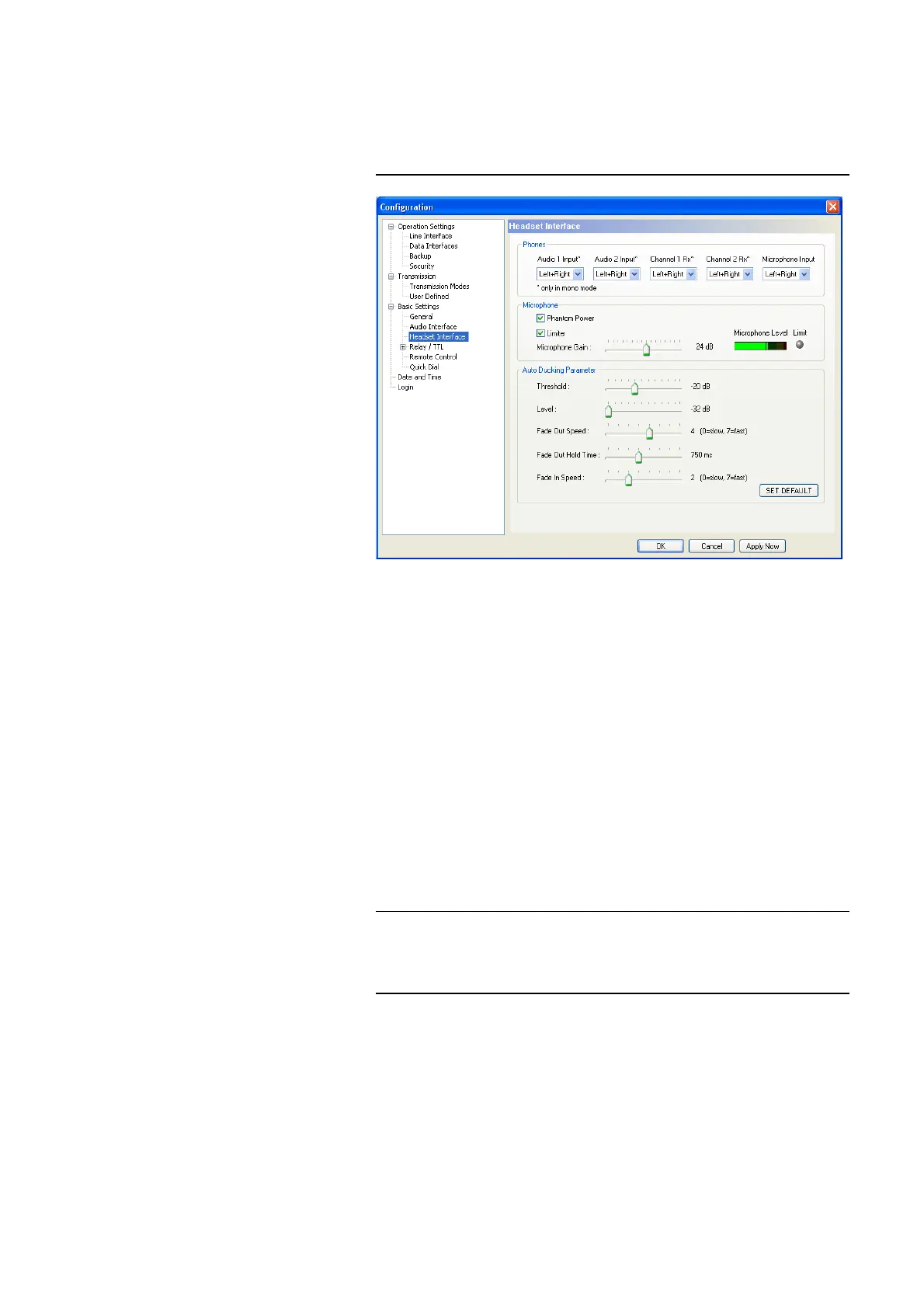
FIG. 45 CONFIGURATION OF THE HEADSET INTERFACE
Phones
Via the setting Phones you configure the Audio signal assignment of the
headphones.
• For all available signal sources Audio 1 Input, Audio 2 Input, Channel 1
Rx, Channel 2 Rx and Microphone Input you can decide if you want to
hear the signal - as soon as it is activated - either on both channels
(Left+Right) of the phones or only on the Left or Right channel of the pho-
nes.
Reasonable application are Live reports of commentators or translations of
interpreters: For example, the original signal of the speaker (e.g. via Audio
1 Input or Channel 1 Rx) is available on the left channel and the interpre-
ter‘s own translated signal (e.g. via Microphone Input) is available on the
right channel for checking purposes.
Microphone
Under Mirophone you configure the microphone input of the headset inter-
face.
• If your microphone requires phantom power, you can activate it via the
option Phantom Power. A voltage of 12V is applied to the microphone
wires.
NOTE
The settings for the different signal sources apply only for transmissions in
mono. During a stereo transmission, the left channel is always available on
the left earphone and the right channel is always available on the right ear-
phone. The microphone signal is generally only available in Mono.



 To Next Page