PAGE 55
Windows PC Software
4.7.2.1.4 Backup
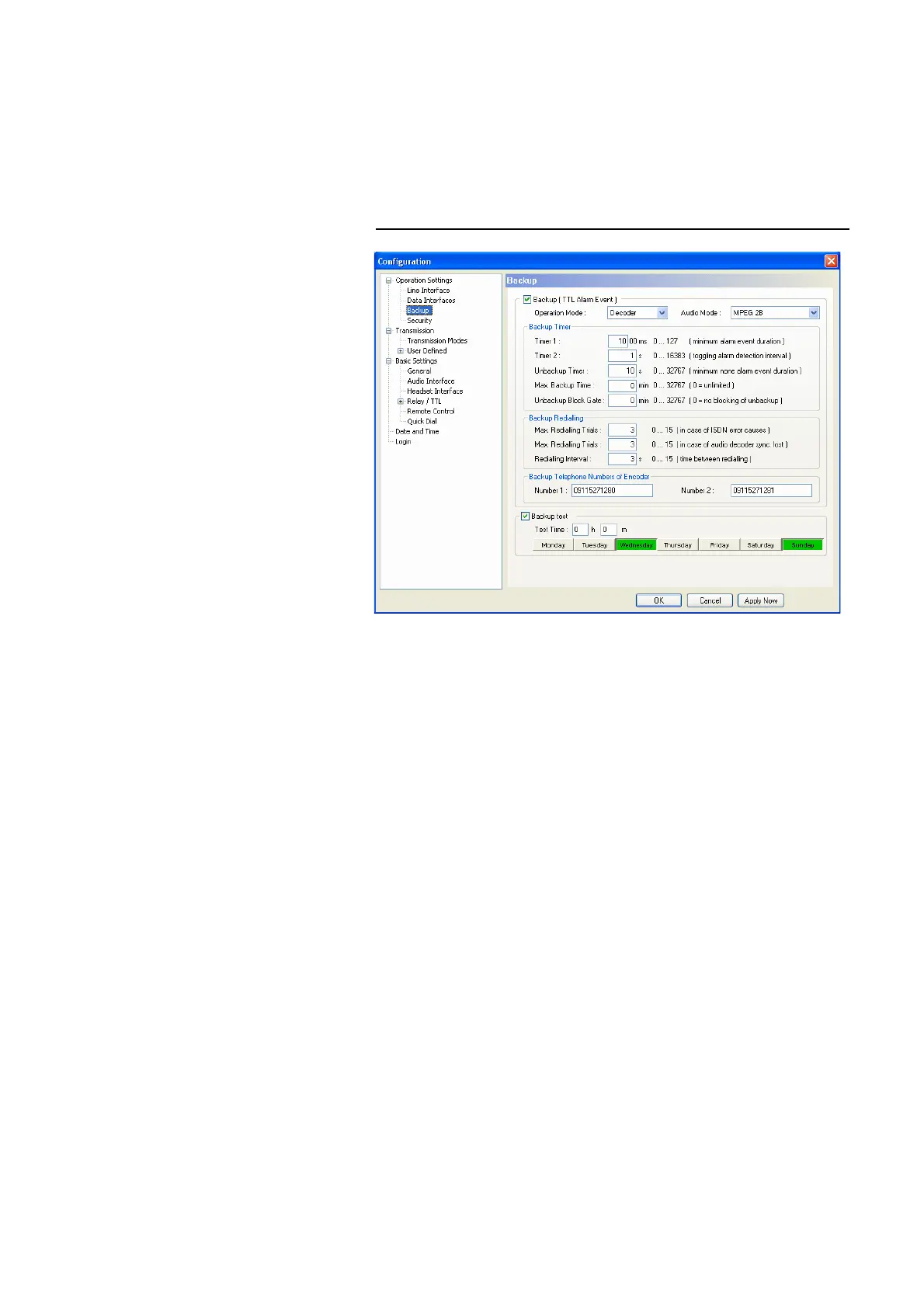
MAGIC AC1 offers the possibility to use the sytem as ISDN backup Audio co-
dec.
Under Backup you find a variety of parameters to adjust the backup functio-
nality to your requirements.
FIG. 35 CONFIGURATION OF BACKUP FUNCTION
• To activate the backup function , please enable the checkbox Backup (TTL
Alarm Event). The backup is triggered by a TTL Pin (e.g. error output of
an external system) (see CHAPTER 4.7.2.3.4, configuration of a TTL signal:
Backup Alarm Signal).
•Under Operation Mode you decide if the system works as Encoder or De-
coder. In the backup mode, the system works with a fixed multiplexing
scheme withoutCapability Exchange of the J.52 to guarantee that the con-
nection is established as fast as possible. The backup is always triggered by
the decoder side (e.g. at the transmission side).
With the selection Encoder you simply switch on the fixed multiplexing
scheme. Except the Audio Mode , no further parameters can be configu-
red. This operating mode should be selected, if the system is installed e.g.
in the studio.
With the selection Decoder all available parameters can be configured.
This operating mode should be selected, if the system is installed e.g. at a
transmission side.
•Under Audio Mode you set the number of the B channels for the backup
connection and the signalling.
– MPEG 1B: Fixed multiplexing scheme according to J.52 with one B
channel. The Audio data rate is 62,4-kbit/s.
– MPEG 2B: Fixed multiplexing scheme according to J.52 with two B
channels. The Audio data rate is 124,8-kbit/s.
– MPEG 1B Unframed: The transmission is made without J.52 signalling
with one B channel. The Audio data rate is 64-kbit/s.



 To Next Page