PAGE 96
Windows PC Software
4.8.7 Submennu Create 15-kHz Telephone Mixer Presets
The function Create 15-kHz Telephone Mixer Presets allows you to work
with the MAGIC DC7/AC1 XIP almost as with the 15-kHz ISDN Telephone re-
spectively, the old PKI 7-kHz ISDN Telephone. These systems offered a sim-
ple switching between the handset and the Audio interface with only one key-
stroke. First the user could talk to his partner via the telephone handset and
then start an external Audio transmission by pressing the Audio button at the
telephone.
This functionality is also offered, if two Mixer presets (see CHAPTER,
Page 34) are created. One preset is used to switch to a handset or headset and
a second preset is used to switch to the Audio inputs/outputs. The presets can
be adjusted according to your requirements later on.
First, please create the two presets by selecting the submenu Create 15-kHz
Telephone Mixer Presets.
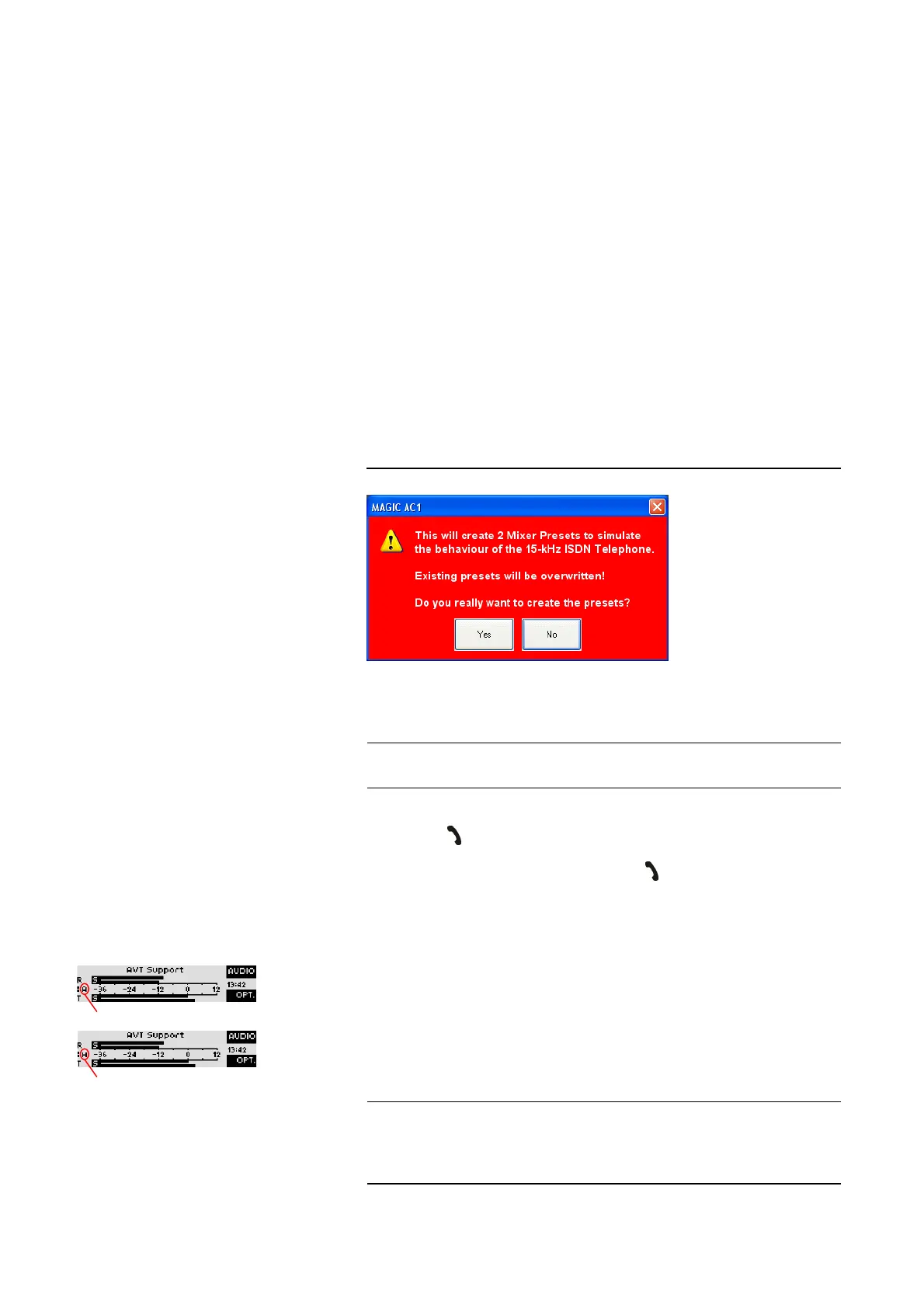
Since already existing mixer presets are overwritten by this action, a warning
is displayed.
FIG. 73 WARNING WHEN MIXER PRESETS ARE CREATED
If you agree to create the presets (YES), the mixer presets Handset and Audio
are created.
The switching between the two mixer presets during a connection is made by
pressing the button.
Please assign the two mixer presets to the button by clicking on them
(Handset and Audio) under Configuration
→ MAGIC AC1 XIP (MAGIC
DC7)
→ System Settings → General → Toggle Mixer Presets on
Call/Accept Button.
In the front display of the system, the first character of the currently activated
mixer preset is displayed.
TIP
The settings of both mixer presets can be controlled and changed via the sub-
menu Extras
→ Audio Mixer.
NOTE
Please note that depending on the microphone you use, in certain cases you
must activate the phantom power and the limiter via Configuration
→ MA-
GIC AC1 XIP (MAGIC DC7)
→ System Settings → Headset Interface (see
CHAPTER 4.7.2.3.3)
.
Mixer Preset AUDIO active
Mixer Preset HANDSET active



 To Next Page