PAGE 41
Windows PC Software
4.7 Menu Configuration
4.7.1 Submenu Control Interface
Preferably, the system is configured and operated via the LAN interface. Al-
ternatively you can use the RS232 interface.
Select under Configuration
→ Control Interface the option Configuration.
RS232
If you want to use the RS232 interface, connect the serial RS232 interface (via
enclosed adapting cable DATA1/PC) with a 1:1 connecting cable with your
PC.
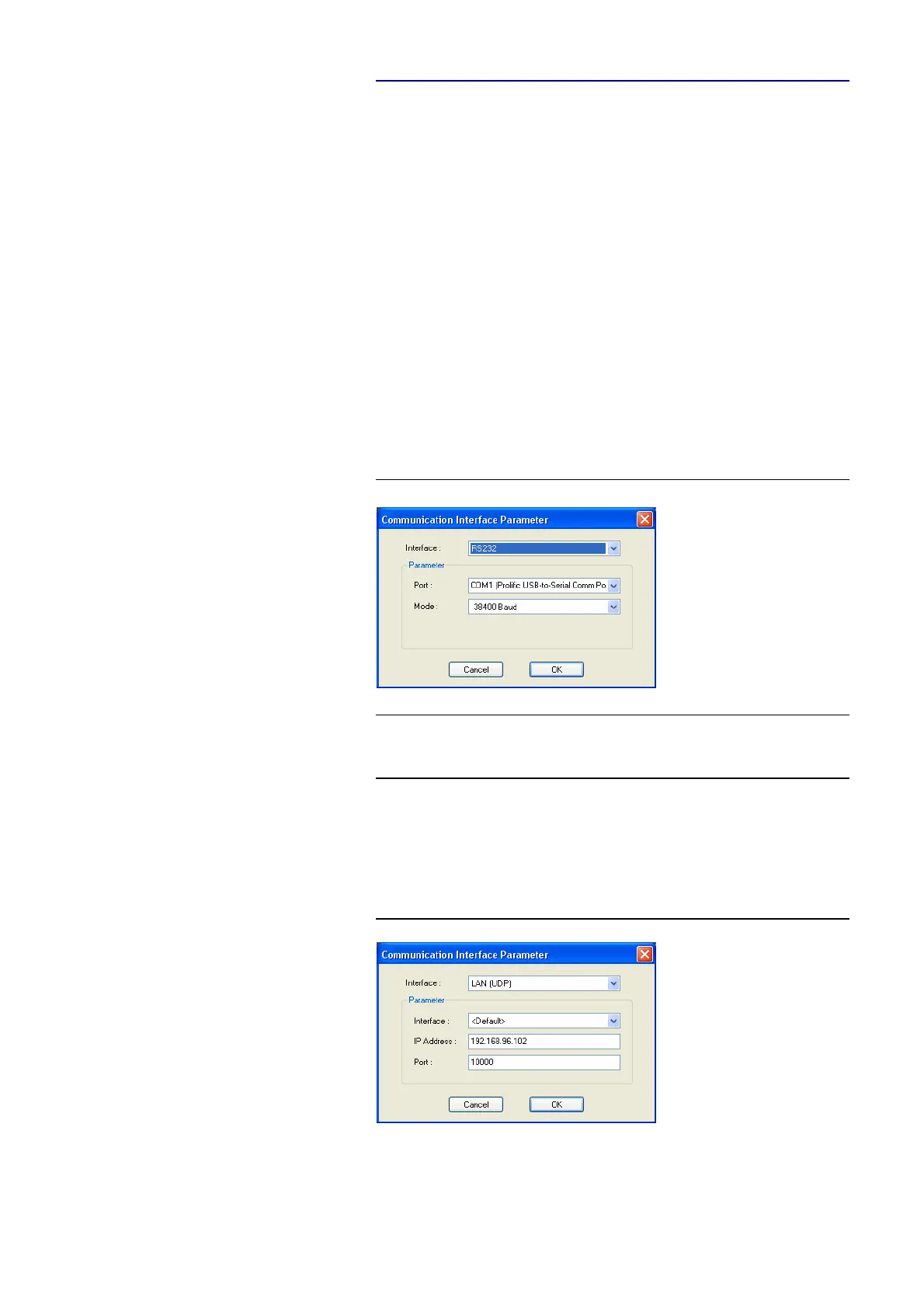
Please select now under Interface
→ RS232. Under Parameter → Port the
COM-Port of your PC, which is connected with the system and under Mode
the desired baud rate (standard: 38400 Baud).
FIG. 24 RS232 INTERFACE PARAMETER
LAN/UDP
For controlling the system via the LAN interface please select Interface
→
LAN/UDP.
FIG. 25 LAN/UDP PARAMETER
Under Parameter → Interface edit <Default>. If there should be more than
one network interface card in your PC, select the desired one.
NOTE
Instead of the PC you can connect the optional MAGIC Keypad Basic/Advan-
ced to the serial interface of the system. Only by using the LAN interface the
PC software and the keypad can be used at the same time.



 To Next Page