PAGE 33
Windows PC Software
4.5.3.1 Audio mixer to select sources and output equipment
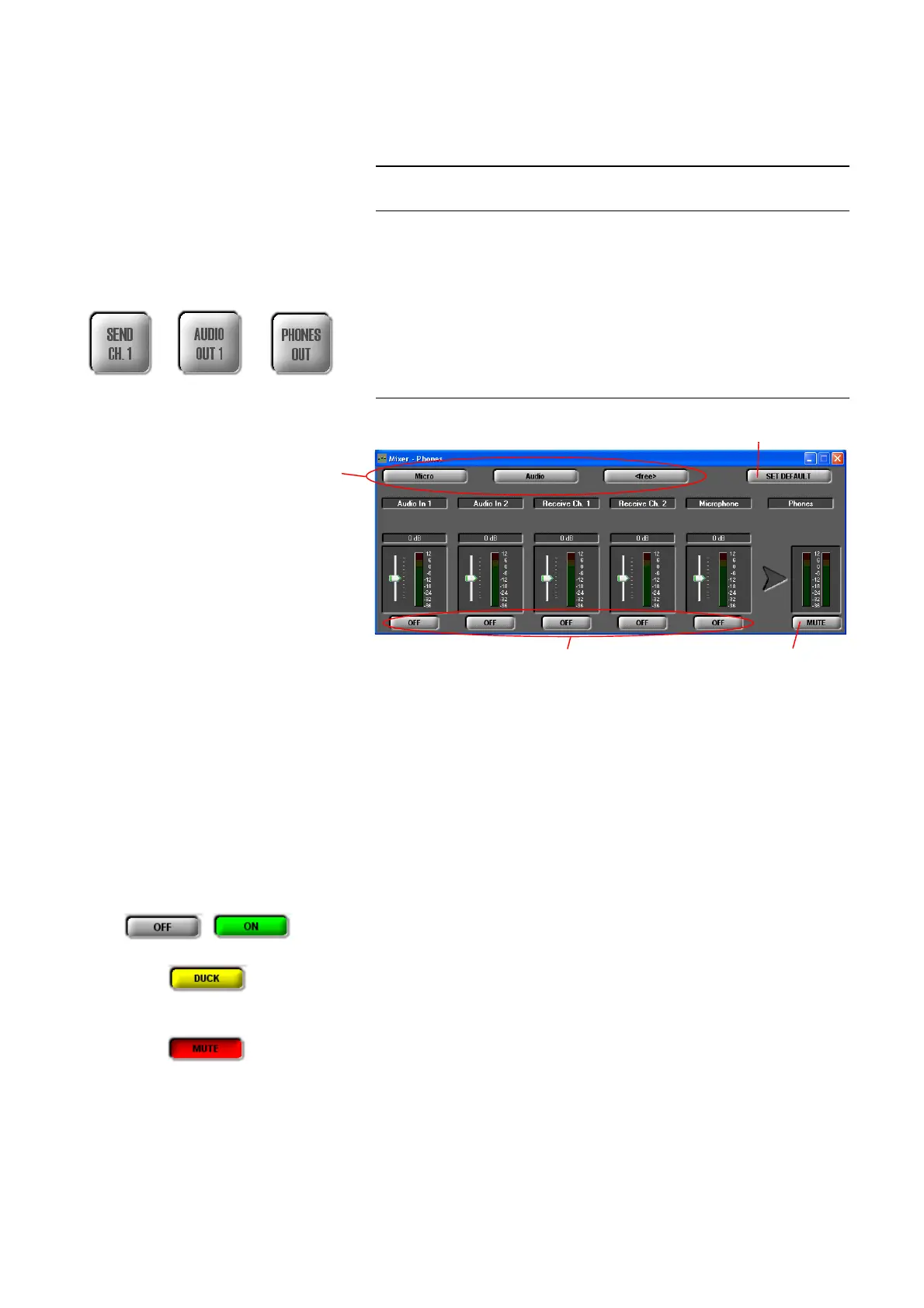
MAGIC DC7/AC1 provides an integrated Audio mixer which allows you to
configure Audio sources and output devices according to your requirements.
The Audio mixer can be configured either via the overview matrix which
opens via Extras → Audio Mixer (see CHAPTER4.9.3, Page 102) or via the
respective Audio output device:
• SEND CHANNEL 1/2
• AUDIO OUT 1/2
• PHONES OUT
FIG. 15 AUDIO MIXER
Depending on the selected transmission mode, the following Audio sources
are available:
• Audio In 1/2
• Receive Channel 1/2 (received signal)
•Microphone
Each of these Audio sources has a digital level setting which allows an incre-
asing or decreasing of the level of 16 dB.
With the button ON/OFF you can activate or deactivate each Audio source
for the Audio output device.
For the Audio output device SEND CHANNEL 1/2 it is possible to activate the
Auto-Ducking functionality for the Audio source Audio In 1/2 if the Mixer
Tool Plug-In option is enabled.
Each Audio output device can be switched off by pressing the MUTE button.
NOTE
If the fee-based option Mixer Tool Plug-In (order number 430201) is not ena-
bled, you can always select only one signal for an output device at a time.
Mixer Presets
Mute Audio Activate/deactivate Audio source
Standard
Mixer Preset
output device



 To Next Page