PAGE 71
Windows PC Software
4.7.2.3.2 Audio Interface
MAGIC DC7/AC1 supports analogue as well as optional digital AES/EBU-
Audio interfaces (order number 430230). If the digital interface is used, sepa-
rate Sample Rate Converters for input and output are available which super-
sedes external adjustments for different digital sources.
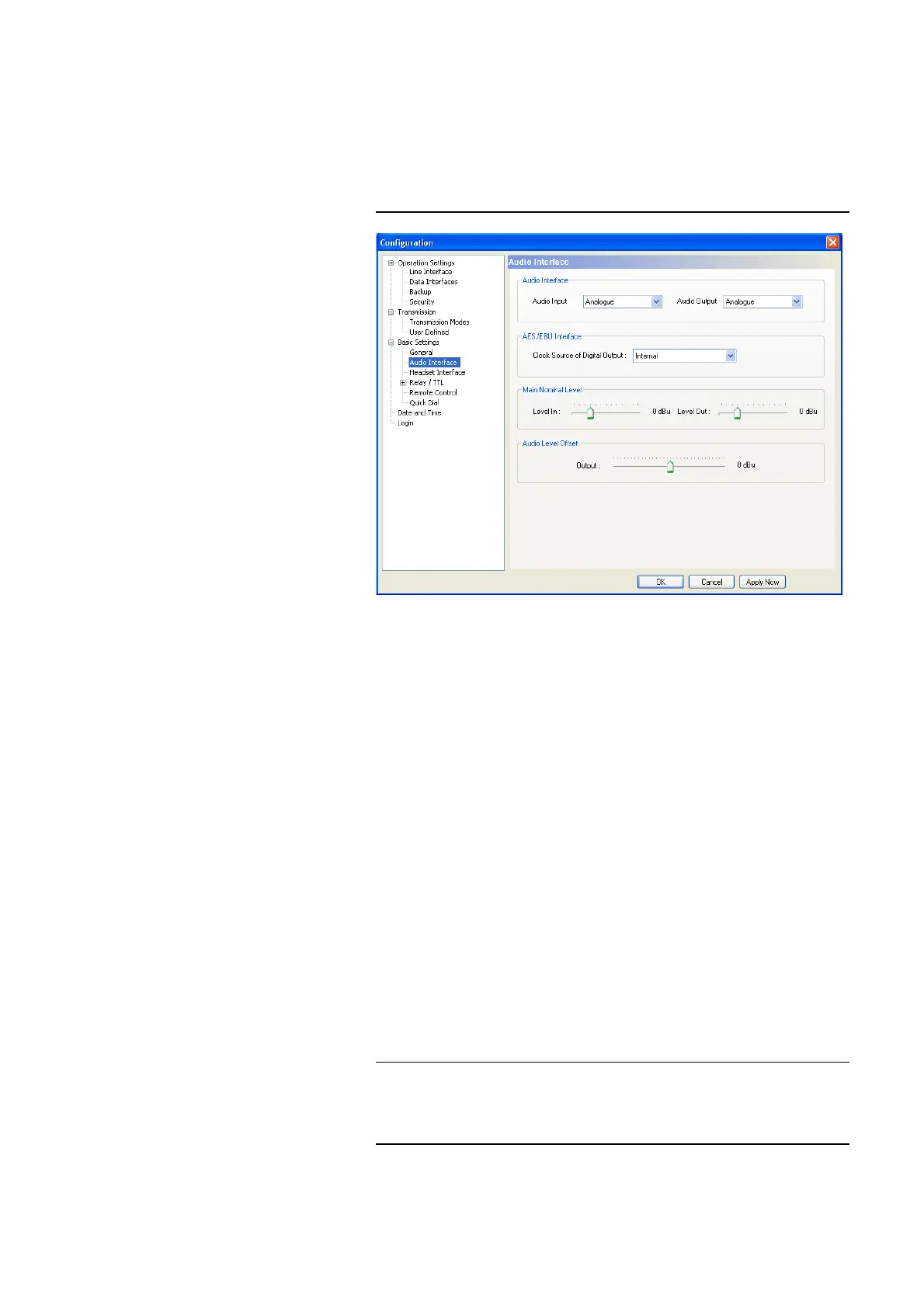
FIG. 44 CONFIGURATION OF THE AUDIO INTERFACES
Audio Interface
•The operating modes analogue or digital can be individually adjusted for
the Audio Input and the Audio Output.
AES/EBU Interface
• If you select the option digital for the output, the configuration for the
AES/EBU Interface is displayed. Under Clock Source of digital output
the following settings are available:
– Internal: The AES/EBU output clock is adapted to the internal system
clock.
– External: The AES/EBU output clock is adapted to the external clock
which is supplied by the Audio 2/CLK IN interface. The clock fre-
quency of the supplied clock needs to be 48-kHz.
– Recovered: The AES/EBU output clock is recovered from the digital
input signal of the Audio 1/AES IN interface. This configuration should
be selected if you use the digital input of the system. In this way, a syn-
chronous working of the transmission chain is ensured.
NOTE
An AES/EBU input always works with recovered clock. Therefore, only a
configuration of the output is required.
For clock synchronisation with other systems, you can use the clock output
Audio 2/CLK OUT. The clock frequency of the output clock is 48-kHz.



 To Next Page