PAGE 91
Windows PC Software
4.8.2 Submenu USB Dongle Information
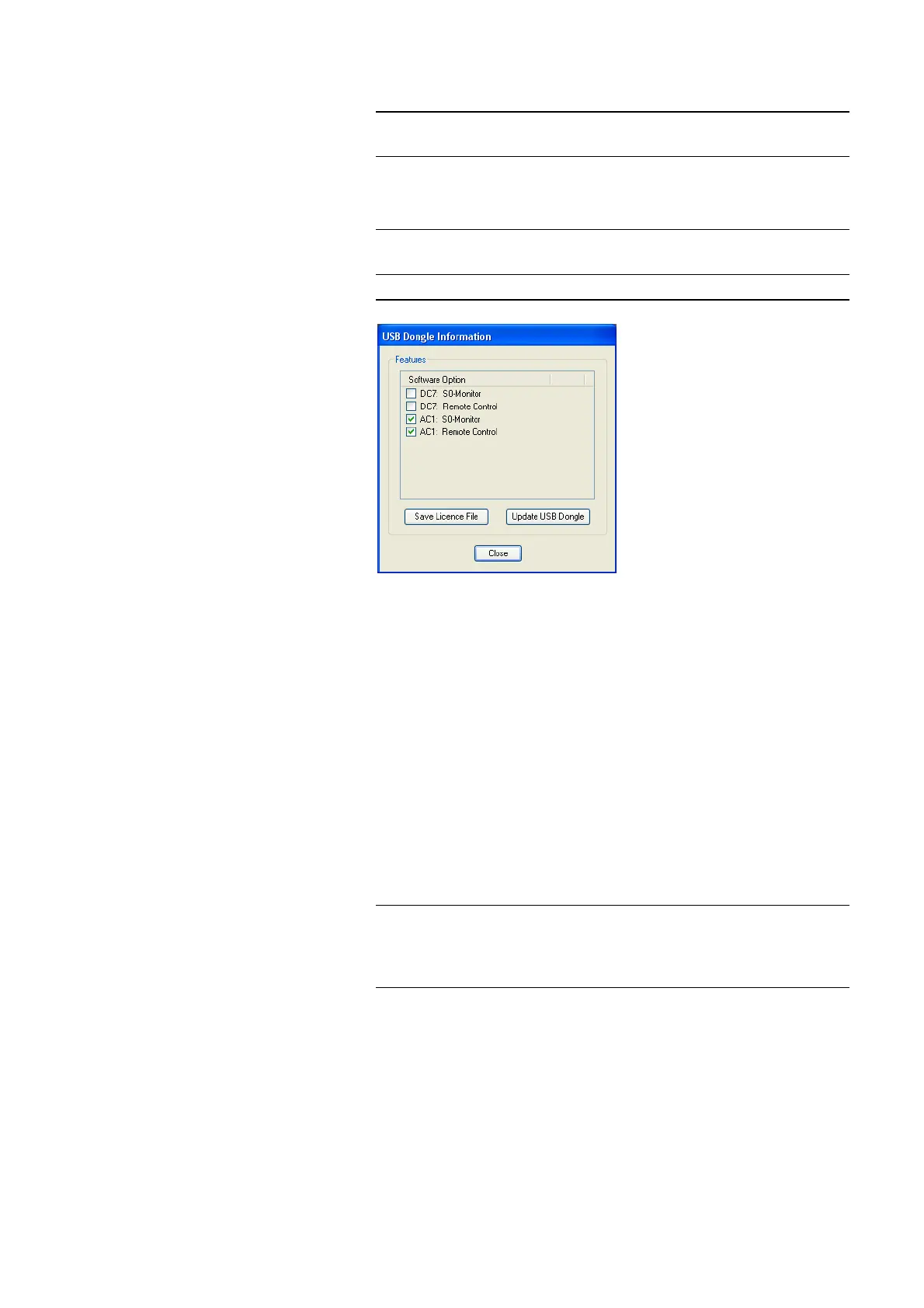
In the window USB Dongle Information you see the PC software options
which are enabled for your system.
FIG. 69 USB DONGLE INFORMATION
Upgrade for PC Software Options
If you want to activate further PC options later, please press the button Save
Licence File, whereby the current licence is stored in a file.
The standard name is LicenceInfo.c2v, the storage location can be chosen by
yourself.
With the file LicenceInfo.c2v - which you send us e.g. per email to sup-
port@avt-nbg.de - we can activate the upgrade.
Afterwards, we send you the file LicenceUpdate.v2c, which you can load to
your system by clicking on the Update USB Dongle button.
After checking successfully the new function is available.
NOTE
The submenu USB Dongle Information is only displayed if the USB dongle
for fee-based options is connected to the PC.
NOTE
Please consider that we differentiate between PC software options (e.g. S
0
monitor) and Firmware options (e.g. Mixer Tools).
NOTE
In Fig. 69 you can see that in a USB dongle several system versions can be ma-
naged. For example, if you want to control MAGIC DC7 and MAGIC AC1 sy-
stems remotely, it is possible with one USB dongle, if the options are activa-
ted for it.



 To Next Page