PAGE 89
Windows PC Software
The Import button allows you to import a configuration preset from a data
carrier (disk, USB stick etc.). The file extension of a preset file is always ‘.pst‘.
After clicking on the Import button, the file browser is displayed via which
the desired file can be selected.
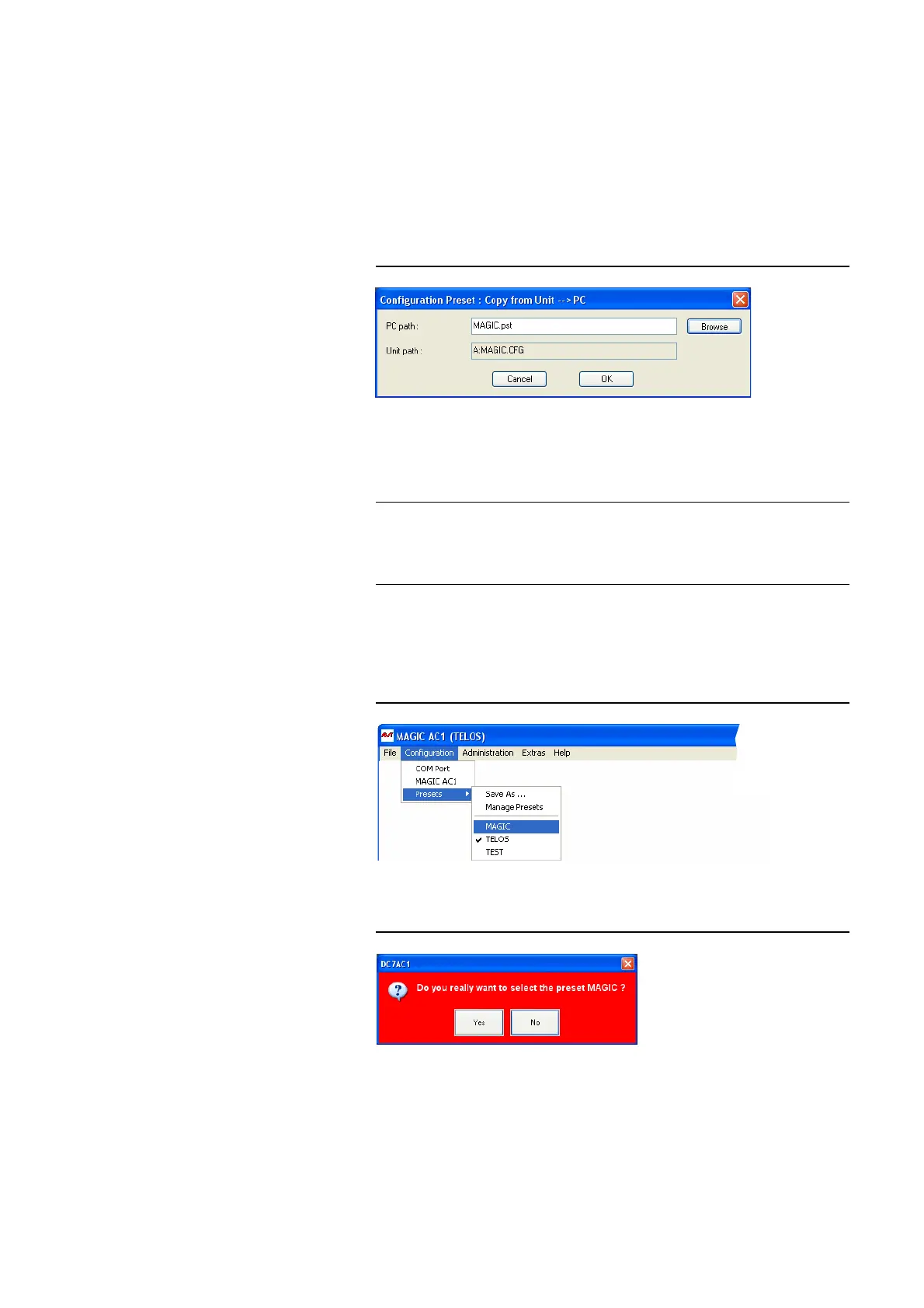
It is also possible to export configurations to a data carrier. The Export button
saves the configuration preset selected from the list as ‘.pst‘ file. After clicking
on the Export button, the file browser is displayed via which the desired
storage location can be selected with Browse.
FIG. 64 EXPORT A PRESET
With Export All you can save all configurations displayed in the list in a di-
rection of your choice. For each configuration an individual file with the ex-
tension ‘.pst‘ is generated.
4.7.3.3 Activate a Preset
All presets are displayed under Configuration
→ Presets → „Preset
Name“ and can be activated by simply clicking on them.
FIG. 65 ACTIVATE A PRESET
For safety reasons a confirmation is required.
FIG. 66 CONFIRMATION TO ACTIVATE A PRESET
TIP
If you have to configure several systems in the same way, please save the
complete system configuration with File
→ Complete System Configura-
tion
→ Export (see CHAPTER 4.6.4). Please note that the telephone book is
not saved with the configuration.



 To Next Page