PAGE 27
Windows PC Software
4.5.3 Operating elements
Info button
The Info button can signalize three situations:
• grey: There is no connection
• yellow: Incoming or outgoing call. If a telephone book entry exists for the
caller, the corresponding name is displayed. If you click on the Info button
details of the connection information are displayed (Connection Informa-
tion).
• green: Existing connection. If you click on the Info button details of the
connection information are displayed (Connection Information).
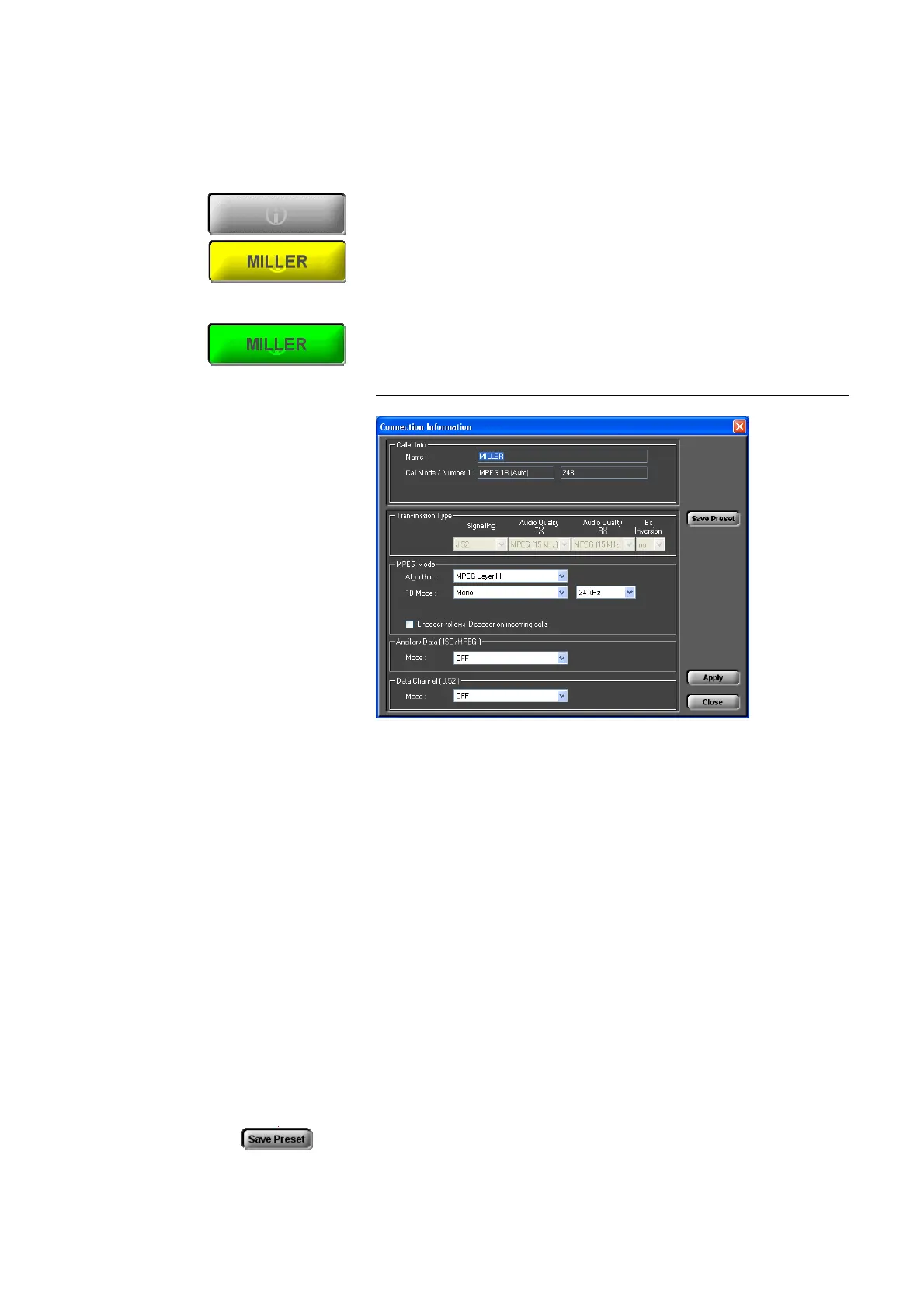
FIG. 9 CONNECTION INFORMATION
•Under Caller Info the telephone book entry - if available - for that caller is
displayed. Otherwise you only can see the calling number if it is transmit-
ted.
• The type of the current transmission is displayed under Transmission
Type (further details you will find from page 80 onwards). Parameters
which cannot be changed for this connection are displayed dimmed.
• If the transmission is an ISO/MPEG connention, the Audio parameters are
additionally displayed under MPEG Mode. These parameters can also be
changed during a connection. Changeable settings are displayed. Additio-
nally you can select if the encoder should work with the same parameters
as the decoder. In this case, please activate the option Encoder follows
Decoder on incoming calls.
• ISO/MPEG connections and/or J.52 connections allow additionally the
transmission of transparant data channels in parallel, which can be confi-
gured under Ancillary Data (ISO/MPEG) respectively Data Channel
(J.52) (for further details please see from page 77 onwards).
• You can save changes as new transmission modes. Please press the button
Save Preset. The new mode can be found under Configuration
→ MA-
GIC DC7/AC1 XIP
→ Transmission → User Defined, where you can



 To Next Page