PAGE 118
Option: MAGIC DC7/AC1 Keypad
6.2 Functions of the Keypad
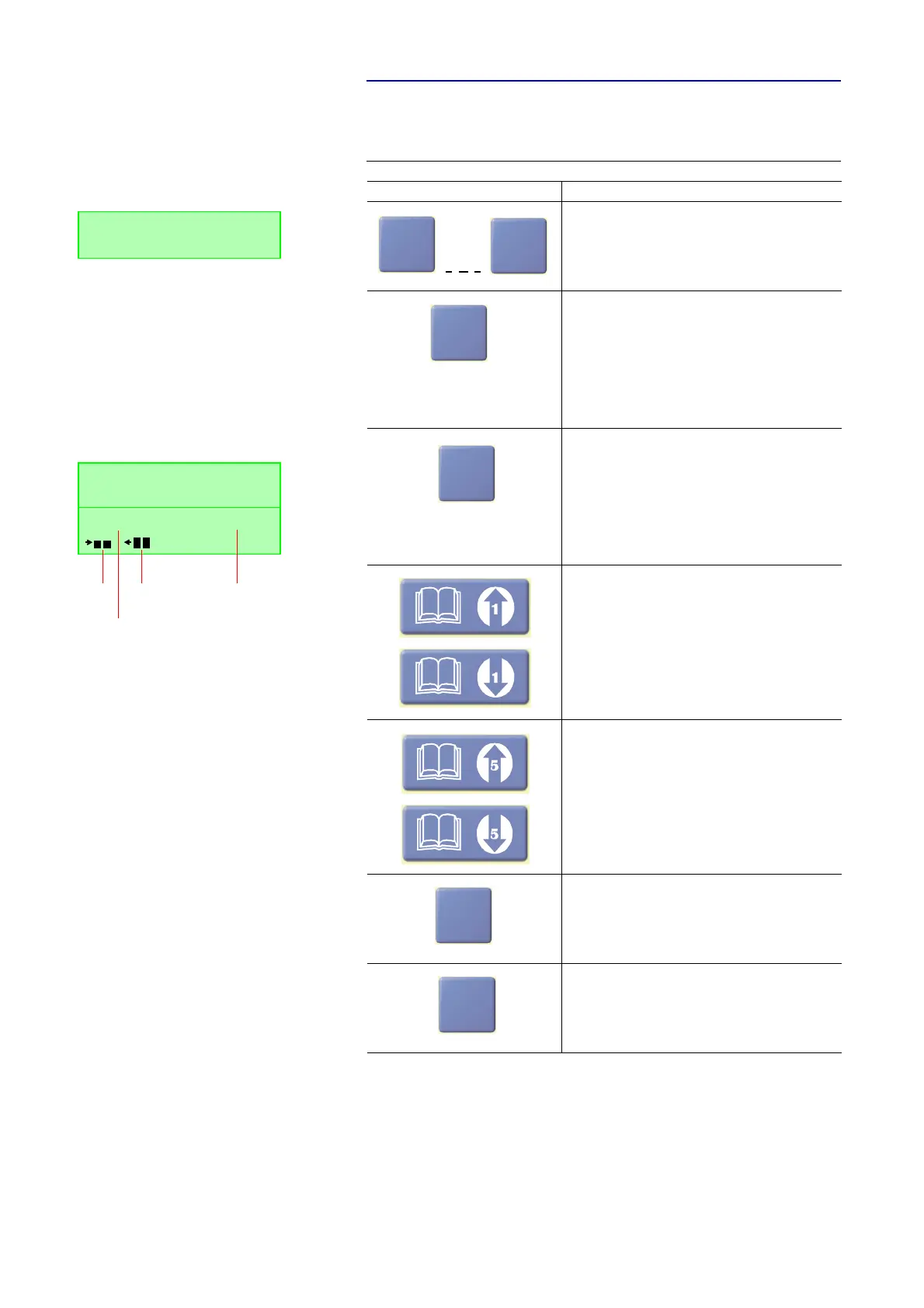
Below the functions of the keypad are listed in table form.
TAB. 3 FUNCTIONS OF KEYS
Key Function
Numerical block to enter the calling number 0 .. 9 or IP
address.
+ key to enter two calling numbers for one 2 B connection
(Example: 0945612345+56).
If you enter an IP address, every octet can be separated
with that key, so it stands for the dot in the IP address.
(Example: 192+168+96+17)
When the SHIFT button (^ symbol in the display) is pres-
sed, the
*
symbol can be used to enter special functions
at a telephone system.
# key to enter special functions at a telephone system.
When the SHIFT button (^ symbol in the display) is pres-
sed, the current firmware Version of the system is dis-
played, if no connection exists.
If a connection exists and the SHIFT button (^ symbol in the
display) is pressed, the display switches between calling
number and level meter in the second line. The Shift mode
is left automatically after the key is pressed.
Via these keys, a telephone book entry can be selected in
steps of 1.
Via these keys, a telephone book entry can be selected in
steps of 5.
By pressing the button AC the entered calling number is
deleted completely.
By pressing the button C the last numerical character of
the entered calling number is deleted.
0
9
DISCON. Telephone
5271130
+
*
.
#
ERSION
DISPLAY
DISCON. 7 KHZ G.7
SW-Version: 1.322
Connect TEL
Transmit
level
Receive
level
Transmission
Mode
Line
status
C
C


 To Next Page