PAGE 119
Option: MAGIC DC7/AC1 Keypad
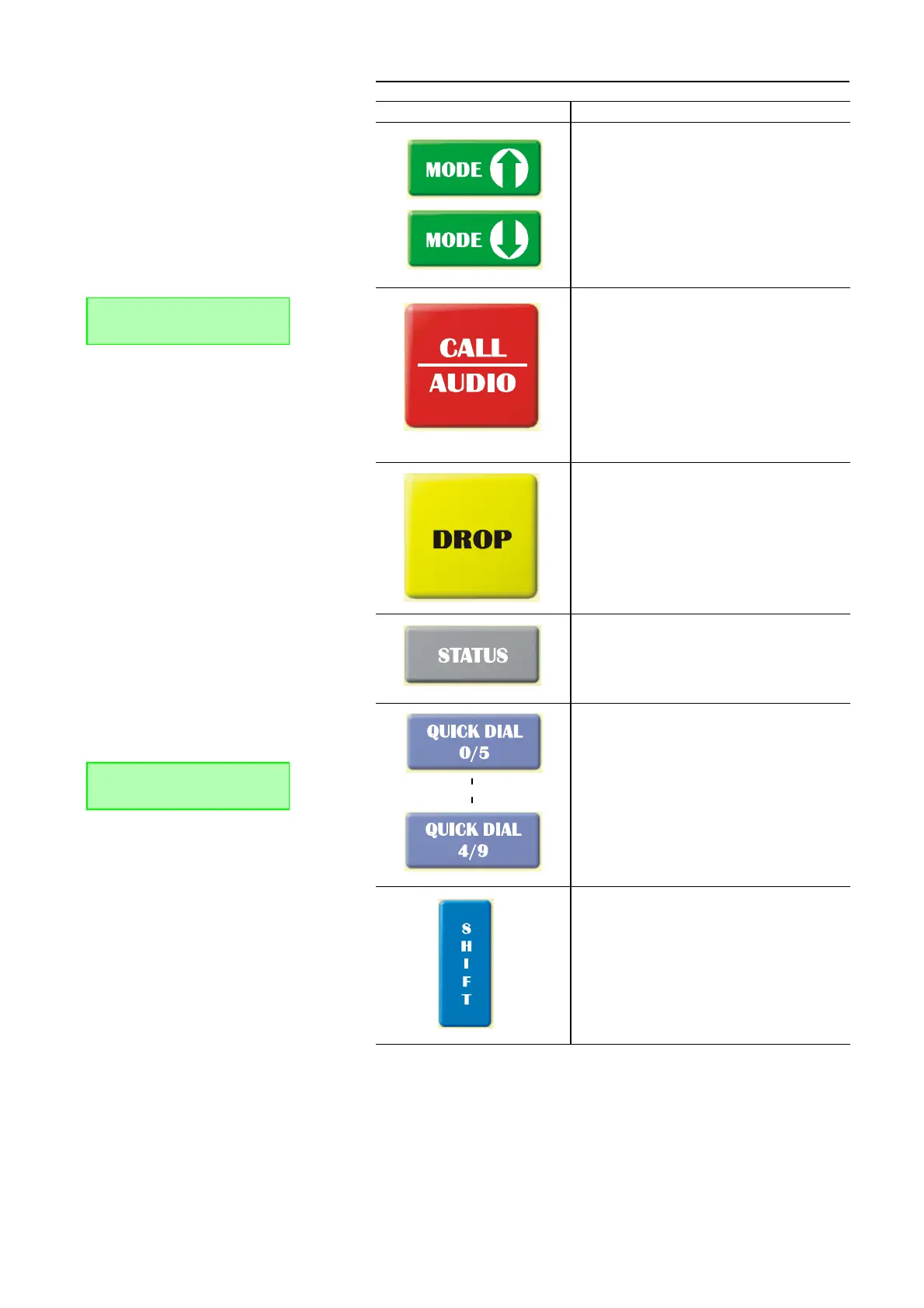
The Mode key allows you to select the Transmission Mo-
des.
To establish a connection, please enter first the desired
calling number. Then, select the required transmission
mode with the Mode buttons. By pressing the button CALL
the calling number is dialled.
If the calling number consists of more than 8 numerical
characters, the last eight characters plus a „.“ placed in
front are displayed.
If you press this button again during a connection, it can
be switched between the preciously defined Audio Mixer
Presets. The selected mixer preset is displayed by the first
alphabetical character in the name of the mixer preset.
By pressing the button DROP the connection is dropped.
By pressing the button Status all connection parameters
of the Audio connection are displayed (e.g. coding algo-
rith, bit rate). Pressing the button again, the parameters of
an optionally configured data transmission, which is in
parallel possible to the Audio transmission.
By pressing the Quick dial keys a previously saved calling
number is dialled or a stored configuration (preset) is
loaded.
Storing Quick Dial numbers (QD): Please enter the calling
number you want to be saved via the numerical block
0...9. Then, press the desired Quick Dial button. On the dis-
play the message Store QD: QD/C appears. Now press the
same Quick Dial button again. To cancel the saving press
the C button.
With the Shift button you reach the „second le-
vel“functions of keys (grey labeling) respectiely the „se-
cond quick dialling“level.
If SHIFT is activated, the ^ symbol is displayed.
TAB. 3 FUNCTIONS OF KEYS
Key Function
DISC 15K. |CONN 7 K.
|.78772245
DISCON. 15KHZ 1B
Store QD: Press QD/C


 To Next Page