PAGE 103
Windows PC Software
4.9.4 Relay/TTL Control Flag
Via the submenu Relay/TTL Control Flag you can control a relay or TTL out-
put with the PC software. The subselection Local controls the output of your
system, with Remote you can control the output of the remote station.
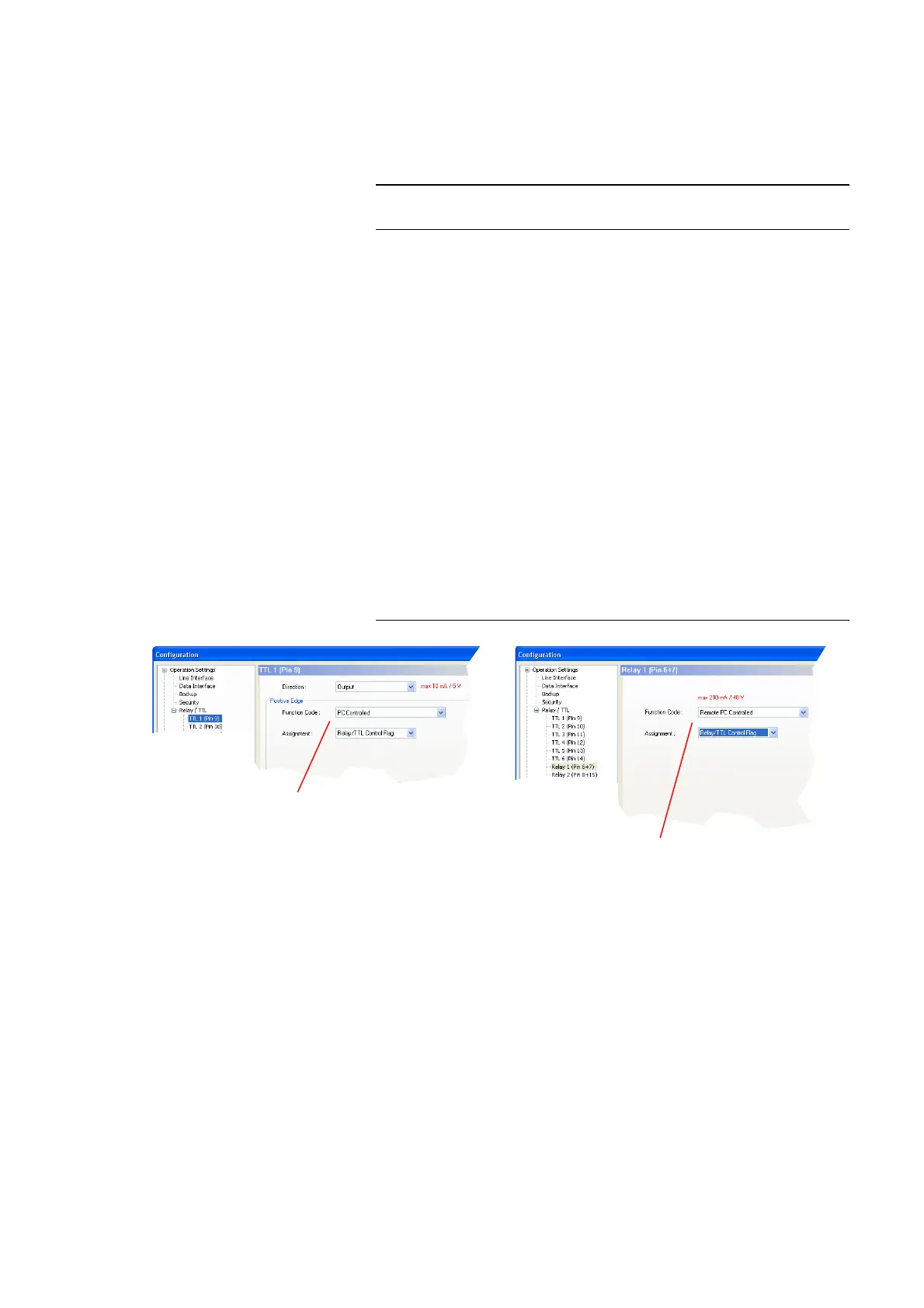
For using this function the following settings are required:
First, select the panel to configure the relay respectively the ZTTL contacts
with Configuration
→ MAGIC AC1 XIP (MAGIC DC7) → Operation Set-
tings
→ Relay/TTL. Select the the desired pin TTL 1..6 respectively the desi-
red Relay 1/2.
If you want to control a TTL pin, set the field Direction on Output. This set-
ting is not necessary, if you select a relay.
As Function Code select PC Controlled, if you want to control the output lo-
cally via the submenu Extras
→ Relay/TTL Control Flag → Local from
your PC.
If that ouput shall be controlled from the remote station via the submenu Ex-
tras
→ Relay/TTL Control Flag → Remote, please select respectively the
setting Remote PC Controlled.
Under Assignment you always select the setting Relay/TTL Control Flag.
FIG. 78 RELAY/TTL CONTROL FLAG CONFIGURATION
NOTE
The function Remote is only available between AVT MAGIC DC7/AC1 XIP
systems and only, if you use J.52 as transmission mode.
Configuration for controlling
Configuration for controlling
a relay contact remotely
a TTL contact locally



 To Next Page