PAGE 117
Option: MAGIC DC7/AC1 Keypad
6 OPTION: MAGIC DC7/AC1 KEYPAD
6.1 MAGIC DC7/AC1 Keypad Basic
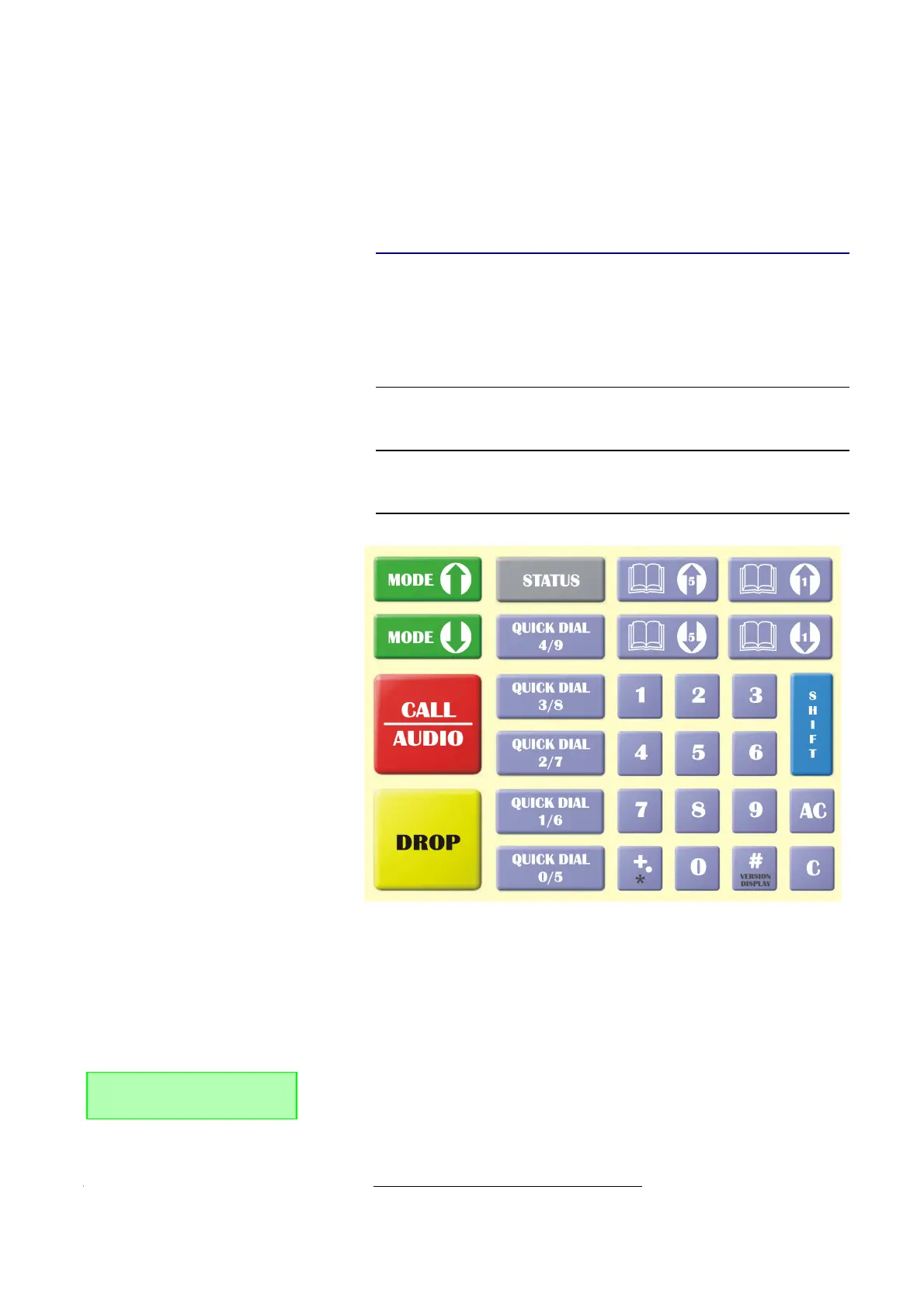
The optional MAGIC DC7/AC1 Keypad Basic (order number 800210) allows
a comfortable and simple handling of the system for users, who do not want
to use a PC for controlling the Audio codec and who want to use the system
offset.
The following figure shows the operating elements of the keypad.
FIG. 80 KEY ASSIGNMENT MAGIC DC7/AC1 KEYPAD BASIC
Please connect the 9 pole SUB-D connector of the MAGIC DC7/AC1 Keypad
with the RS232 interface (see CHAPTERA4.3, Page 146) of the MAGIC
DC/AC1 XIP system. Since the MAGIC DC7/AC1 Keypad requires its own po-
wer supply, you must connect the 230V external power supply included in
the delivery with a power socket and the 6 pole Mini-DIN female of the exter-
nal power supply with the 6-pole Mini-DIN connector (violet) of the breakout
cable. The 8 pole Mini-DIN connector (black or white) must be plugged into
the socket MAGIC DC7/AC1 Keypad. If everything is connected correctly the
display is now illuminated. After switching on the system
1
, e.g. the status
message on the left hand side is displayed after booting.
NOTE
To use the keypad with MAGIC DC7/AC1 XIP, you need to configure the in-
terface parameters of the RS232 interface in the following way: 9600 Baud, no
parity.
1
If the system was already switched on, please press the „C“ or „AC“ button once.
DISCON. 7 KHZ G.7
Interface: ISDN



 To Next Page