PAGE 90
Windows PC Software
4.8 Menu Administration
4.8.1 Submenu Registration
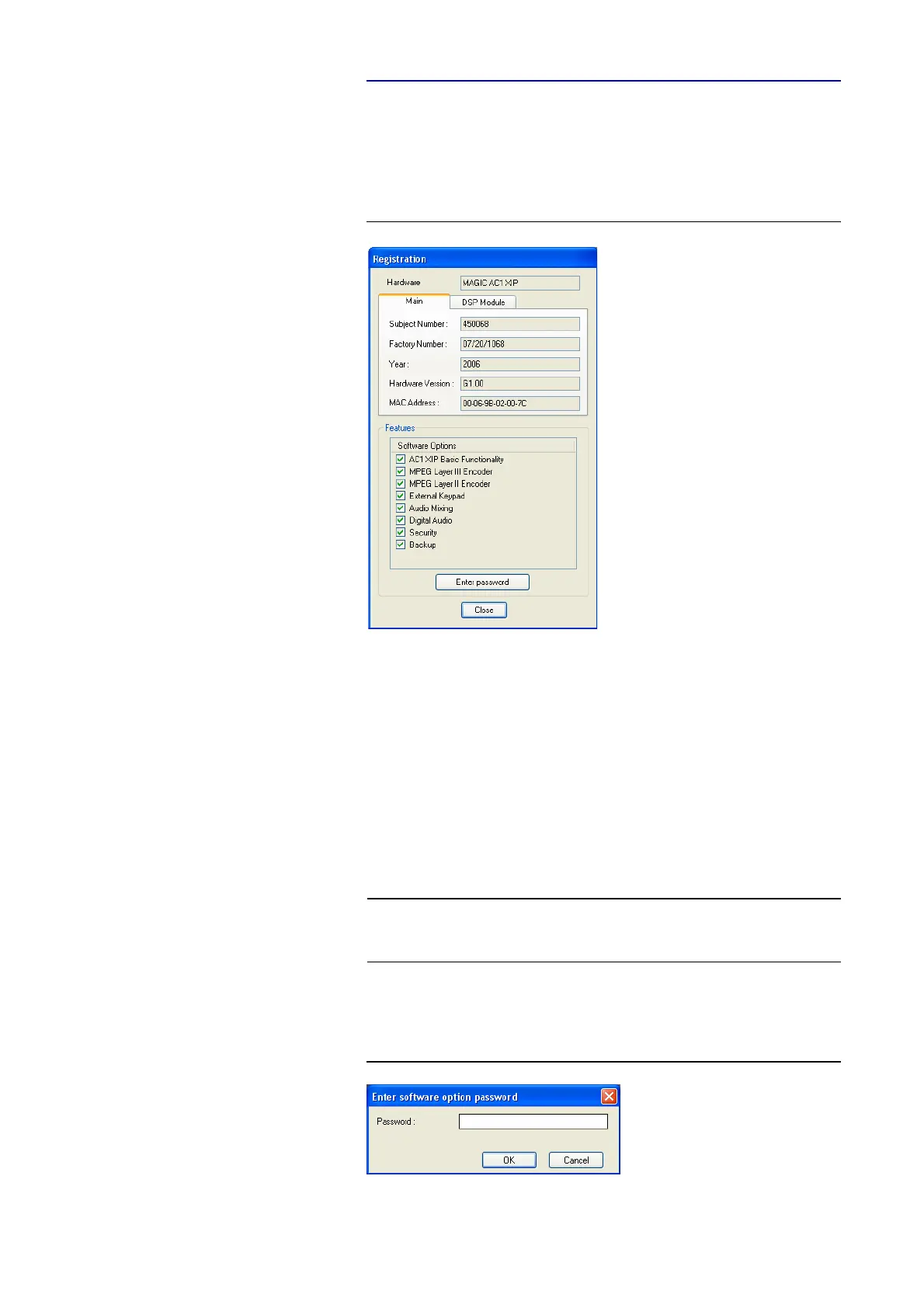
Via the submenu Registration you can check the activated Firmware options.
FIG. 67 REGISTRATION
Under Hardware the system type (here: MAGIC AC1 XIP) is displayed. On
the tab Main all relevant features for identification like Subject Number, Fac-
tory Number, Year, Hardware Version as well as the MAC Address are dis-
played.
Under the DSP Module tab you find the identification features for the DSP
module (only MAGIC AC1 XIP).
Under Features all available software options are listed.
Upgrade of Firmware Options
To activate further Firmware options later, please enter the password, which
you received from us, in the dialogue which opens when you click on the but-
ton Enter Password.
FIG. 68 PASSWORD ENTRY
NOTE
We need the serial number (Factory Number) of the system for an upgrade.
Please read out the serial number always from the Registration, since the se-
rial number on the system label could be different.



 To Next Page