PAGE 110
Operation via Display and Keypad
Call to two different partners with 64-kbit/s each
Press
Shift
(
#
) in order to establish a second independent 64-kbit/s connec-
tion in parallel to the first channel. The chosen channel will be shown by an
inverted display of the phone number respectively of the name. All other ope-
rating steps are identical to the operating with only one partner. Please notice
that there is only one telephone or 7-kHz Audio connection possible for the
second independent channel. Switching the channel can be done everytime.
Call to a partner with 128-kbit/s
If you want to establish a 2B connection with 128-kbit/s to a remote station it
can be necessary to dial another phone number for the second B channel as for
the first one. To enter a second phone number please press
OK
button after en-
tering the first phone number and enter the second phone number.
The connection is established after the entry of the calling numbers by pres-
sing the telephone receiver button .
5.2.3 The Status display - Operation during a connection
After the telephone receiver button is pressed the partner is called and the sta-
tus window is displayed automatically.
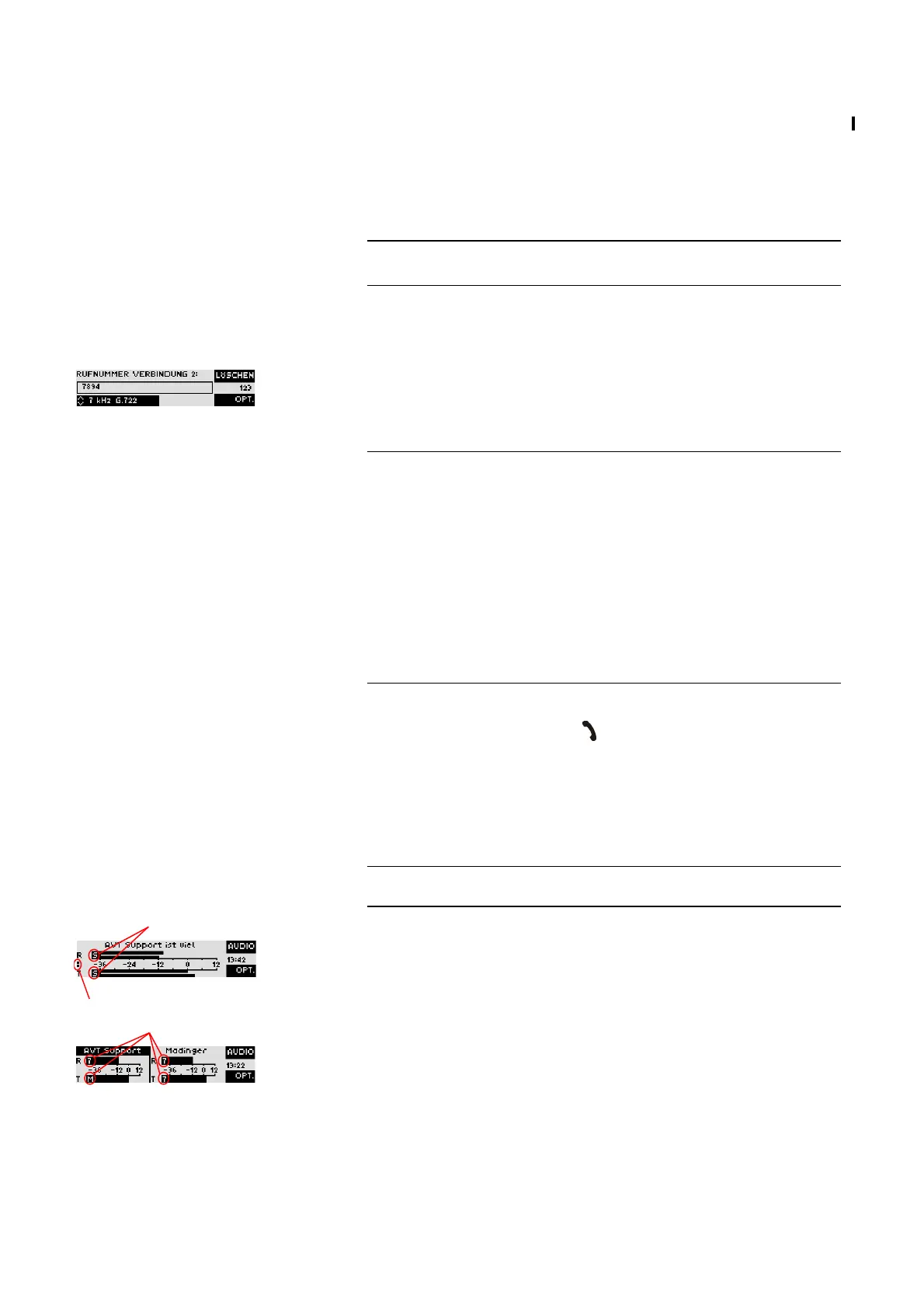
During a Stereo connection the number of the connected B channels is dis-
played with points on the left to the level indication.
In the ISDN operating mode the window will be splitted if two independent-
connections have been established.
To switch between the two connections, please press the
Shift
key (
#
). The
name of the selected channel is displayed inversely.
An outgoing call is signaled by
Select...
. The dialled number (or the name if a
phone book entry is selected) is displayed in the first line.
When the connection is established the level indication for the incoming si-
gnal (
R
eceive) and the outgoing signal (
T
ransmit) is displayed.
NOTE
Before dropping one connection please make sure that you have chosen the
right channel.
NOTE
If you choose
15-kHz 2B Auto
(only MAGIC AC1 XIP) as transmission mode
you usually have to enter the phone number only once. The system esta-
blishes two connections with the same phone number automatically.
If the phone numbers are meant to be different for the first and the second B
channel in a Stereo connection, you can press the OK button for entering a se-
cond phone number. Alternatively it is also possible to enter both phone
numbers seperated by the
*
key („+“ character is displayed). It is also suf-
ficient to enter as second number only the difference to the first phone num-
ber.
Examples:
0123456789+0123456790
0123456789+90
TIP
The status window can always be reached by pressing the
OK
button.
Audio mode
Audio mode
Number of the connected B channels



 To Next Page