PAGE 44
Windows PC Software
4.7.2 Submenu MAGIC DC/AC1 XIP
Via the submenu MAGIC DC7/AC1 XIP the system can be configured comple-
tely.
After the configuration has been changed, the following options are available:
•With OK the configuration dialogue is closed and all settings are saved
and applied to the system.
• The function Apply Now allows you to save the current settings without
closing the configuration dialogue.
• Cancel cancels all settings made.
The configuration differentiates between System Settings, which usually do
not have to be changed during th operation and the actual Operation Set-
tings for the current operational case. The Operation Settings also include the
Transmission Modes. The System Settings cannot be saved as Preset (see
CHAPTER 4.7.3) - whereas Operation Settings can be saved as Preset.
For clarification:
A Preset includes all settings under Operation Settings and Transmission
Modes. Various Presets can be saved in the system and loaded by the user.
4.7.2.1 Operation Settings
All settings made under Operation Settings can be saved as Preset.
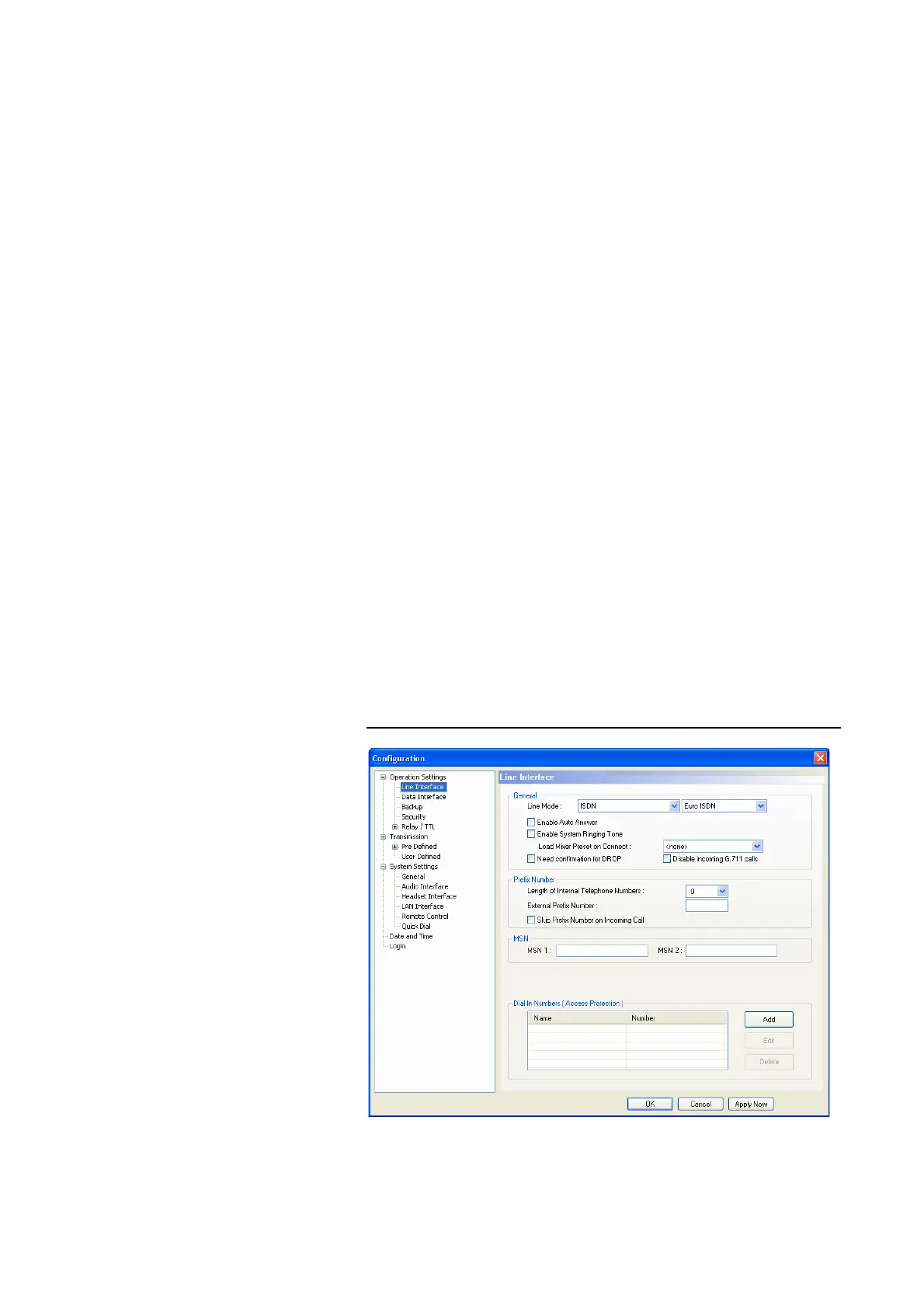
4.7.2.1.1 Line Interface
The menu item Line Interface allows a configuration of the ISDN, X.21 and
LAN interface.
FIG. 27 LINE INTERFACE



 To Next Page