PAGE 61
Windows PC Software
4.7.2.2.1 Transmission Modes
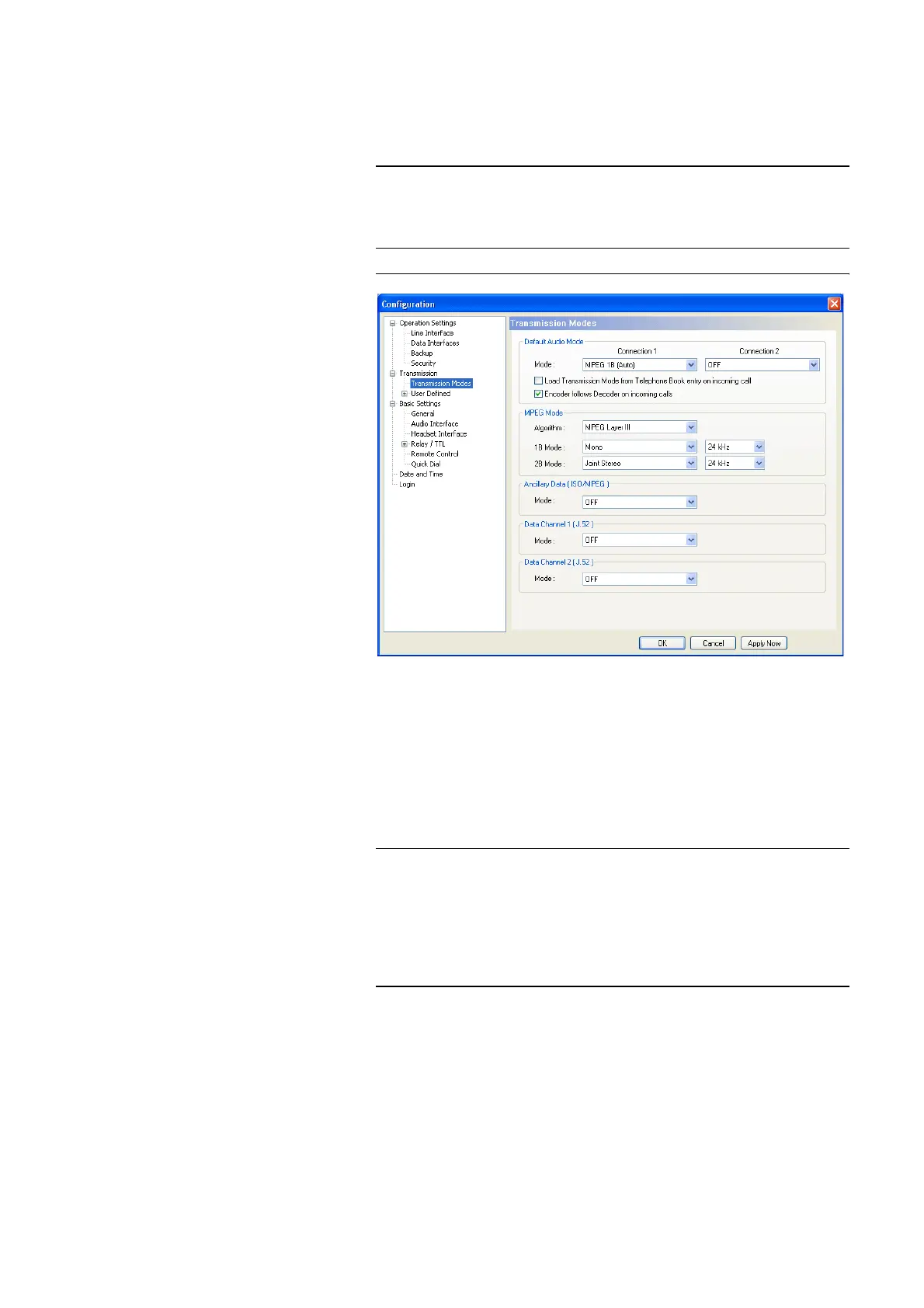
Via the configuration menu Transmission Modes you can configure all pa-
rameters for the Audio transmission and the transparent data transmission.
FIG. 37 TRANSMISSION MODES
Default Audio Mode
•With Default Audio Mode you define the transmission mode for each B
channel which is to be displayed by default. Under Mode the four stan-
dard modes (Telephone, 7-kHz (Auto), MPEG 1B (Auto), MPEG 2B
(Auto)) as well as all user defined modes for Connection 1 are available.
If you select OFF, the most recently used mode is always displayed first.
• If the option Load Transmission Mode from Telephone Book entry on
incomig call is enabled, the transmission mode which is saved together
with the caller number of the incoming call in the telephone book is loaded
automatically (see CHAPTER, Page 29).
TIP
In contrary to AutoDynamicSync (ADS) (see CHAPTERA1, Page 137), you
enforce the transmission mode. If you know which system and which trans-
mission procedure is used at the remote side, you should work with a defined
Transmission Mode to avoid missynchronisations.
NOTE
Restrictions Connection 2:
If you have selected the B mode MPEG 2B for Connection 1, it is not possible
to select a mode for Connection 2.
If you have selected a 1 B channel MPEG mode for Connection 1, only the
Telephone and 7-kHz modes can be selected for Connection 2.



 To Next Page