PAGE 21
Putting the system into operation
3.5 Operating modes of the system
The figures below show the systems in different operating modes and their
wiring.
3.5.1 ISDN operation
In the ISDN operating mode two independent B channels are available which
can be used seperately for mono transmissions or in combination for a stereo
transmission.
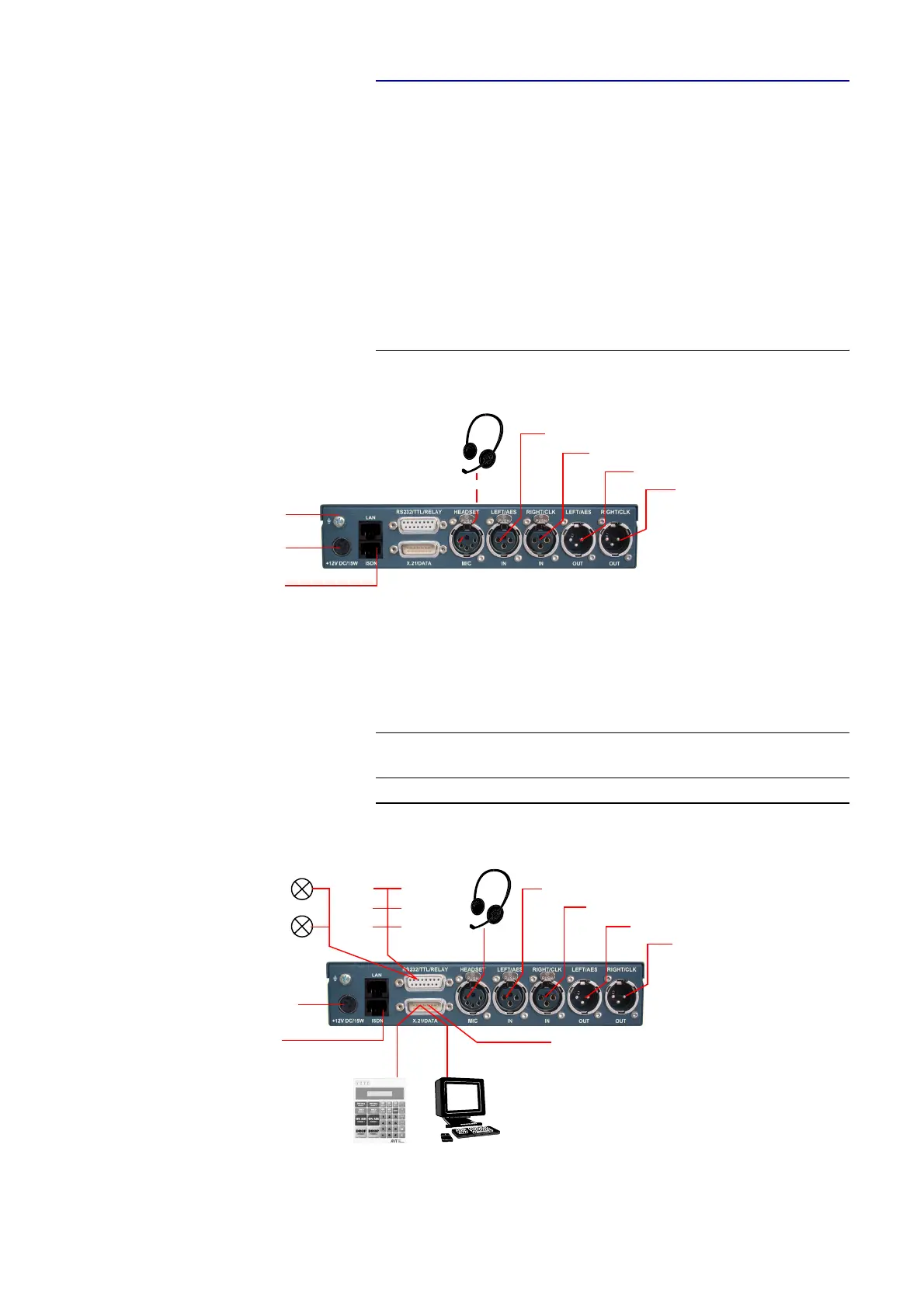
For live reports a professional Headset can be connected.
FIG. 5 MINIMUM WIRING FOR ISDN OPERATION
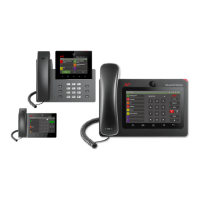
The maximum wiring with all options is shown in Fig. 6. Via the RS232 con-
trol interface a PC with MAGIC DC7/AC1 XIP Software or a MAGIC
DC7/AC1 Keypad can be connected as alternative to the operation by the front
keypad and display.
FIG. 6 MAXIMUM WIRING FOR ISDN OPERATION
TIP
If the PC software and the keypad are used simultaneously, the LAN inter-
face can be used for PC control.
Power supply
interface
ISDN
interface
Analogue Audio 1 (left)/(AES/EBU) Input
Analogue Audio 1 (left)/(AES/EBU) Output
Analogue Audio 2 (right)/(clock) Input
Analogue Audio 2 (right)/(clock) Output
Headset
Option:
Earthing
interface
power supply
PC withOption:
MAGIC DC7/AC1
Hybrid Keypad
MAGIC DC7/AC1
Software
interface
ISDN-
interface
REL2
TTL1
TTL2
TTL3
Programmable
TTL-IN-/Outputs
REL1
Programmable
relays
Analogue Audio 1 (left)/(AES/EBU) Input
Analogue Audio 1 (left)/(AES/EBU) Output
AnalogueAudio 2 (right)/(clock) Input
Analogue Audio 2 (right)/(clock) Output
Headset
Option:
2 x transparent
data channels
(RS232 or RS485)
TTL4
TTL5
TTL6


 To Next Page