PAGE 112
Operation via Display and Keypad
5.3 Comfort Functions
5.3.1 Redailing
You reach the redailling function by pressing again the telephone receiver
button for the line on which no connection currently exists. The recently
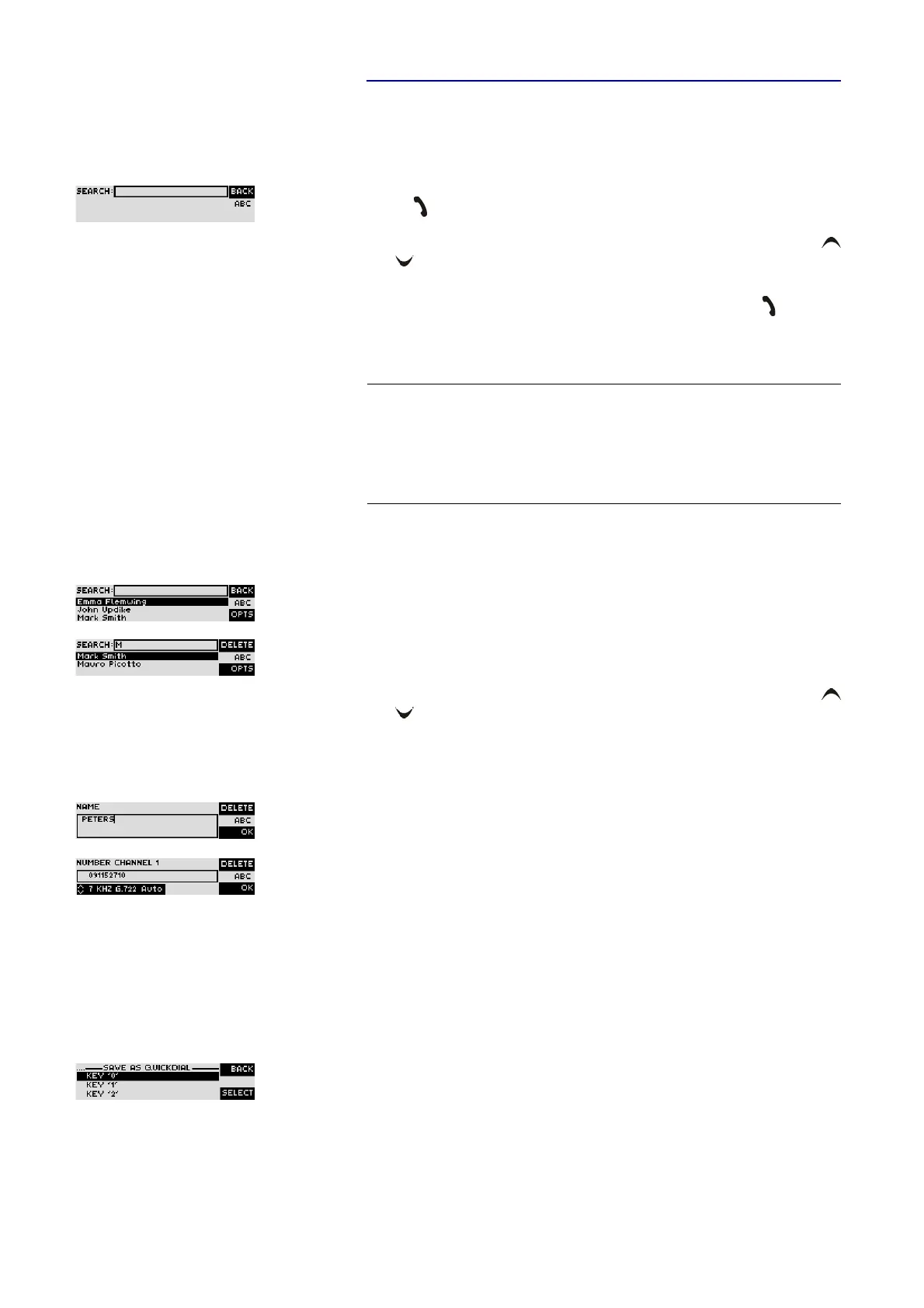
called partners are displayed in a list. In the input field
Search
you can search
for a certain partner or select a partner from the list using the cursor keys
and
.
To call a partner please press again the telephone receiver button . When re-
dailling, automatically the transmission mode is adjusted which was chosen
by entering the phone number.
5.3.2 Using the phone book
The system incorporates a comfortable phone book function. You reach the
phone book from the main menu via the softkey
Name
.
In th input field
Search
you can search for a certain partner. As soon as you
enter a character the correspondening phone book entries are filtered out.
Alternatively, you can select a partner from the list using the cursor keys
and .
By the softkey
Opt.
(options) the following functions, which you can select via
the softkey
Select
are realized:
–
New Entry
: With this function you create a new phone book entry.
First enter the name and confirm your entry with
Ok
.
Afterwards enter the phone number from your partner and confirm again
with
Ok
.
–
Edit
: With this function you edit already existing phone book entries.
–
Display
: The selected telephone book entry is displayed with name and
phone number.
–
Delete Entry
: The selected telephone entry is deleted. For saftey reasons
you are asked if you really want to delete the entry.
–
Save as Quick Dial
: Your 10 most important phone numbers can be pro-
grammed as Quick Dailling numbers on the numerical keys ’
0
’ ... ’
9
’.
Please select the key from the list on which you want to programme the
phone number.
NOTE
To enter alphabetic characters you can use the alphanumeric keypad. You re-
ached the desired character by pressing the respective key several times. To
type e. g. ’
K
’ you need to press the button’
5
’ twice. Wrong entries can be cor-
rected with the help of the softkey
Delete
.
To switch between upper and lower case please press the
SHIFT
key. The dis-
play changes from
ABC
to abc.



 To Next Page