PAGE 35
Windows PC Software
4.5.3.2 Telephone book
By pressing the telephone book button the telephone book dialogue is ope-
ned.
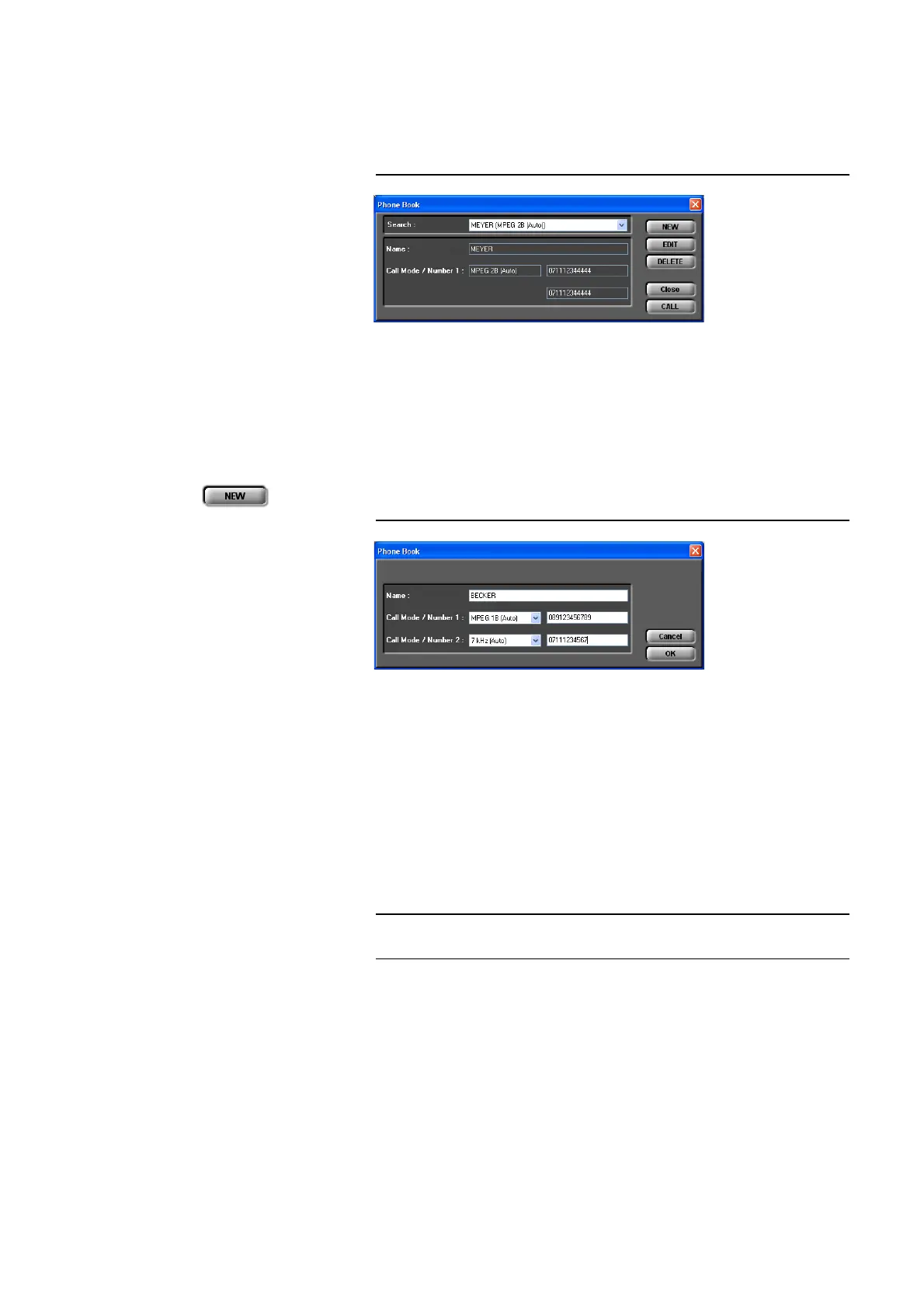
FIG. 18 TELEPHONE BOOK DIALOGUE
You can search for an already existing entry via the DropDown list Search or
you simply enter the first characters of the name you are looking for. A search
for calling numbers is not possible.
In the detailed view below, the Name, the Call Mode (transmission mode)
and the calling numbers (Number 1/2) are displayed.
A new entry can be created with NEW .
FIG. 19 NEW TELEPHONE BOOK ENTRY
At first enter the name of the caller you want to add. The length of the name
is limited to 20 characters.
Under Call Mode/Number 1 you need to select the transmission mode at first
which is to be used when dialling and then enter the calling number.
If you select a 1 B transmission mode you can configure a second completely
independent connection for the second channel (Call Mode/Number 2).
However as transmission mode you can only select Telephone or 7-kHz
(Auto). In this way you have the possibility to call two participants at the
same time via one telephone book entry.
For the entry field, all numeric characters 0’...’9’ as well as the characters ’
*
’
and ’#’ are allowed. The length of the calling number must not exceed 20 cha-
racters.
With a ’-’ placed in front off the calling number (e.g. „-123“) you can suppress
the prefix number for getting an outside line temporarily (see also Page 49,
Prefix Number).
TIP
You can copy a calling number with <CTRL>+<c> and paste it with
<CRTL>+<v>.



 To Next Page