PAGE 65
Windows PC Software
4.7.2.2.2 User Defined
The configuration User Defined allows you to generate your own transmis-
sion modes. These user defined modes are displayed when a call is esta-
blished via the front keypad and display (see CHAPTER5.2.1, Page 109) as
well as in the main window of the PC software.
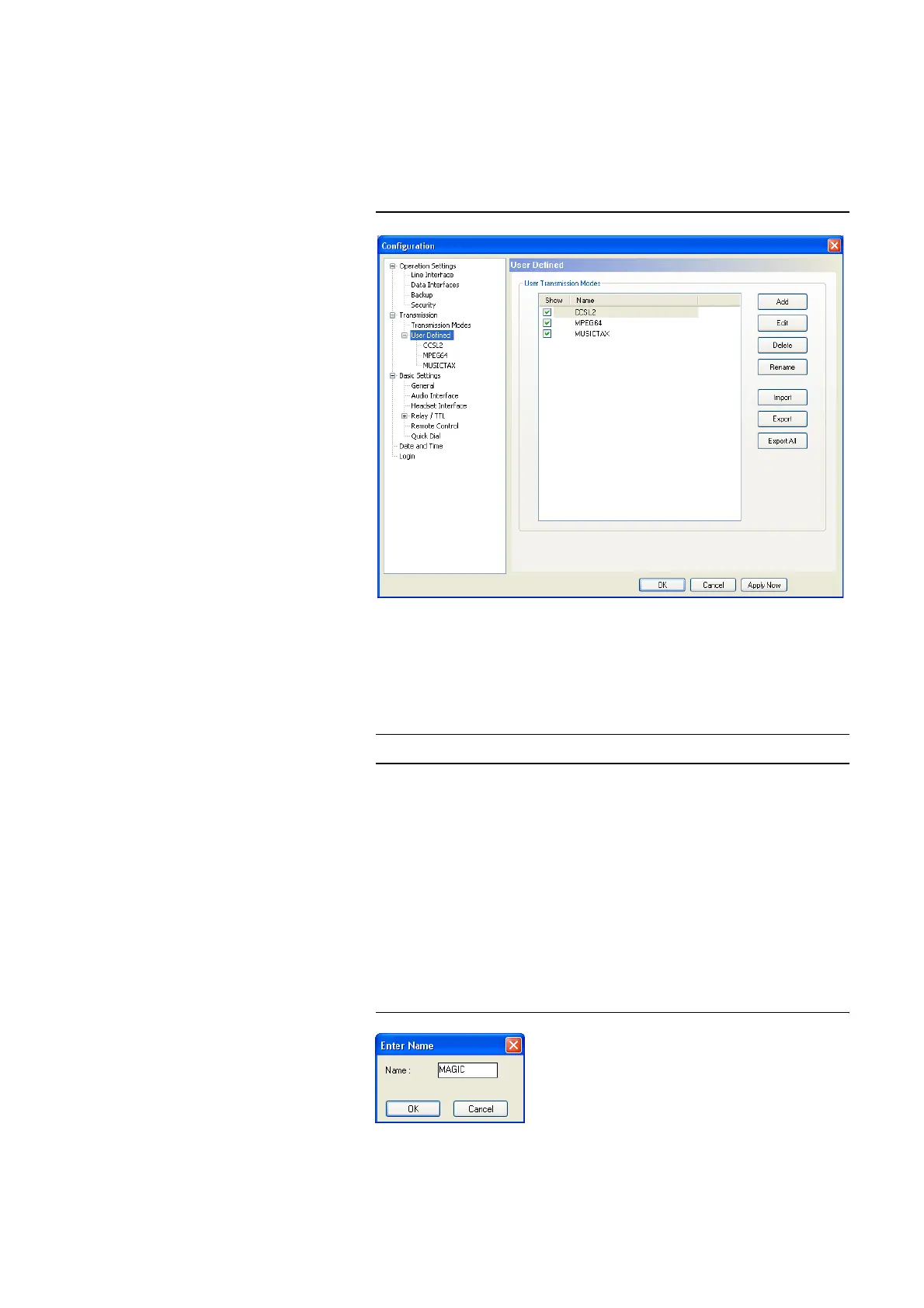
FIG. 39 USER DEFINED TRANSMISSION MODES
User Transmission Modes
In the list User Transmission Modes, all already created transmission mo-
des are displayed.
• Via the checkbox Show you can decide if the selected transmission mode
is to be displayed in the PC software or/and in the front display of the sy-
stem. If you display too many entries, the selection of the transmission
mode becomes very unclear for the user - especially when using the front
display - therefore you should not display modes that are not required.
•Under Name, the name of the transmission mode is displayed. The length
of the name must not exceed eight characters.
•With Add a new transmission mode can be created. After entering the
name, the configuration dialogue (see PAGE 66) is displayed.
FIG. 40 ENTER A NAME
•The Edit button allows you to edit the selected transmission mode.
NOTE
Up to 20 different modes can be saved.



 To Next Page