PAGE 66
Windows PC Software
•With Delete you can delete a mode which is not required anymore. You
have to confirm if you really want to delete the mode.
• To change the name of a transmission mode, you have to press the button
Rename. The length of the name must not exceed eight characters.
• Via the function Import you can load a transmission mode from a data car-
rier.
Via the file browser you select the file which you want to import. Trans-
mission mode files have the extension
.tmm.
•With Export you can store individual modes on a data carrier. Via Browse
you select the storage location.
• To store all modes on a data carrier, please use the function Export All. Af-
terwards select the desired target directory. Each mode is saved in a sepa-
rate file.
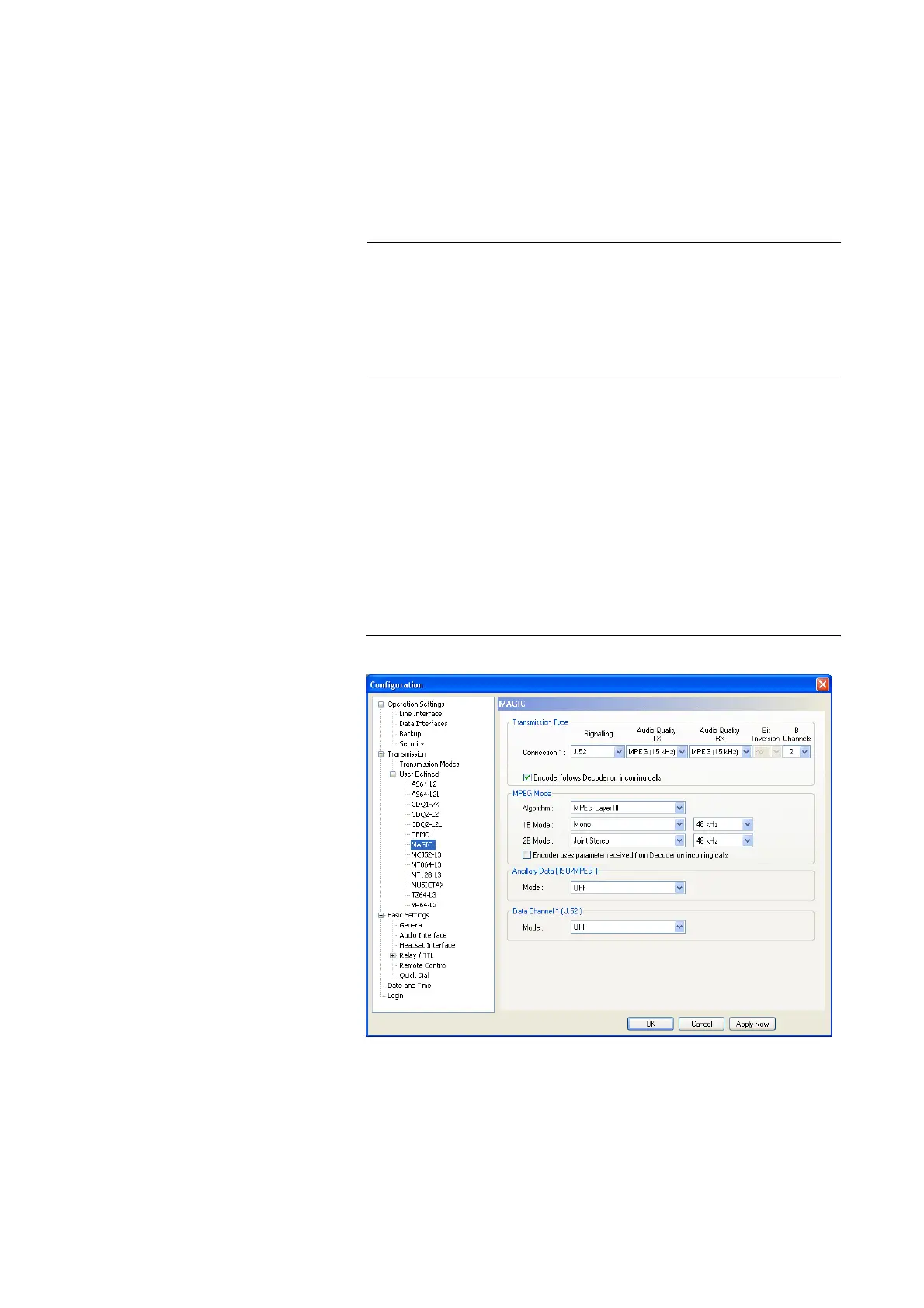
If you create a new transmission mode or if you edit an existing one, the con-
figuration dialogue is displayed.
FIG. 41 CONFIGURATION DIALOGUE USER DEFINED TRANSMISSION MO-
DES
Transmission Type
First select the transmission type for Connection 1:
•Under Signalling the following procedures are available:
NOTE
During the installation common transmission modes for a variety of Audio
codecs from other manufacturers are saved in the directory
<Installation directory>\transmissionmodes
Further details concerning the transmission modes can be found in
CHAPTER A2, Page 139.



 To Next Page