PAGE 88
Windows PC Software
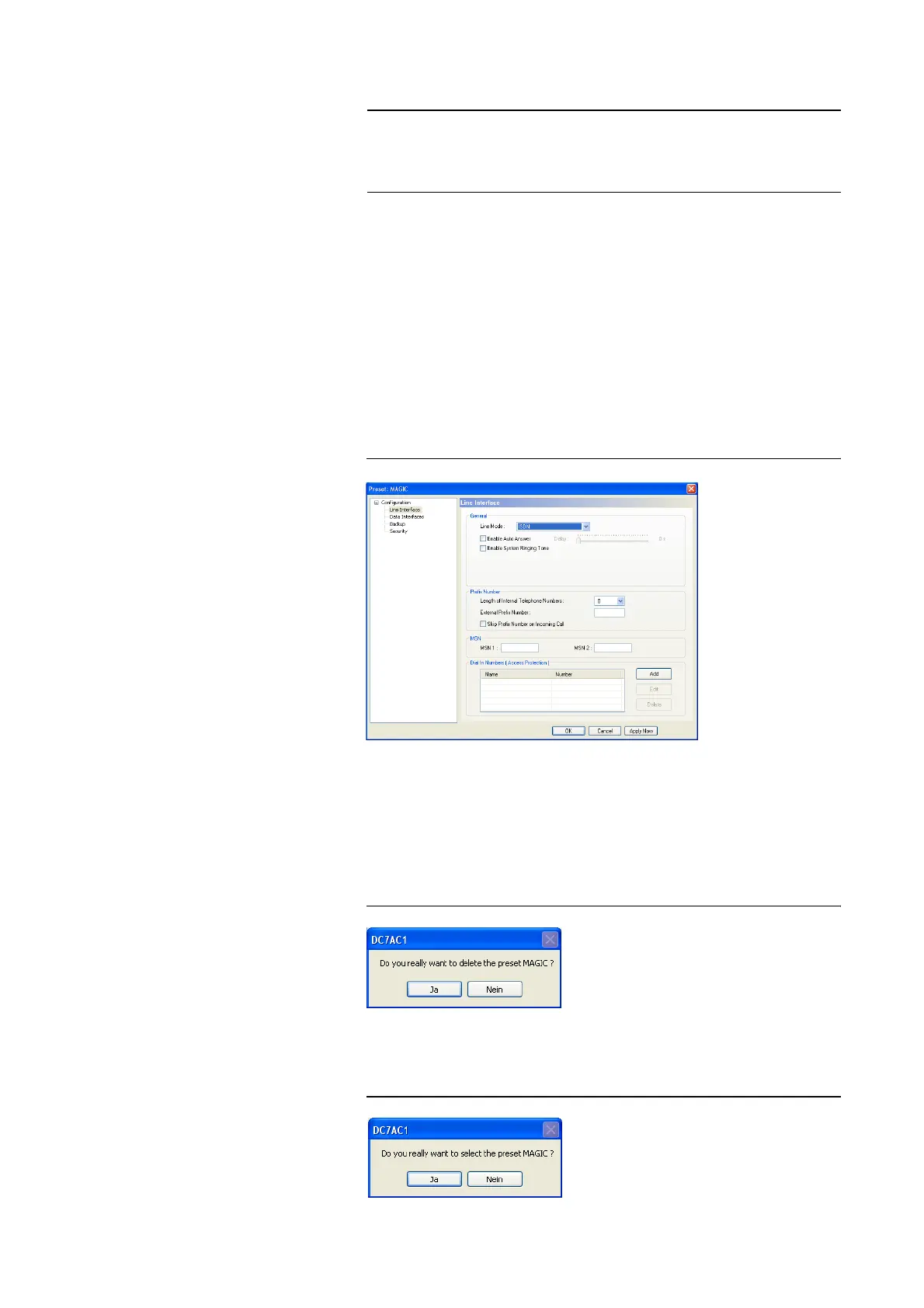
Now, the configuration dialogue is opened to edit the Presets. The current
configuration is always displayed as basis of the Presets, which can be adap-
ted according to your requirements. The following settings can be saved in a
Preset:
– Line Interface (see PAGE 44)
– SIP Parameters (see PAGE 53)
– Backup (see PAGE 55)
– Security (see PAGE 59)
– Display of the bit rates in the main window (see PAGE 64)
FIG. 61 EDIT PRESET
The Edit button allows you to edit the configuration which is currently selec-
ted in the list. The current configuration of the system is not changed or
loaded.
With the Delete button you can delete the configuration which is currently
selected. A confirmation is required.
FIG. 62 CONFIRMATION TO DELETE A PRESET
To activate a confirmation selected from the list, please press the Select but-
ton. For safety reasons a confirmation is required.
FIG. 63 CONFIRMATION TO ACTIVATE A PRESET
NOTE
The length of the name must not exceed 8 characters. Special characters and
space characters are not allowed. Please make sure that you use clear-cut na-
mes, otherwise an error message is displayed asking you if you want to over-
write the already existing preset.



 To Next Page