PAGE 70
Windows PC Software
• If the option Switch Off Display on Password Key Lock is selected, the
display is automatically switched off after 60 seconds after logging out.
Any key stroke activates the display. A dialling is possible.
• If the function Activate Password Key Lock on Password Logout is en-
abled, the key lock is automatically activated 60 seconds after logging out.
Next to the clock a key symbol is displayed. In addition to the configura-
tion lock by entering a password under Login, dialling via the numerical
keypad is no longer possible.
RS232 Interface
If you want to operate the system with a PC or with a MAGIC DC7/AC1 Key-
pad, you need to configure the data rate of the interface. The following five
baud rates are available: PC & Keypad (9600, None), PC (19200, None), PC
(38400, None), PC (57600, None), PC (115200, None). The default setting is
PC (38400, None).
System Name
Under System Name you can enter a name for the system. The name is dis-
played in the headline of the PC software as well as in the optional software
plug-in MAGIC DC7/AC1 LAN (see CHAPTER 9) which allows a simultane-
ous control of up to 10 systems.
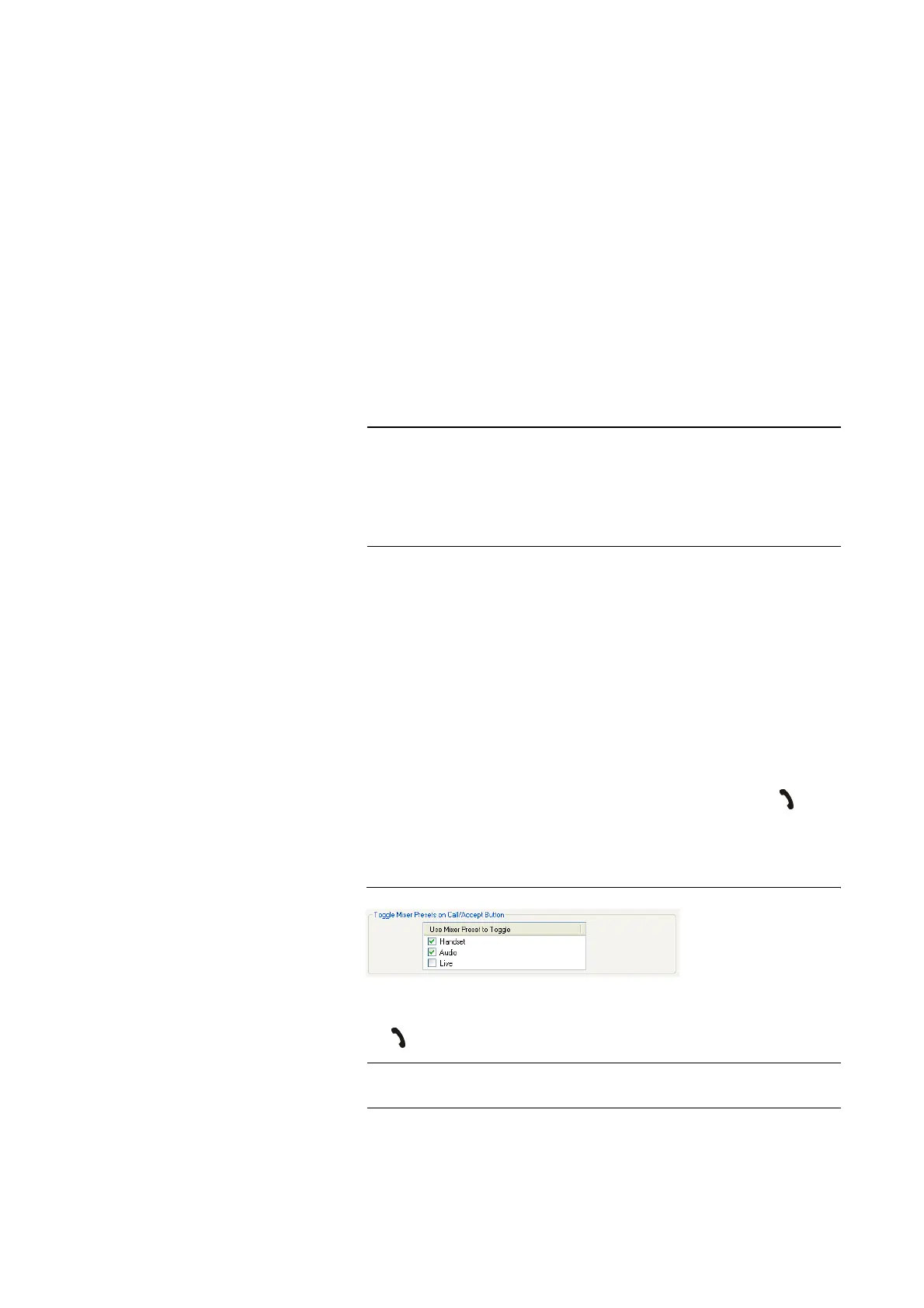
Toggle Mixer Presets on Call/Accept Button
The function Toggle Mixer Presets on Call/Accept Button allows a fast
switching between maximum three Mixer Presets by pressing the button
on the front key pad.
All already existing Mixer Presets are displayed in the list.
FIG. 43 SELECTION OF THE MIXER PRESETS
By activating the checkbox you select which Mixer Presets are loaded when
the button is pressed.
NOTE
The MAGIC DC7/AC1 Keypad supports only a baud rate of 9600 Baud. The-
refore, if you use the keypads, always select PC & Keypad (9600, None).
This baud rate can also be selected if a PC is used.
If a PC is connected via the RS232 interface, the selected baud rate must be
identical with the baud rate of the COM interface. (see CHAPTER 4.7.1).
NOTE
Please consider also the function for the emulation of the 15-kHz/PKI 7-kHz
ISDN Telephone (see CHAPTER 4.8.7).



 To Next Page