Appendix B: Depot Repair Procedures 171
• lower it into the injection port/wash station.
• [BD FACSCanto II] remove the probe and the overflow reservoir. (See
Replacing the Probe on page 129.)
2 [BD FACSCanto II] Open the doors to the enclosure and place the door
sensor cable that is attached to the cytometer over the right side of the
enclosure.
3 [BD LSR II and BD FACSCanto] Place the HTS on the base plate/carrier.
[BD FACSCanto II] Bring the unit close to the cytometer while you sit in a
chair with the unit in your lap.
Make sure the unit support legs fit into the bracket grooves. With the legs
in the groove, slide the unit as far forward as possible.
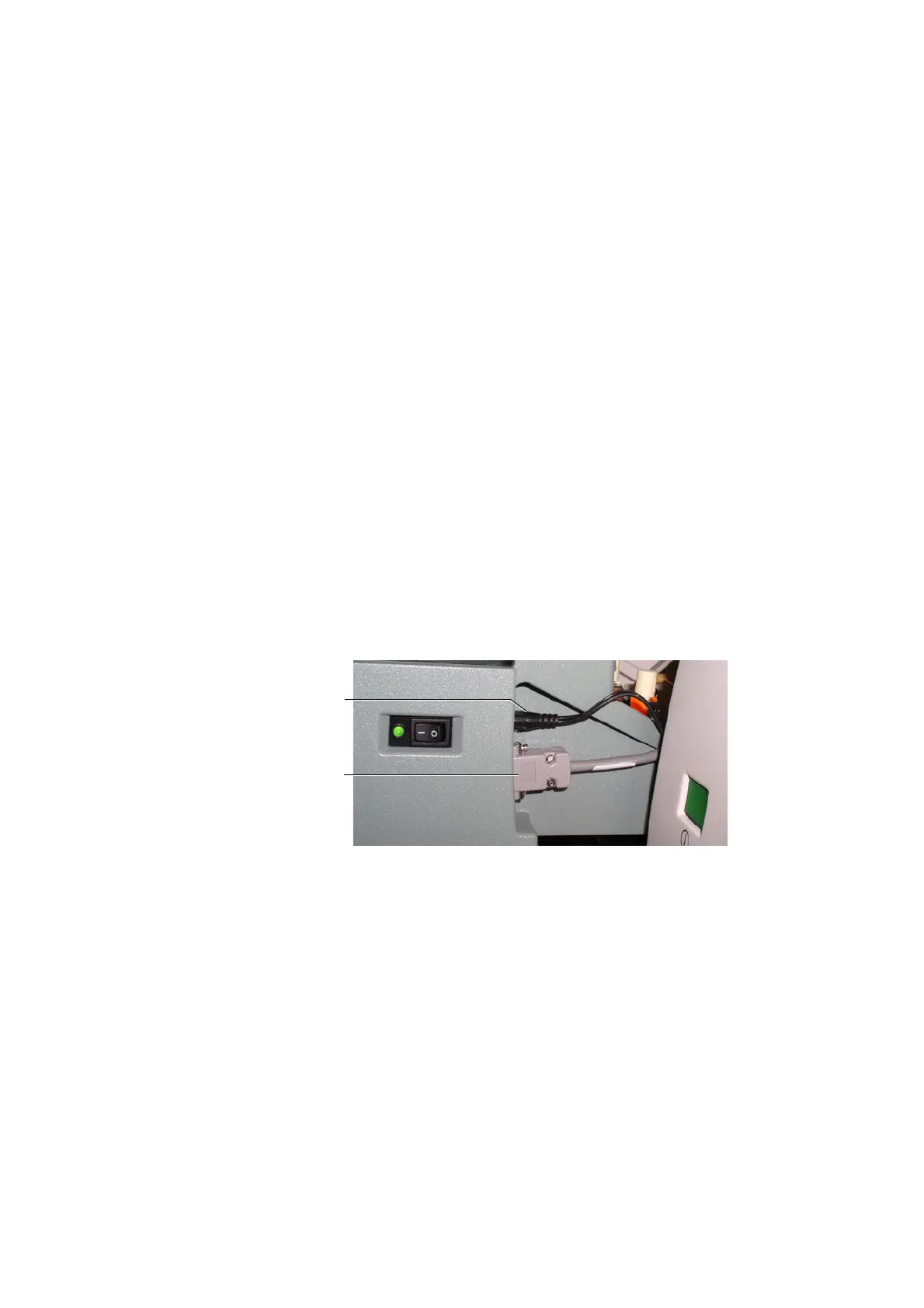
4 [BD LSR II and BD FACSCanto] Connect the power and communications
cables to their respective ports on the rear right side of the unit (see
Figure B-8 on page 171).
Figure B-8 Connecting the power and communication cables (example of BD LSR II)
5 [BD FACSCanto II] Tilt the unit at a 45° angle towards you to allow you
access to the door sensor connector on the right side of the unit. Plug the
door sensor connector into the HTS unit, matching the white arrow on the
plug with the arrow on the connector (see Figure B-9).
power cable
communication
cable











 To Next Page