Chapter 2: BD FACSDiva Software Overview 29
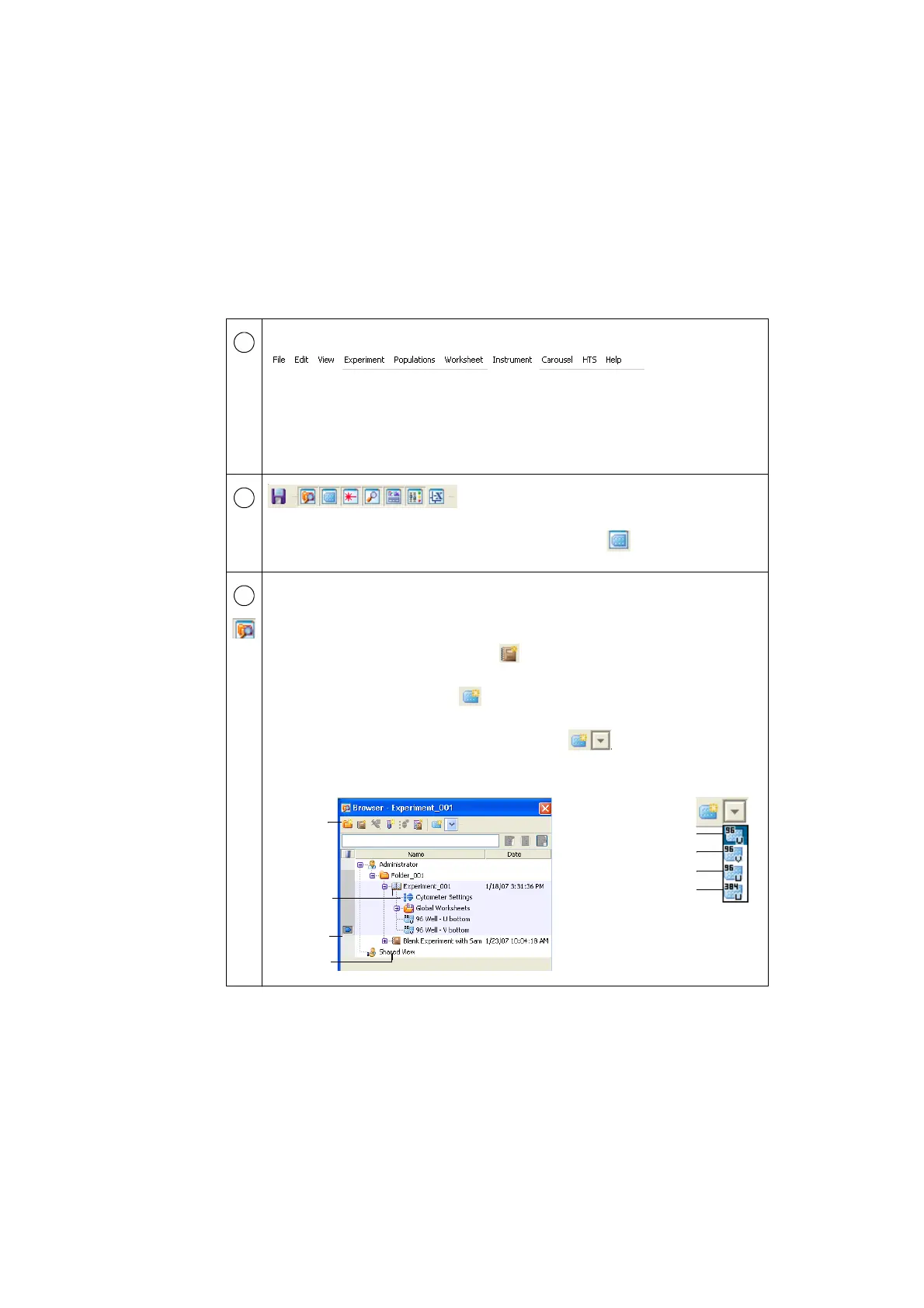
The following table describes some of the more common workspace components
specific to running the HTS.
Use the commands in the menu bar to operate the software.
• Use the Experiment menu to add a new experiment to the Browser or open a
template. A new experiment automatically contains global cytometer settings
and a global worksheet. For information, see Creating Experiments on page 64.
• Use the commands in the HTS menu to perform maintenance procedures on the
HTS. For information, see Maintenance on page 103.
Click a button in the Workspace toolbar to hide
or show the corresponding window. Windows
can be resized by dragging a border or corner.
Click the plate button ( ) to view the Plate
window.
• Use the Browser window to create and set up experiments and view
experimental data hierarchically.
In the Browser, double-click an experiment to open it.
• Click the New Experiment button (
) in the Browser toolbar to create a new
experiment.
• Click the New Plate button ( ) in the Browser toolbar to add a default 96-
well U-bottom plate to the open experiment.
• Click the arrow next to the New Plate button ( ) to choose a new plate
type to add to the experiment.
The type you choose becomes the default.
1
2
3
closed
open
experiment
experiment
current tube
pointer
Browser
toolbar
96-well flat-bottom plate
96-well V-bottom plate
96-well U-bottom plate
384-well flat-bottom plate











 To Next Page