30 BD High Throughput Sampler User’s Guide
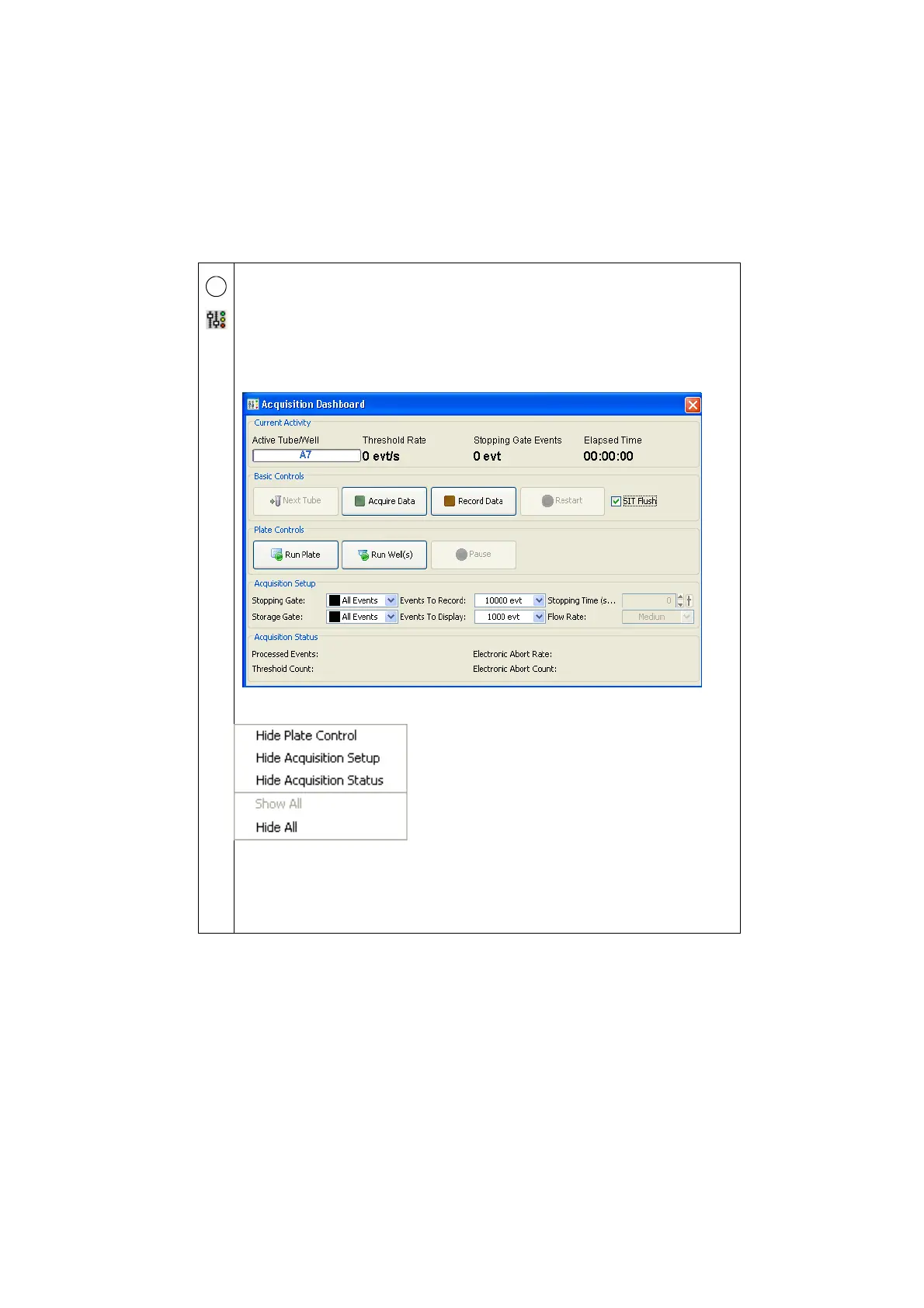
Use the Acquisition Dashboard to acquire and record well data. Use the HTS
controls to acquire and record wells in sequence using the selected throughput
mode. Run Plate runs the wells from the current position to the end of the plate.
Run Well(s) runs the selected wells only.
Use the Basic Controls to manually acquire or record selected wells in standard
mode using the current loader settings.
You can expand (show) and contract (hide) the Acquisition Dashboard.
To show or hide the Plate Controls, Acquisition Setup, or Acquisition Status
sections of the Acquisition Dashboard, right-click the Acquisition Dashboard in
any blank area (except for Basic controls) to display the shortcut menu.
You can resize the Acquisition Dashboard using standard Windows methods.
4











 To Next Page