Chapter 2: BD FACSDiva Software Overview 49
The following components are available in the Analysis view.
Plate Layout
The plate layout in the default Analysis view displays the acquisition status of
each well. See Table 2-2 on page 36 for status indicators.
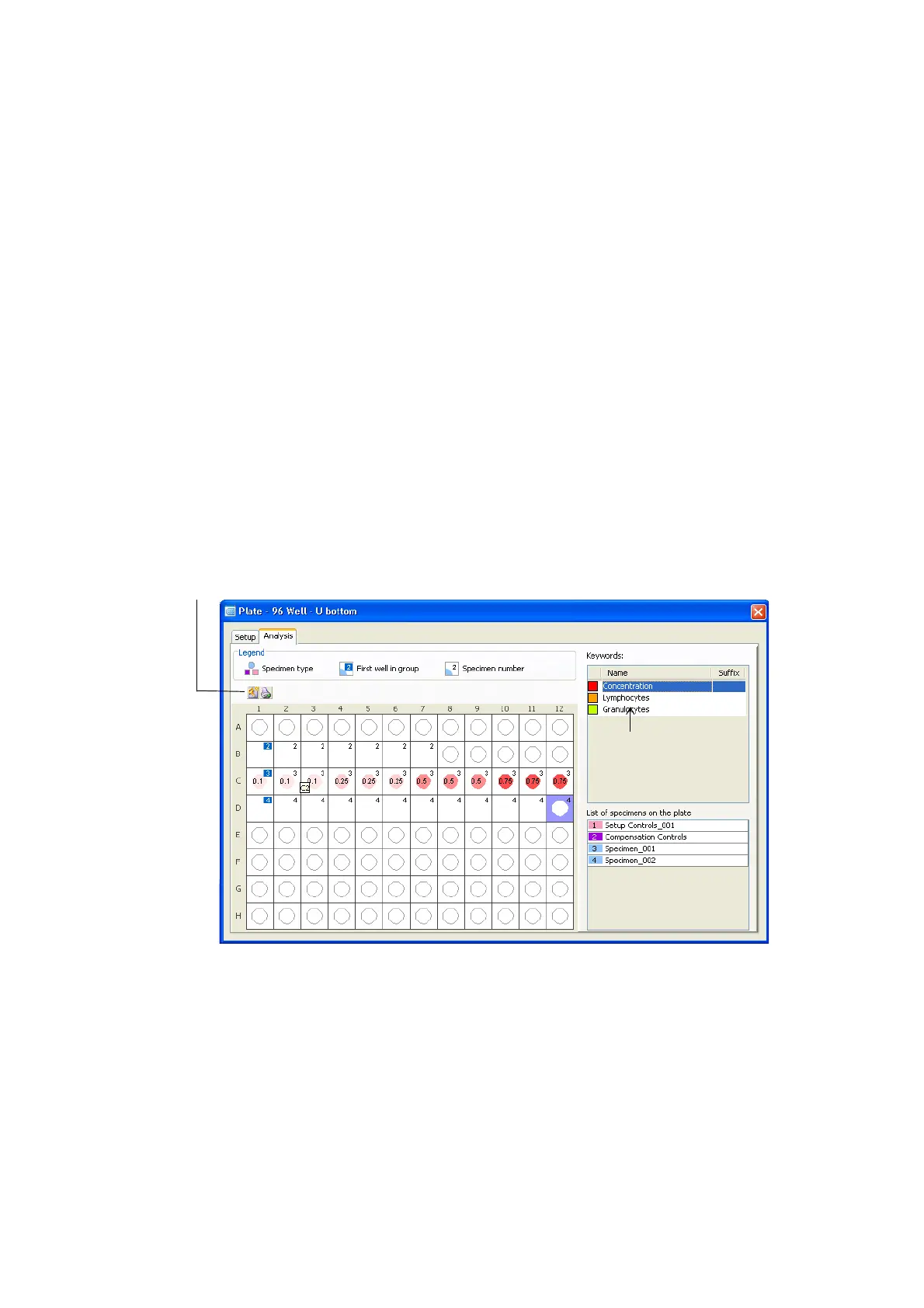
If keywords were assigned to the plate, clicking on a keyword in the Keywords
list toggles the plate layout to show the Keywords Analysis view. See Figure 2-3.
Each keyword is shown as a different color. If a keyword was assigned a range of
values, a value is displayed in each well. Different values of the same keyword are
shown in various shades of the keyword color. If a well has no value assigned, the
well is white. To revert back to the default Analysis view, click the keyword in the
Keywords list.
Figure 2-3 Plate layout showing Keyword Analysis view
Keyword list
Add Keyword button











 To Next Page