Chapter 3: Running Samples 71
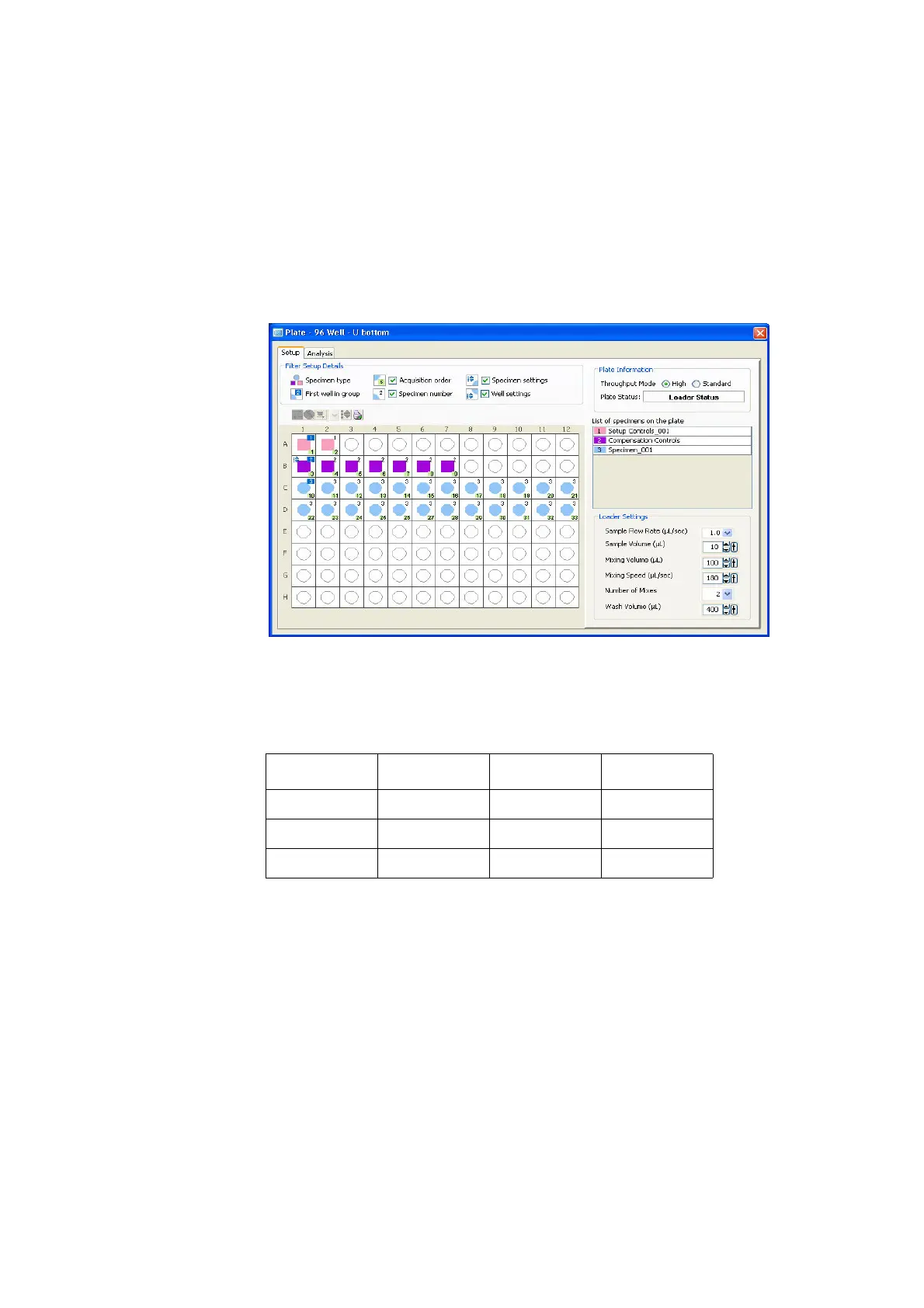
The plate layout should look similar to Figure 3-9.
Figure 3-9 Setup view
10 Choose Experiment > Experiment Layout, and click the Labels tab
(Figure 3-10 on page 72).
11 Define fluorophore labels for both samples.
• Select the FITC column of Specimen_001 and Specimen_002.
• Click in the Label field and enter CD14.
The selected fields are labeled CD14.
• Label the remaining fluorophores.
Fluorophore Label Fluorophore Label
FITC CD14 PE-Cy7 CD19
PE CD16+CD56 APC CD3
PerCP-Cy5.5 CD8 APC-Cy7 CD4











 To Next Page