Chapter 3: Running Samples 99
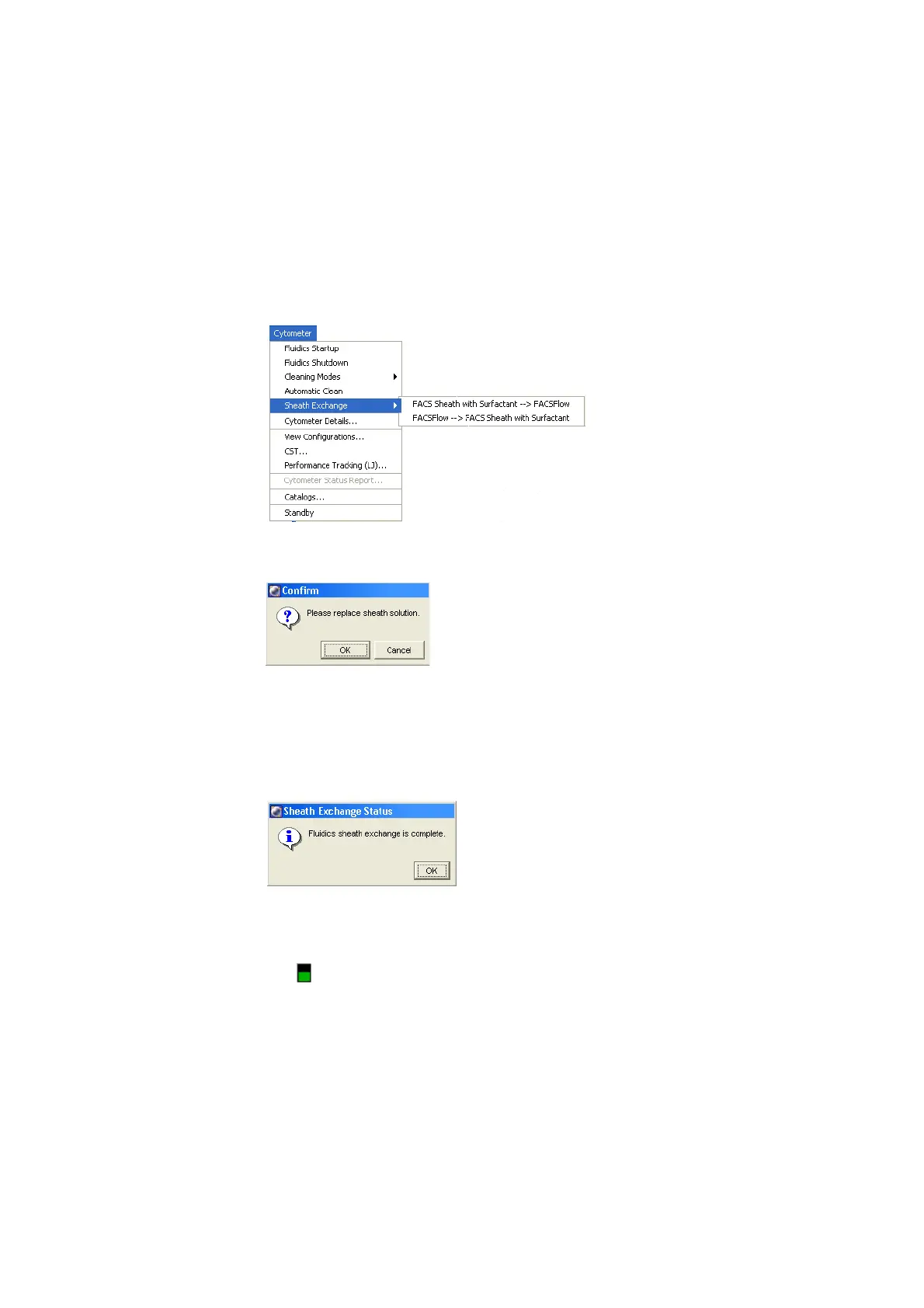
6 Choose Cytometer > Sheath Exchange, and select the desired sheath
exchange.
The following dialog appears.
7 Click OK.
8 Click OK in the next dialog to confirm the duration.
A dialog appears informing you that the sheath exchange is complete.
9 Click OK.
NOTICE When the sheath type is BD FACSFlow, the sheath fluidics level
indicator ( ) will be green. When the sheath type is FACS sheath solution with
surfactant, the level indicator will be white.











 To Next Page