Doing a Data Log - 113
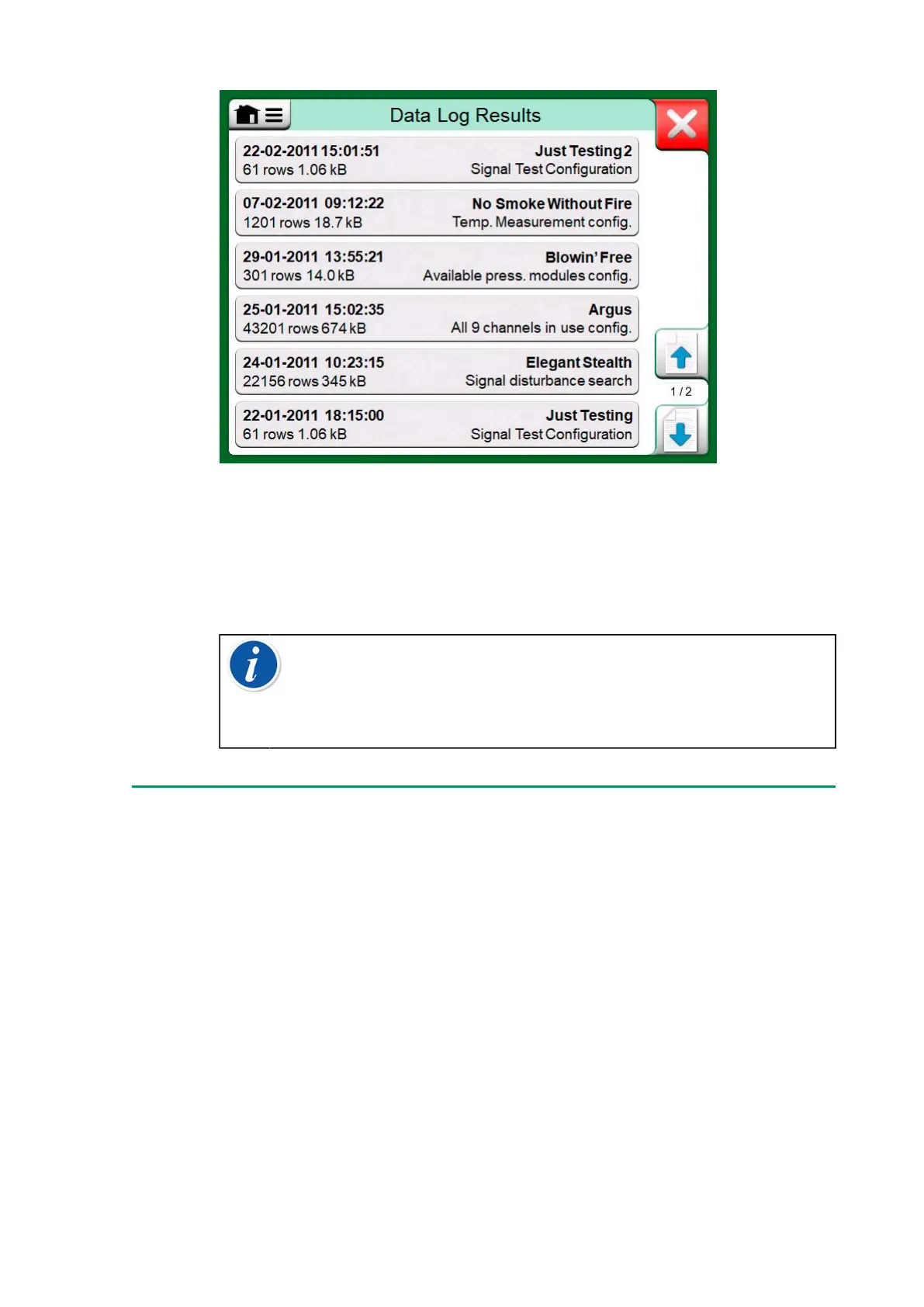
Figure 109: Data Log Result list
Each saved Data Log result has the time/date it was saved and the
entered result name on the first row in bold font. On the second row you
can see information of Data Log's size and possibly the name of the
configuration used for doing the Data Log.
Note: When viewing the list of saved Data Log results, the
menu includes the possibility to Delete All saved Data Log
results. If you select one of the existing results for viewing, the
menu includes a possibility to either Delete or Rename the
viewed Data Log results.
Transferring Data Log Results to a Personal
Computer
Beamex MC6 Data Log Viewer (executable file:
"MC6DataLogViewer.exe") reads data log results to a Personal Computer.
The software works in any 32 bit or 64 bit Windows system, starting from
Windows
®
8. Installation software for Beamex MC6 Data Log Viewer is
downloadable from Beamex's web site https://www.beamex.com. Look
for Download Center.


 To Next Page