64 - Tools
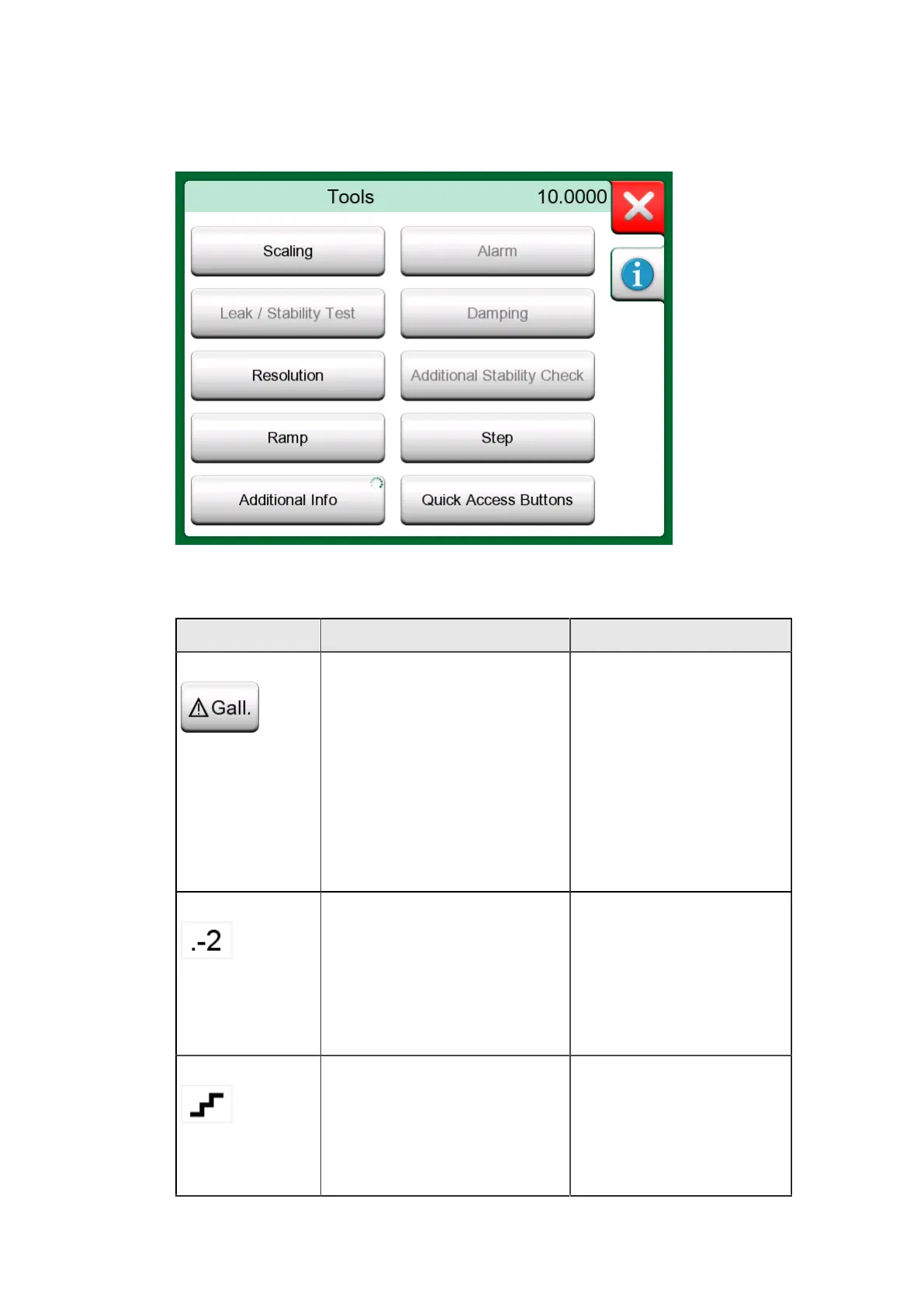
Tools for Generations/Simulations
Figure 49: Tools for generations and simulations (as seen in
Calibrator)
Tool Description Available in
Scaling Any signal may be scaled
provided the conversion
is known. When scaling is
active, it is indicated with a
triangle in the unit button.
The true measurement value
is shown in the additional
info row at the bottom of the
subwindow.
• Temperature
Calibrator
• Calibrator
• Documenting
Calibrator*
• Data Logger
* Scaled units are not
supported in CMX nor in
LOGiCAL.
Resolution Any signal's resolution may
be increased or decreased.
Altered resolution is
indicated in sub-window,
e.g. ".-2" equals two less
decimals.
• Temperature
Calibrator
• Calibrator
• Documenting
Calibrator
• Data Logger
Step Available for generations/
simulations: Opens a
window for defining a step
function for the generated/
simulated signal. Step time
option defines delay time
• Temperature
Calibrator
• Calibrator
• Data Logger



 To Next Page