Measurements - 41
CAUTION: When using another thermocouple or an RTD
sensor connected to MC6-T to measure the external reference
junction temperature: Keep in mind that there is no galvanic
isolation between the sensors.
Note: Thermocouple measurements are error prone. There may
be faulty connections, wrong (extension) cables and settings in
MC6-T. If unsure, see chapter Thermocouple Connections and
study thermocouple literature.
Temperature Measurement (RTD)
Check the Sensor Type. Make sure you select the same sensor type
as is connected to the MC6-T. Otherwise your measurement results are
useless.
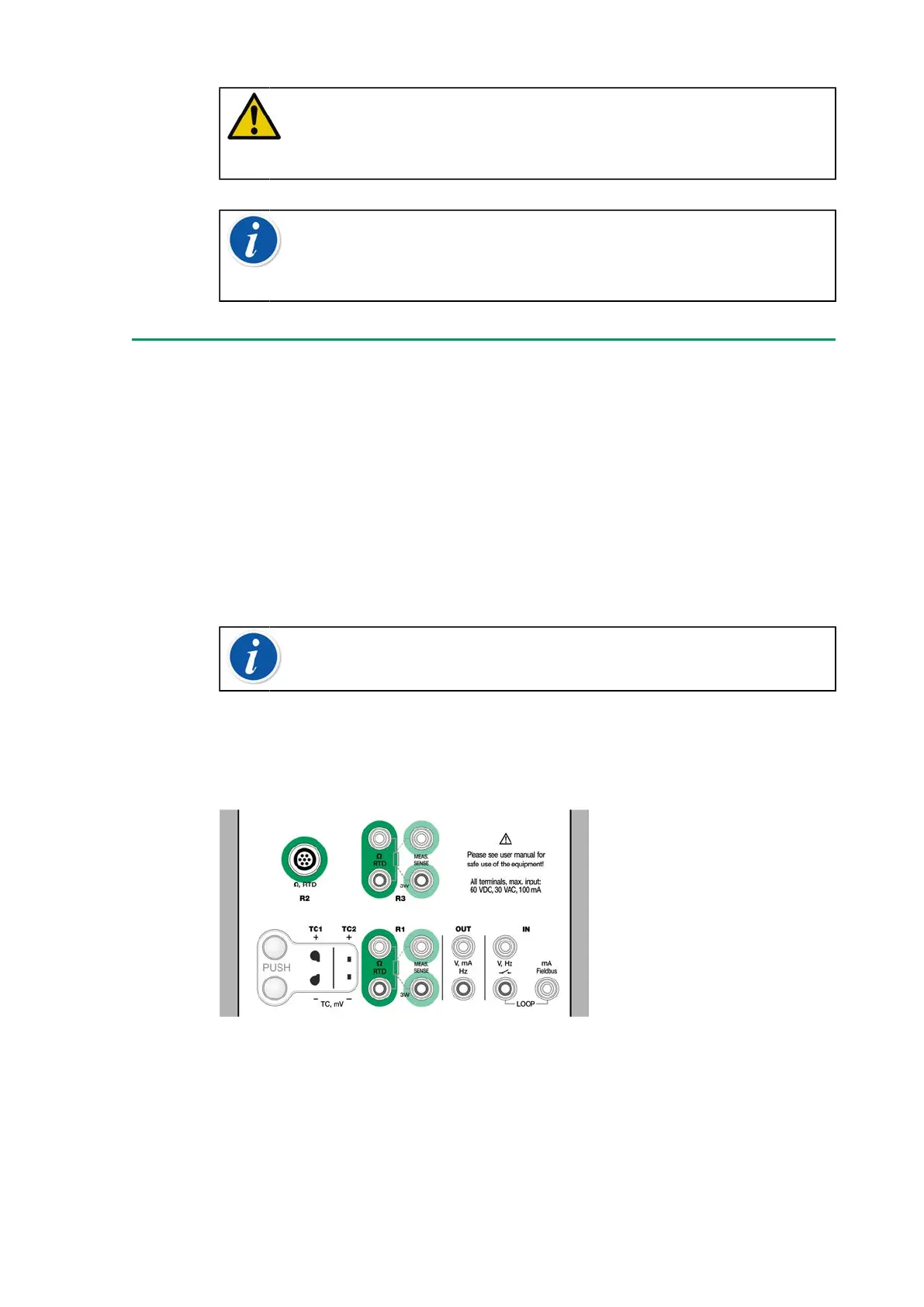
For R1 and R3 terminals:
The two leftmost terminals are used in 2-wire systems. MC6-T
automatically checks the connection and displays the found wiring system
(2-wire, 3-wire or 4-wire).
Note: For the 3-wire system measurements use the connector
marked with "3W".
For R2 terminal:
R2 terminal always uses 4-wire measurement. See Figure 2: Outside view
of the female connector in MC6-T.
Figure 23: RTD measurement terminals. Range depends on sensor
type
See also chapters RTD Sensor Simulation, Resistance Measurement and
Resistance Simulation.



 To Next Page