Calibrating Instruments - 89
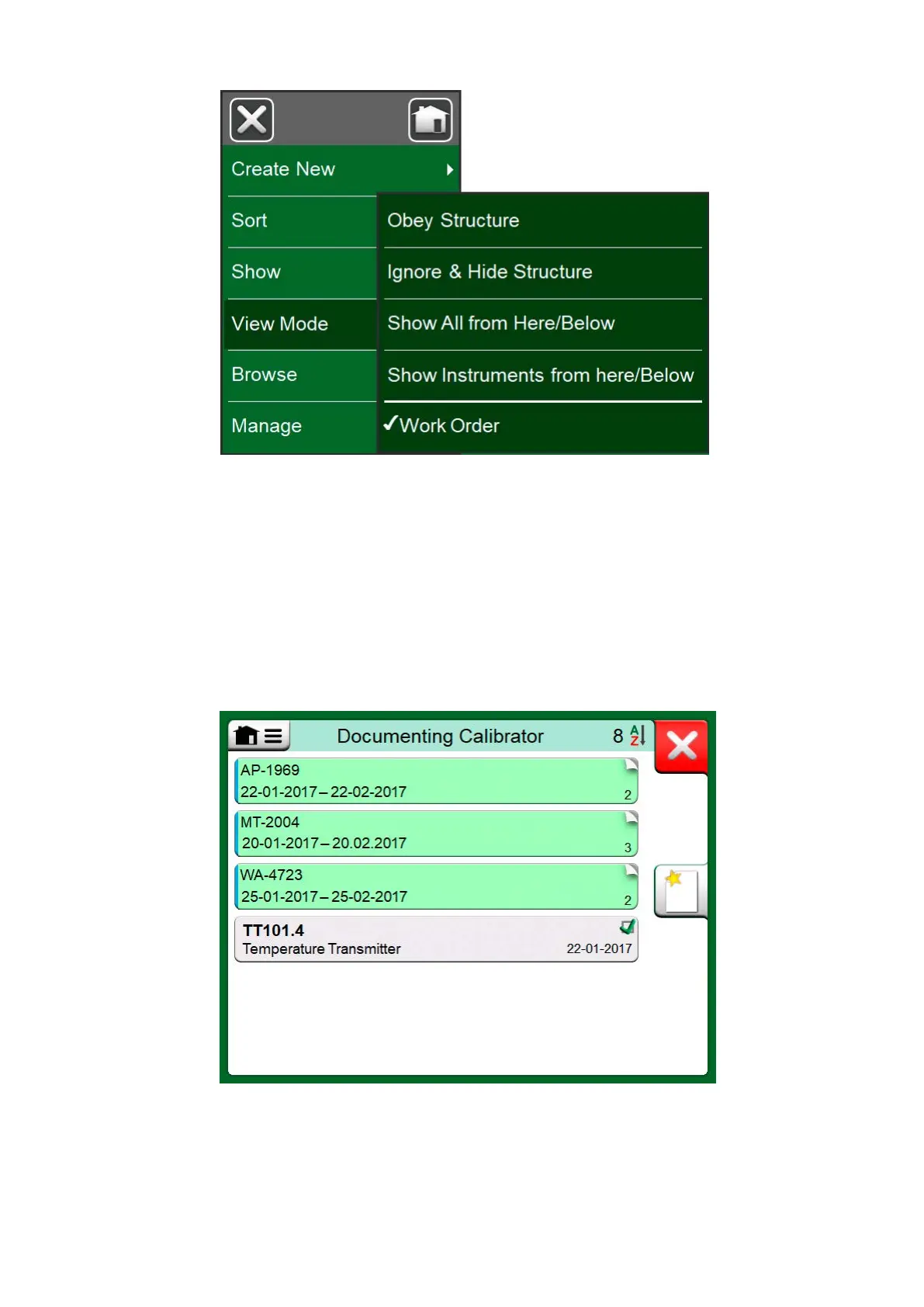
Figure 79: Activating Work Order View Mode
If Work Order View is active, a list of Work Orders are shown. Work Orders
have green background, the upper right corner is folded and the left side
has a blue line. The data in a Work Order are as follows:
• Work Order Number in upper left corner.
• Start Date and End Date below the Work Order Number.
• Amount of Instruments included in the Work Order are shown on the
lower right corner.
Figure 80: List of Work Orders
Any instruments not belonging to a Work Order are listed below the Work
Orders.



 To Next Page