10
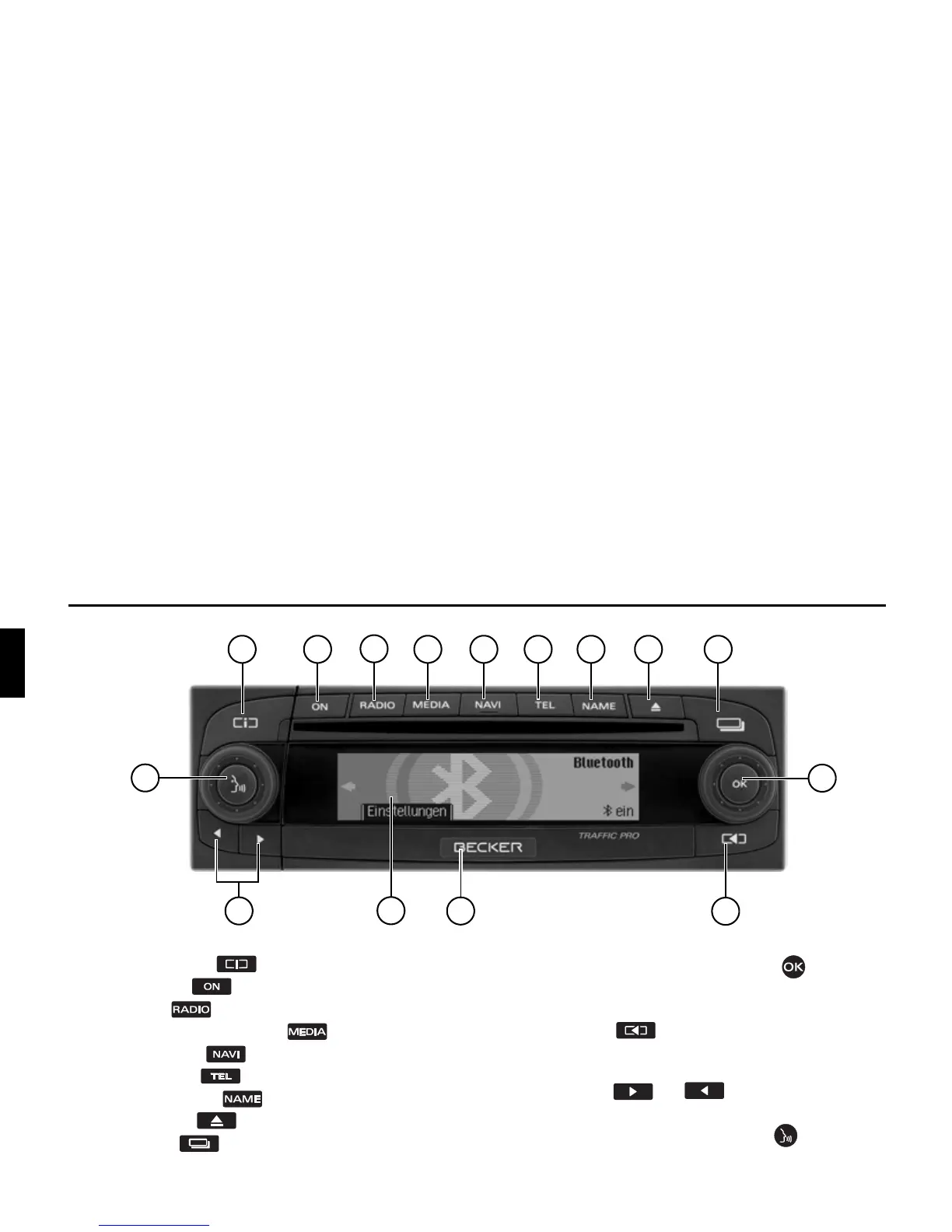
Overview of controls Traffic Pro with Bluetooth®
2
4
6 7
5
1
15
10
12
3
13
14
11
8 9
Overview of controls Traffic Pro with Bluetooth®
1 Information button
2 On / off switch
3 Select radio
4 Select CD/CDC/memory card
5 Select navigation
6 Select telephone
7 Select address book
8 CD eject button
9 Status button
10 Right-hand rotary control/push button
Press = Confirm
Turn = Scroll through lists and menus
11 Back button
12 Release slide for removable control panel
13 Display
14 Arrow keys and
Change radio station and audio track
15 Left-hand rotary control/push button
Press = Activate voice dialogue
Turn = Set volume















 To Next Page