117
Settings
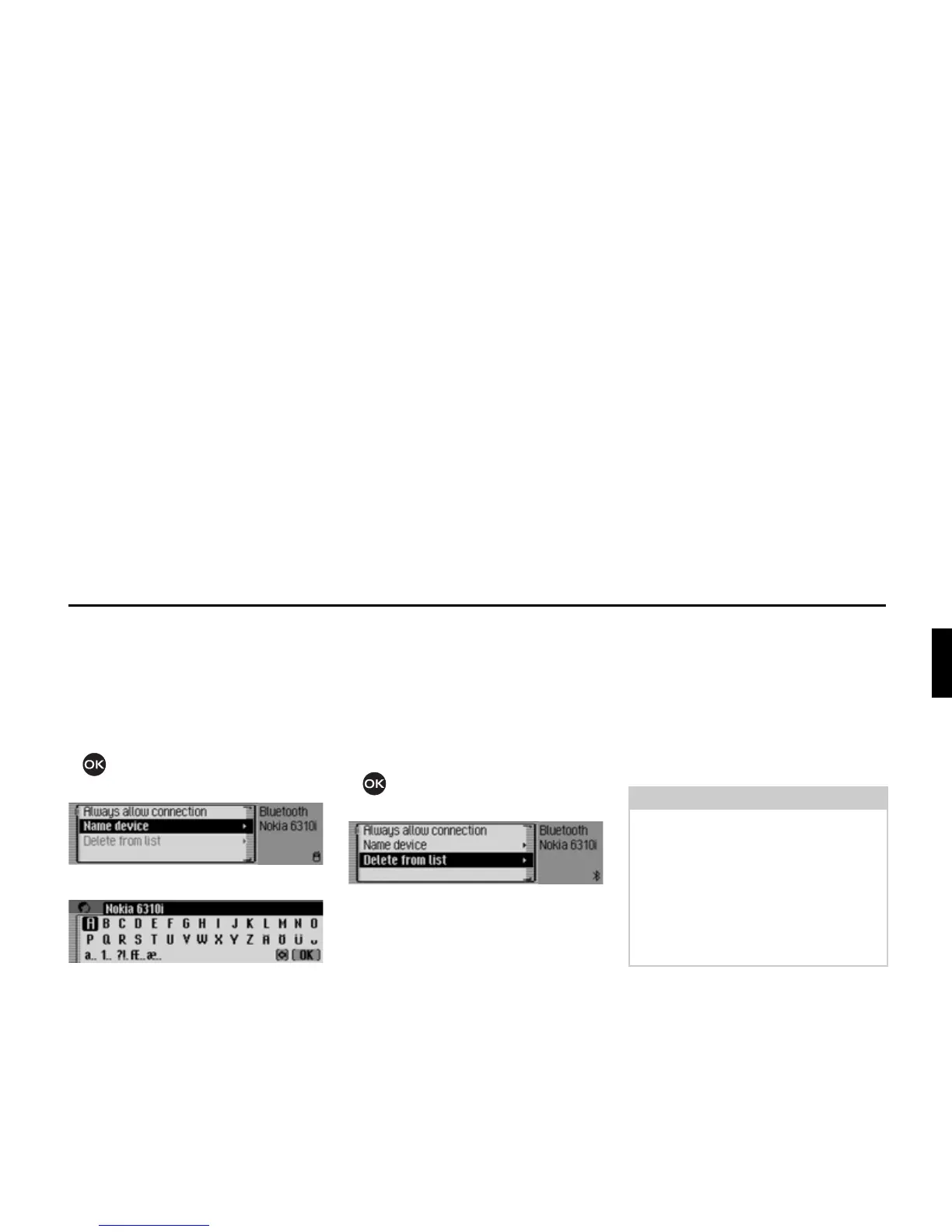
Name device*
You can change the name of a device
displayed in the Bluetooth device list.
X Select the device to be named from the
device list.
X Press the rotary control/push button
and hold until the following menu
appears.
X Select the 1DPHGHYLFH entry.
X Enter the desired name. For this
purpose, proceed as described in
“Data entry menus” auf Seite 13.
The changed name will be shown in the
device list.
Deleting a device from the list*
You can delete devices from the
Bluetooth device list which are not used
or which are outdated.
X Select the device to be deleted from
the device list.
X Press the rotary control/push button
and hold until the following menu
appears.
X Select the 'HOHWHIURPOLVW entry.
X When the next prompt appears, select
<HV to delete the entry or 1R to retain it.
The device will be deleted or retained on
the basis of the selection.
Connecting and disconnecting
devices*
Before a Bluetoothdevice is able to
communicate with the Traffic Pro, it
must be connected to the system.
You can initiate this connection from the
Traffic Pro or from the external device.
7035
Note:
It is not yet clear whether connection is
possible in both directions with all
devices using Bluetooth® wireless
technology. In the event that the
connection cannot be established from
the Traffic Pro, try initiating the
connection from the external device,
and vice versa.
*Only available for the Traffic Pro with Bluetooth® wireless technology.















 To Next Page