123
Settings
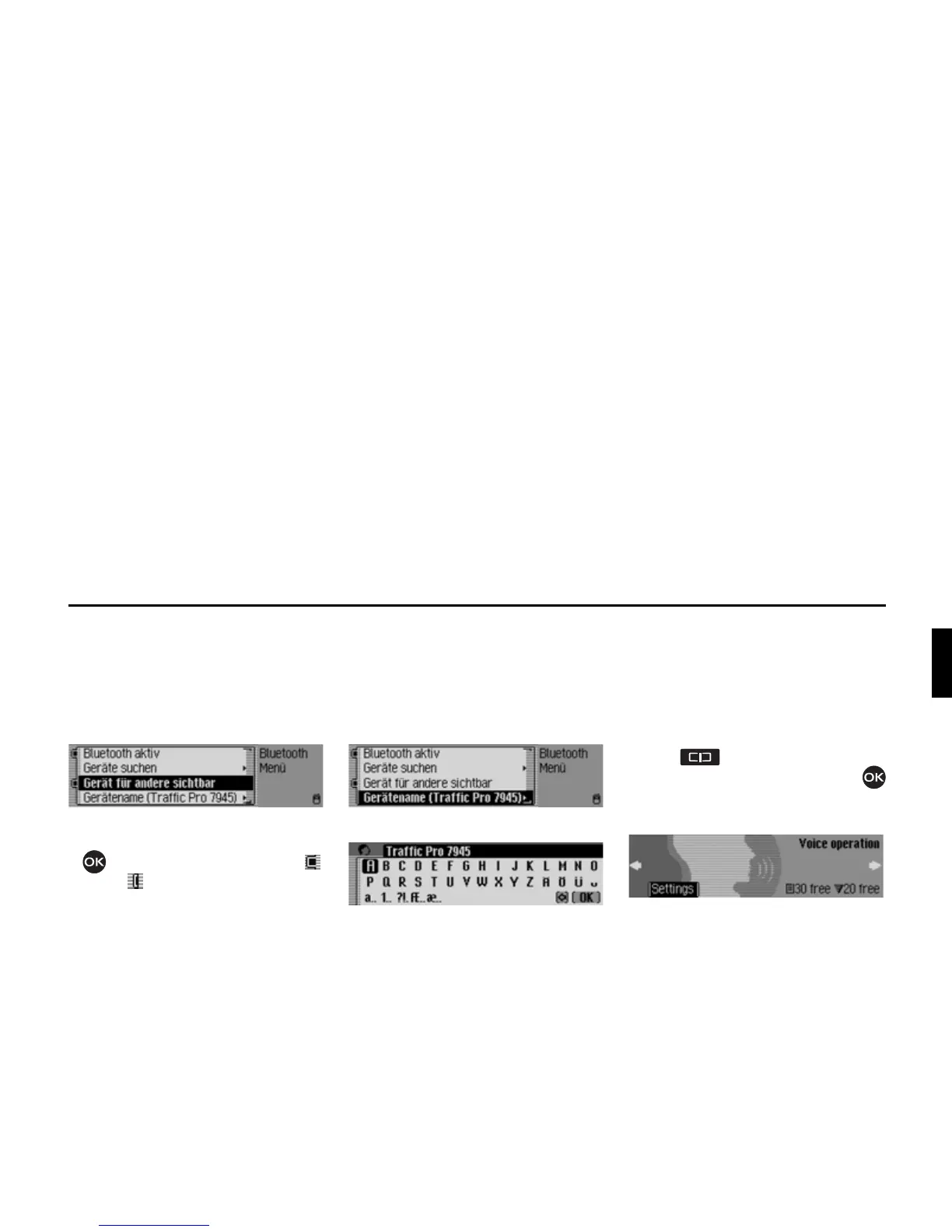
Making devices visible to others*
Here you can specify whether other
Bluetooth devices are to be able to
recognise the Traffic Pro or not.
X Call up the Bluetooth settings.
X Select the 'HYLFHYLVLEOHIRURWKHUV entry.
X Press the rotary control/push button
to switch recognisability on ( )
or off ( ).
Device name*
You can give your Traffic Pro a name.
This name will be displayed by other
Bluetooth devices.
X Call up the Bluetooth settings.
X Select the 'HYLFHQDPH entry.
X Enter the desired name. For this
purpose, proceed as described in
“Data entry menus” auf Seite 13.
The changed name will be displayed in
brackets in the Bluetooth settings next to
the device name entry.
Voice mode
You can make settings for voice mode as
well as for traffic announcements and
other announcements here.
Calling up voice mode settings
X Press .
X Turn the rotary control/push button
counter clockwise until
9RLFH RSHUDWLRQ
appears at the top right of the display.
This display provides information about
the number of free voice entries still
available for address book entries and
radio stations. In the example, 30 are
available for address book entries and 20
for radio stations.















 To Next Page