88 *Only available for the Traffic Pro with Bluetooth® wireless technology.
Telephone mode*
Calling up the telephone
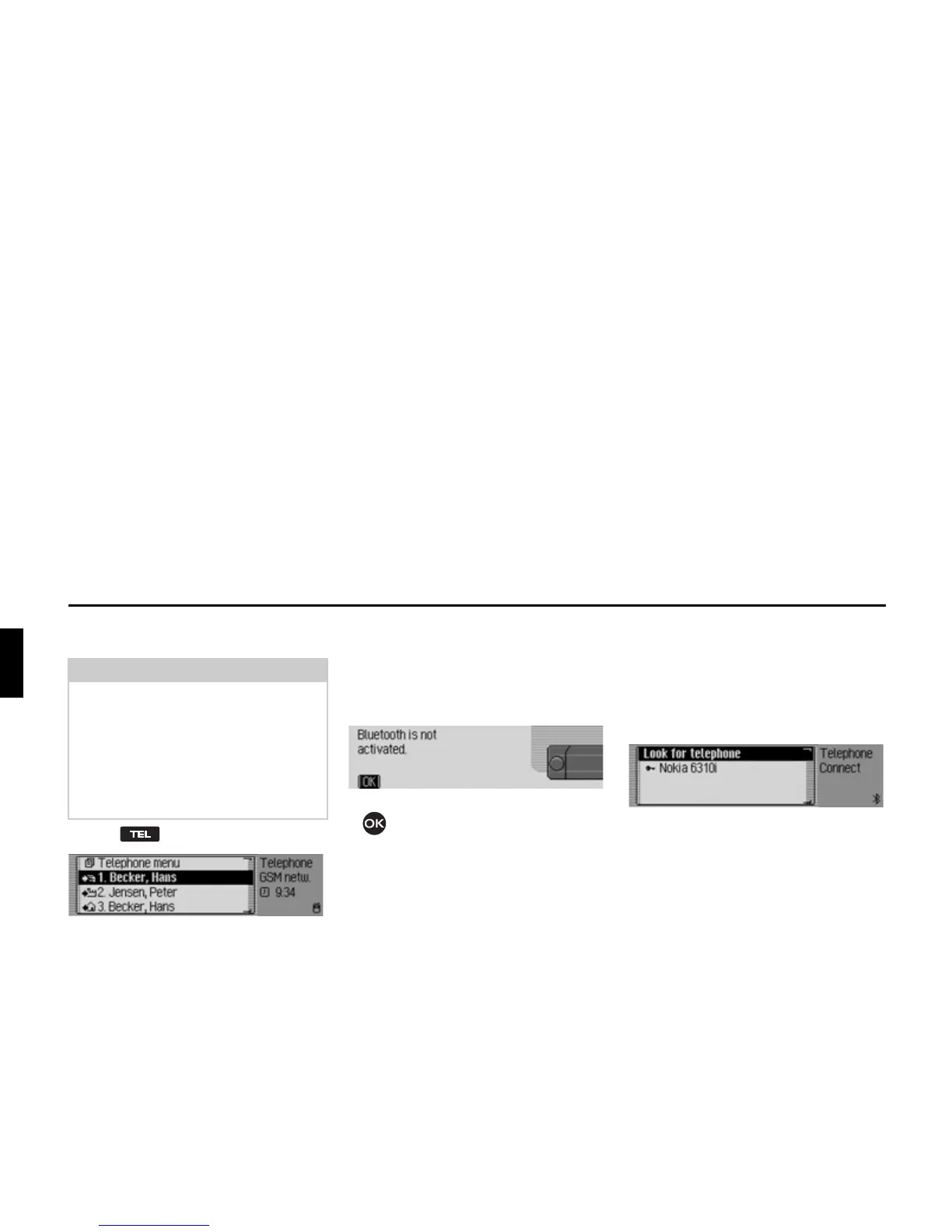
X Press .
Telephone mode is activated.
The telephone mode fast access
functions are displayed.
In fast access mode the last 20 numbers
or names which have been dialled,
answered or rejected will be displayed in
chronological order.
Further information on fast access can
be found under “Fast access telephone
functions” on page 98.
Bluetooth not yet switched on
If Bluetooth has not been switched on
when you try to call up telephone mode,
you will be shown the following
message.
X Press the rotary control/push button
.
X Switch on the Bluetooth function as
described in “Activating/ deactivating
Bluetooth*” on page 122.
Bluetooth mobile phone not yet
connected
If the mobile phone has not been
connected when you try to call up
telephone mode, the following message
is displayed.
You will see a list containing all the
previously connected devices and the
entry
/RRNIRUWHOHSKRQH.
If
1R%7GHYLFHVis displayed in the list, or
if the device to be connected is not
displayed, select the
/RRN IRU WHOHSKRQH
entry to search for the device.
This is also described in “Searching for
Bluetooth devices*” on page 122.
Note:
To call up telephone mode directly, it is
essential that Bluetooth has been
activated and that the device is
connected to a mobile phone with
Bluetooth® wireless technology. This
is described in “Bluetooth*” on
page 115.















 To Next Page